
You are here:
Field Service Mobile App
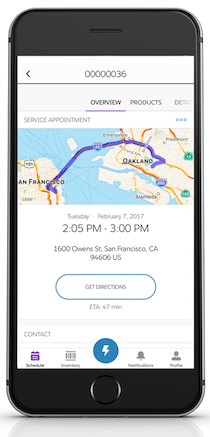
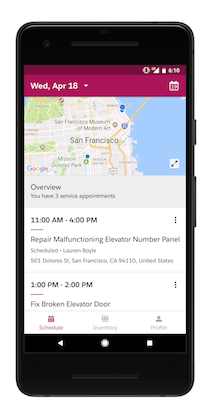
The Field Service mobile app for Android and iOS is an all-in-one tool optimized for a modern mobile workforce. Designed as an offline-first app, you can work and have your changes saved without internet connectivity. And the app is highly customizable to meet your business needs.
Required Editions

Note The Field Service mobile app isn’t available in the Apple App Store in mainland
China.
| Available in: both Salesforce Classic (not available in all orgs) and Lightning Experience |
| The Field Service core features, managed package, and mobile app are available in Enterprise, Unlimited, and Developer Editions. |
| To access the Field Service mobile app, users need the Field Service Mobile user license. |
Review this table to learn what the app has to offer. If you aren’t yet using Field Service in Salesforce, see Set Up Field Service before getting started with the app.
| Feature | Description |
|---|---|
| Agentforce | The AI agent is available in the Field Service mobile app as soon as it’s enabled for your Salesforce org. Using text and images, mobile workers can ask the agent to find records, summarize records, generate a post-work summary, and gather information in a conversational and intuitive experience on the Field Service mobile app. See Set Up Agents. |
| Appointment Assistant | Give customers temporary, live tracking of Salesforce Field Service mobile workers. |
| Chatter | Communicate with dispatchers, partners, and customers using Chatter. |
| Configurable actions | Configure quick actions to help users quickly complete common tasks, pass record data to other apps, and build flows to guide your team through collecting information and finalizing jobs. |
| Configurable layouts | Flexible layouts let you choose what record information to display to your users. |
| Custom branding | Brand the app to give it your company’s look and feel. |
| Geolocation tracking | Keep tabs on service resources and enable smarter scheduling with resource geolocation tracking. |
| Inventory tab | Let your team manage track consumption, request products, and view their inventory from the app. |
| Measure lengths | Use augmented reality to measure between two or more points directly from the Field Service mobile app. |
| Offline capability | The app works offline, so mobile workers can complete their work even with limited or no network connectivity. |
| Pre-Work Brief | Show mobile workers an AI-generated brief that tells them everything they need to know about their upcoming work order. Workers can also get the brief read aloud to them. See Set Up Pre-Work Brief for Field Service Mobile Workers. |
| Push notifications | Push notifications help your mobile workforce stay up to date, making sure they never miss an important event. |
| Quoting | With the Field Service Plus license, you can access the Quote object, which lets you upsell your business. For access to CPQ, an additional license is required. |
| Salesforce Knowledge integration | Attach specs, instructions, and best practices to work orders and work order line items to keep relevant information at your team’s fingertips. |
| Service reports | Create previewable service reports summarizing field service visits. Seal the deal by capturing customers’ signatures on the reports. |
| Shortcuts (iOS only) | Mobile workers can talk to Siri and have her request Agentforce to do something for them in the Field Service mobile app. When a mobile worker says to Siri, “Ask Field Service,” followed by their request, the AI agent starts working its magic in the app. The AI agent can quickly complete any request it’s been set up to do. For example, mobile workers can ask to draft a post-work summary, get information from knowledge articles, or schedule a follow-up appointment. They can also say, “Hey Siri, tell me about my next job in Field Service.” to read their pre-work brief aloud for them. See Run shortcuts with the Action button and Add a shortcut to the Home Screen on iPhone or iPad. |
| Site user access | Give members of your Experience Builder site—like contractors—custom access to your field service operation. |
| Work order overview screen | Help your team quickly find the information they need to complete assignments. The work order overview screen displays information about a work order’s service appointments, line items, asset history, and more. |
- About the Field Service Mobile App
Review key information about the mobile app, including requirements, limitations, supported data types, and security considerations. - Set Up Field Service Mobile App Basics
Get started with basic tasks of Field Service mobile app setup, including downloading the connected app and giving users access. - Customize the Field Service Mobile App
Learn how to customize the Field Service mobile app’s screens, actions, and branding settings, and create unique mobile experiences for different user profiles. - Set Up Location Features in the Field Service Mobile App
Take advantage of geolocation-based actions, learn how service resource location is tracked, and set up native GIS for the mobile app. - Add More Features to the Field Service Mobile App
Extend the mobile app with value-adding capabilities like form-based data capture, mobile quoting, and offline functionality. - Using the Field Service Mobile App
Learn how to install and log into the app, adjust in-app settings, and complete common tasks from the app.
Did this article solve your issue?
Let us know so we can improve!
