Discover Service Cloud Features with My Service Journey
To quickly grasp how Salesforce can further your customer service goals, use My Service
Journey. It's a Salesforce app that details the full feature set of Service Cloud.
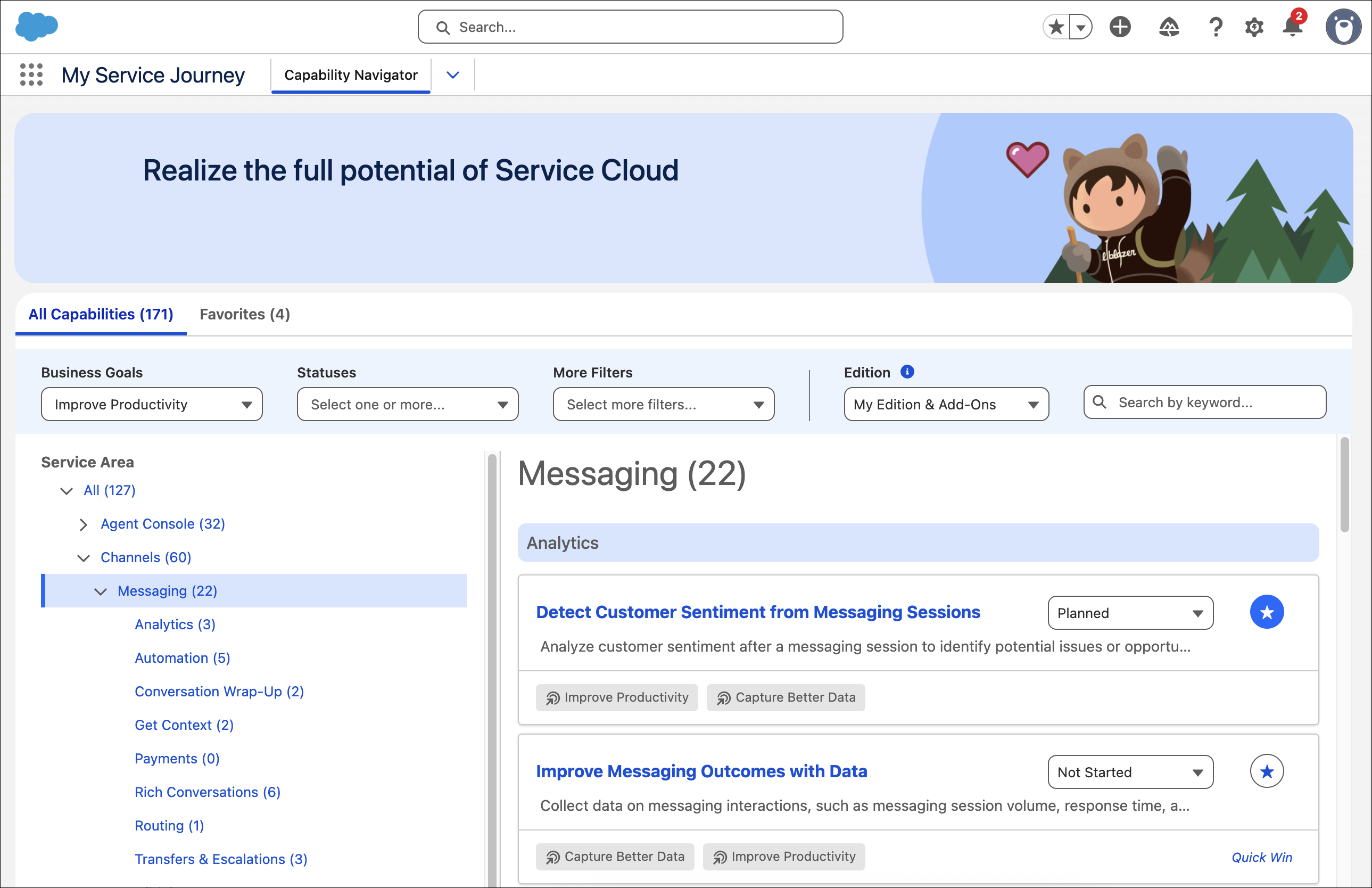
My Service Journey gives you a list of Service Cloud functionalities, shown as clickable
tiles that lead to individual pages. Each capability page provides product and licensing info,
relevant KPIs, linked resources, and best practices for usage and implementation.
My Service Journey offers several ways to filter capabilities, including by business goal,
service area, or edition. You can also view Quick Win capabilities—those with no or low
implementation barriers—to get started right away. Any user in Enterprise, Unlimited, or
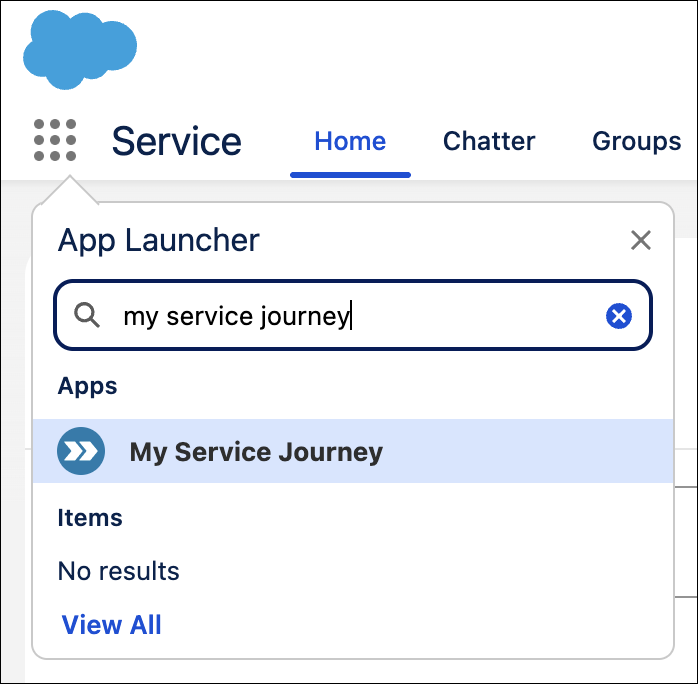
Developer edition can access My Service Journey in the App Launcher.
When exploring service capabilities, you can click links to Salesforce Go for more content resources, easy setup,
configuration, and usage tracking, all in one place.
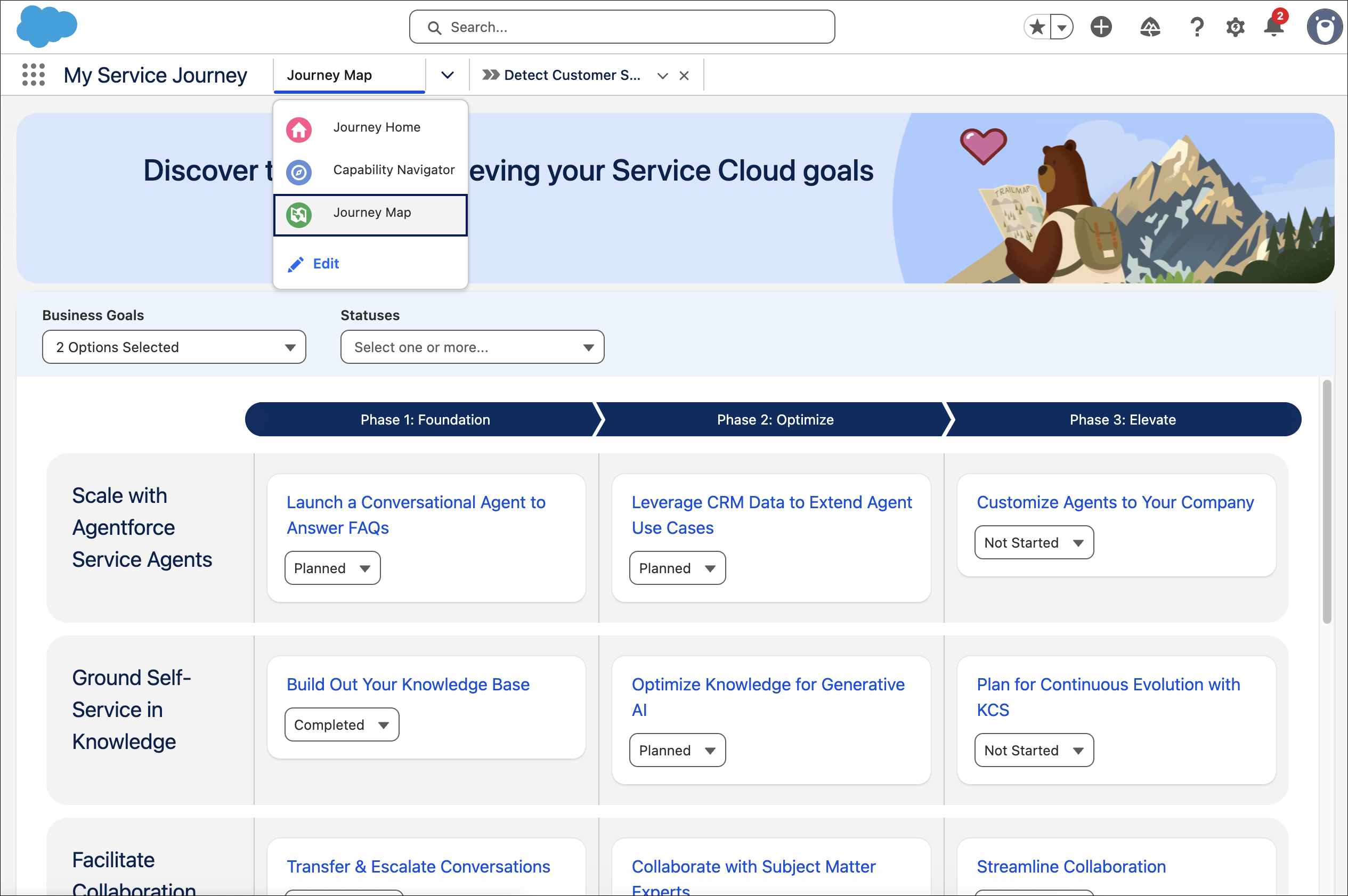
Additionally, click Journey Map to explore prescriptive service
capabilities across foundation, optimize, and elevate phases. Capabilities are organized into
progressing initiatives to increase productivity and self-service, and completing them updates
their status on the map.
You can select capabilities as favorites or share them with members of your team. If you
find a capability you'd like to request access to, reach out to your Salesforce account
executive directly in My Service Journey.
Tip For enhanced exploration of Service Cloud capabilities, add My Service Journey
to your console app’s navigation menu. This pins capabilities as tabs for quicker
access.
Edit Profile Access to My Service Journey The My Service Journey app is available to all users in Enterprise, Unlimited, and Developer editions. Optionally, limit its access to specific user profiles, either from the app settings or from a profile’s settings.
Did this article solve your issue?
Let us know so we can improve!
Loading
Salesforce Help | Article
Cookie Consent Manager
General Information
Required Cookies
Functional Cookies
Advertising Cookies
General Information
We use three kinds of cookies on our websites: required, functional, and advertising. You can choose whether functional and advertising cookies apply. Click on the different cookie categories to find out more about each category and to change the default settings.
Privacy Statement
Required Cookies
Always Active
Required cookies are necessary for basic website functionality. Some examples include: session cookies needed to transmit the website, authentication cookies, and security cookies.
Functional Cookies
Functional cookies enhance functions, performance, and services on the website. Some examples include: cookies used to analyze site traffic, cookies used for market research, and cookies used to display advertising that is not directed to a particular individual.
Advertising Cookies
Advertising cookies track activity across websites in order to understand a viewer’s interests, and direct them specific marketing. Some examples include: cookies used for remarketing, or interest-based advertising.