
You are here:
Create the reasonForNotRouting
To explain why a flow can’t route a work item, create the reasonForNotRouting variable. You can use this variable in a Messaging for In-App and Web channel to return a reason why the flow can’t route a messaging request.
- In the Flow Builder Toolbox, click Manager and then click New Resource.
- For Resource Type, select Variable.
- For API Name, enter reasonForNotRouting.
- For Data Type, select Text.
- Under Availability Outside the Flow, select Available for output.
-
Click Done.
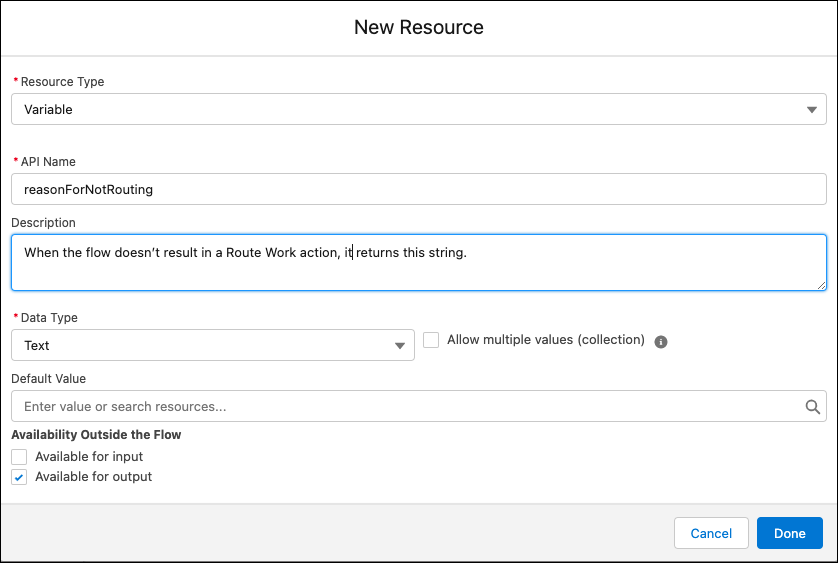
If your Omni-Channel flow has a path that doesn’t result in a Route Work action, the flow returns this string. For example, you can use an assignment element in the flow and set the variable to Outside business hours. If a service rep isn’t available because the messaging request occurs outside normal working hours, the flow logic returns this string in a Messaging for In-App and Web channel.
Did this article solve your issue?
Let us know so we can improve!
