
You are here:
Monitor and Support Your Service Reps
Monitor and support your service reps in real time while they’re working with customers. While monitoring conversations in Command Center for Service, prioritize the ones with a raised flag. A flag can be raised when a service rep needs your help or a conversation intelligence rule detects a previously determined key word or phrase.
When a service rep raises a flag to signal that they need help, you can hold a private 2-way conversation with them in Command Center for Service. Conversations for the Chat standard channel are 1-way only: service reps can send whisper messages to the supervisor, but the supervisor can't reply.
-
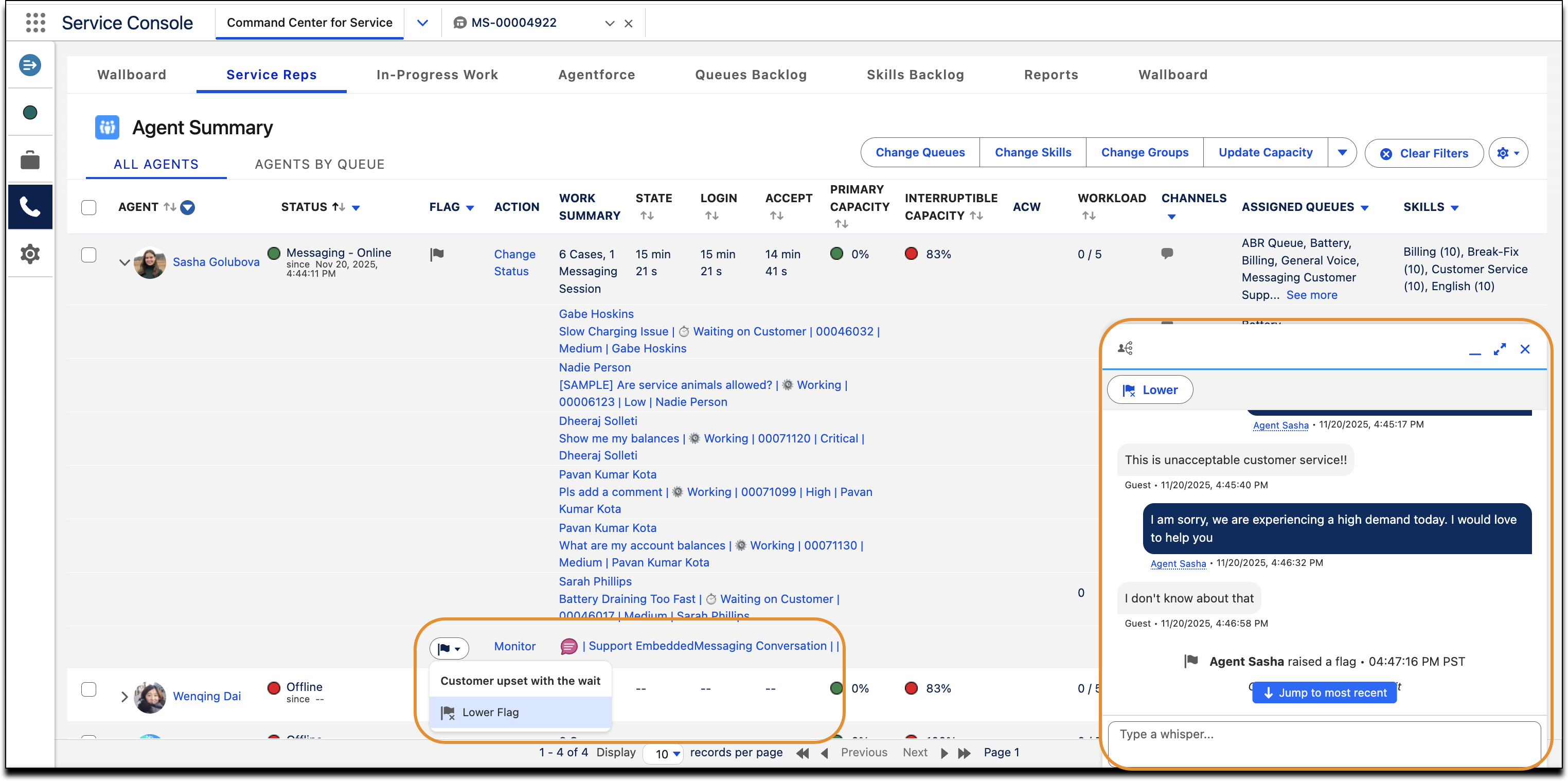
In Command Center for Service, look in the Flag column of the All Agents tab.
A raised flag appears when service reps seek your help. Or you see an alert if conversation intelligence rules detect a certain word or phrase.
- Click the raised flag to preview the service rep’s message to you. Optionally, you can lower the flag.
-
To see the full message, click Monitor to open the monitoring
window (1) and send whisper messages to the service rep.
- If using Einstein Conversation Translate (beta), click the Translate button in the messaging conversation window.
- When the service rep no longer needs help, you or the service rep can lower the flag.
If you close the monitoring window, you can reopen it to continue the conversation. The conversation doesn’t end until the call, messaging, or chat session ends. The service rep-supervisor conversation is added in real time to the conversation transcript.
