
You are here:
Customize the Dispatcher Console with Field Sets
Use field sets to control which fields appear in different sections of the Field Service dispatcher console. For example, choose which fields appear as columns in the appointment list.
Required Editions
| Available in: both Salesforce Classic (not available in all orgs) and Lightning Experience |
| The Field Service core features, managed package, and mobile app are available in Enterprise, Unlimited, and Developer Editions. |
 This is a Field Service managed package feature.
To manage a field set, from the Object Manager, find the object whose field set you want to edit—for example, Service Resource. Then, click Field Sets.
Field sets support the following field types: Number, Text, Date, Date/Time, Currency, and Reference (lookup fields). The Field Service managed package also provides additional field sets not included in this article.
Only fields related to the object that you’re editing are shown in the dispatcher console. For example, if you’re editing the Service Appointment object, only service appointment fields are shown. Fields related to a service appointment’s account aren’t shown.
Service Appointment Field Sets
| Field Set | Description | Location in Dispatcher Console |
|---|---|---|
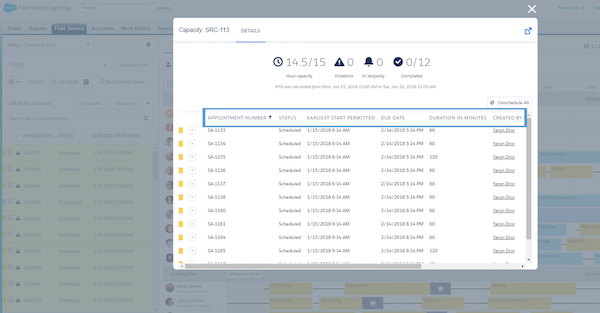
| Capacity Service Columns | Controls the columns on the dialog screen shown when a user double-clicks a capacity record on the Gantt. This field set supports up to 9 fields. |
|
| Complex Work Lookup Fields | Controls which lookup fields are available for selecting service appointments when users create dependencies. | 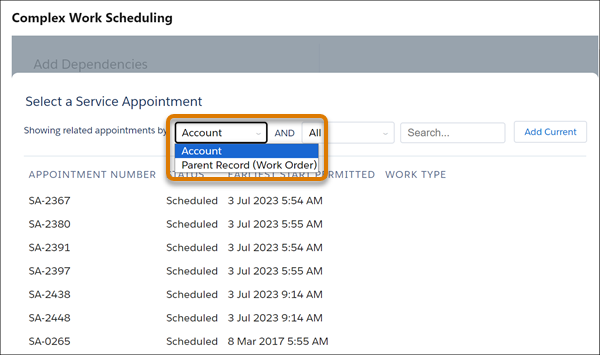 |
| Crew Management | Controls which fields are shown when a user double-clicks a service appointment from the Crew Schedule row in the Crew Management Gantt. | 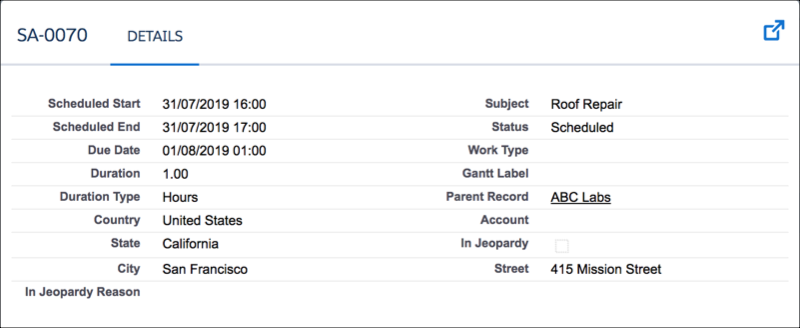 |
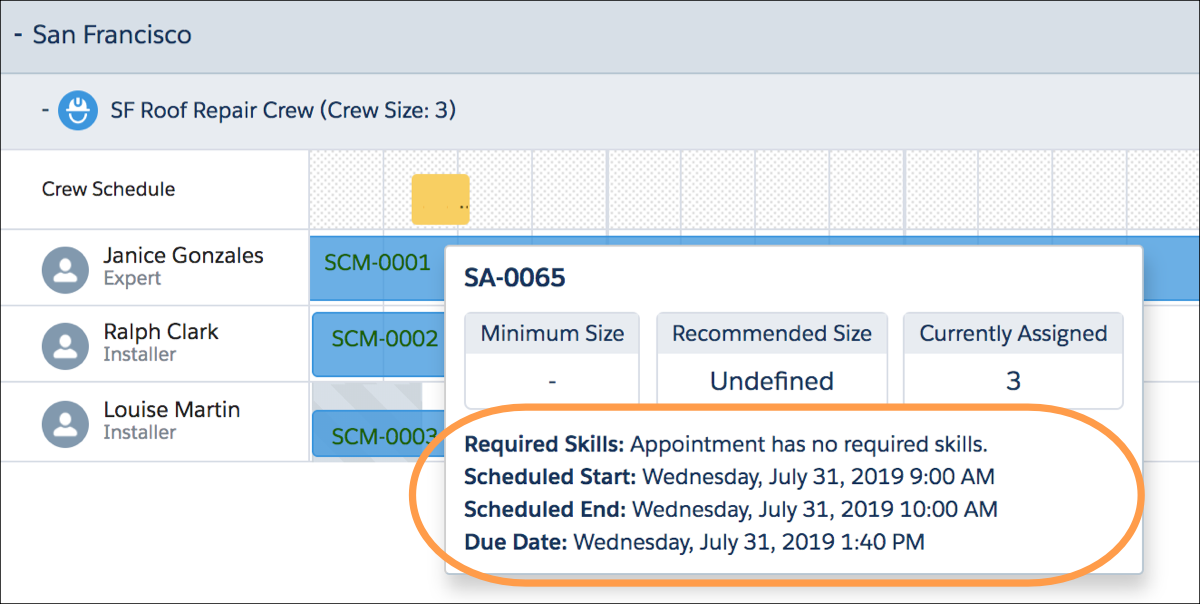
| Crew Management Tooltip | Controls which fields are shown when a user hovers over an appointment in the Crew Management Gantt.  Note Lookup fields and fields without values aren't displayed. The
Required Skills field is always shown. |
|
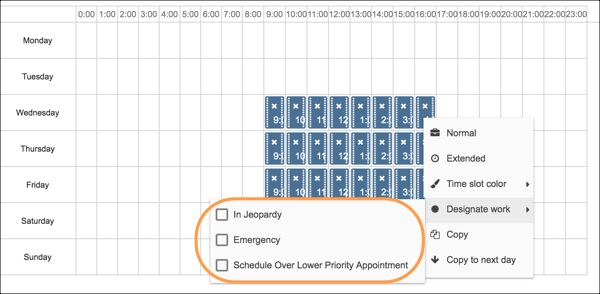
| Designated Work Fields | Controls which fields are available when a user is creating a designated time slot from the time slots editor Visualforce page on the operating hours record. |
|
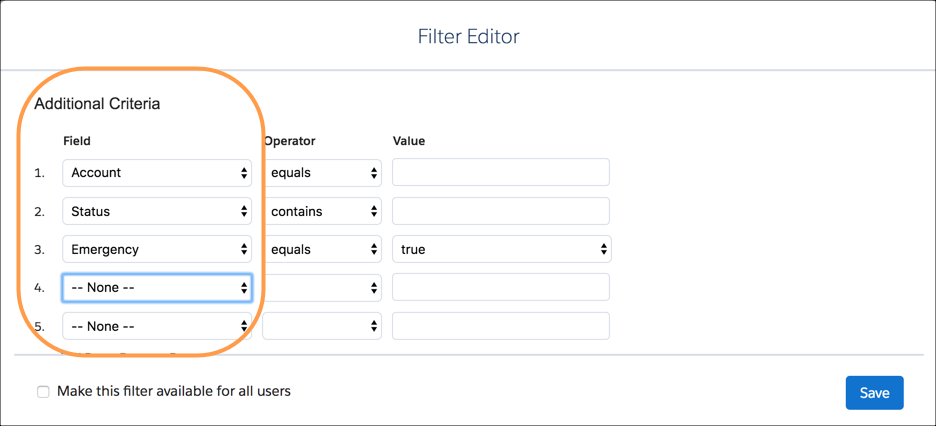
| Gantt Filter | Controls the Additional Criteria fields shown when creating a custom Gantt filter. |
|
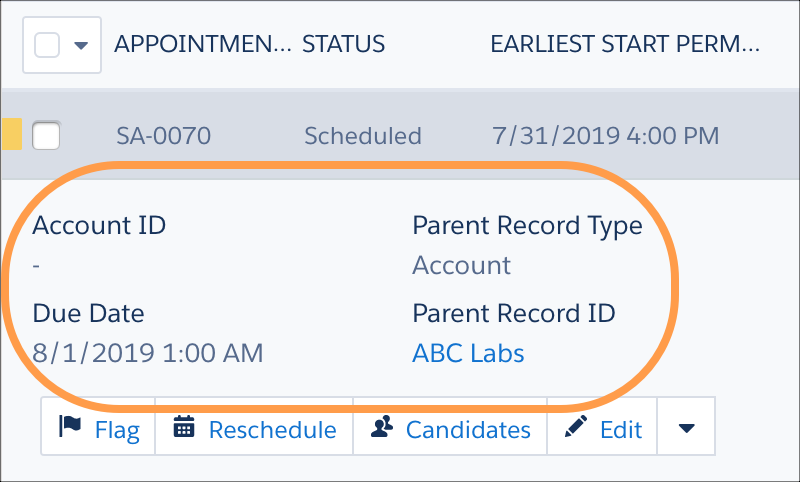
| Service Appointment Expanded | Controls the mini layout displayed when the user clicks an appointment in the appointment list. The mini layout supports up to 12 fields. |
|
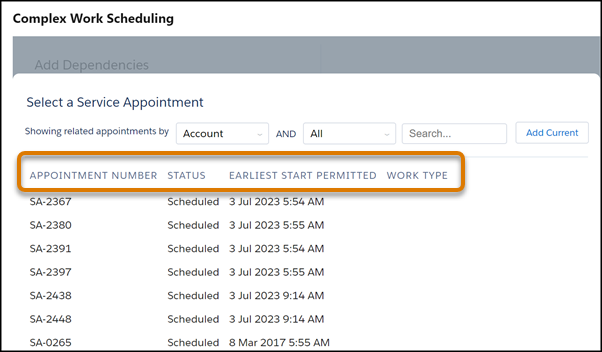
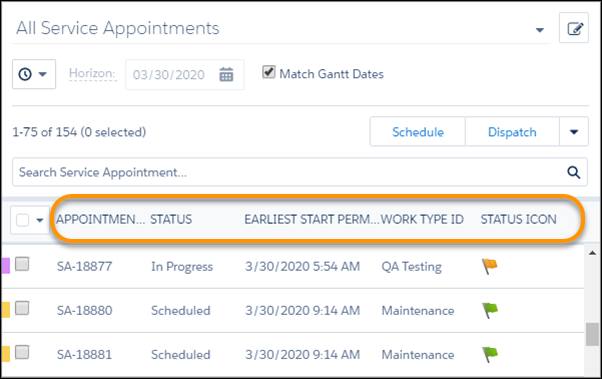
| Service Appointment List Columns | Controls the fields that appear as columns in the appointment list and in the complex work dependencies lookup filter. We recommend that the appointment list includes up to six columns. Additional columns are supported but can affect the performance of the dispatcher console. The number of columns shown depends on the screen resolution. You can include Gantt or custom icon fields in columns. Note Custom appointment list filters include appointment
list column settings. If such a filter is applied, it overrides this field
set. |
 |
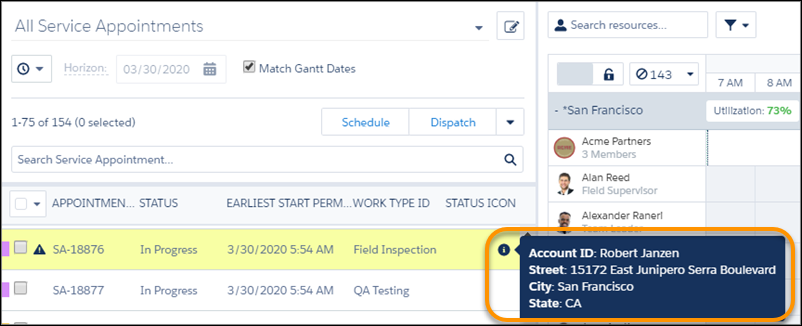
| Service Appointment List Preview | Controls the fields that appear when a user hovers on the appointment information icon. |
|
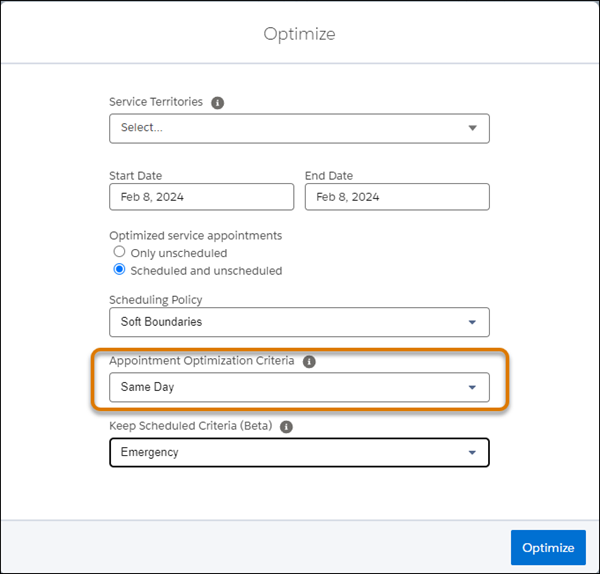
| Service Appointment Optimization Criteria | Controls the values shown in the Appointment Optimization Criteria field in the Optimize window. |
|
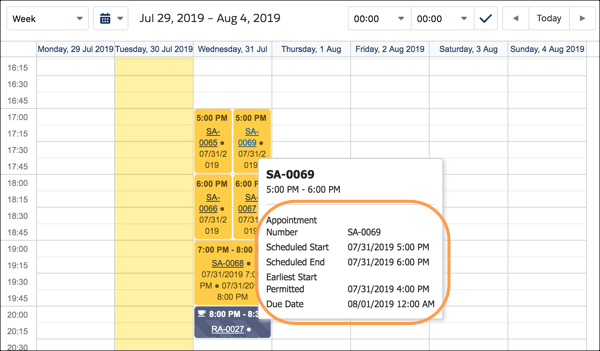
| Service Appointment Resource Calendar Tooltip | Controls the fields displayed on the tooltip when a user hovers over an appointment on the service resource. |
|
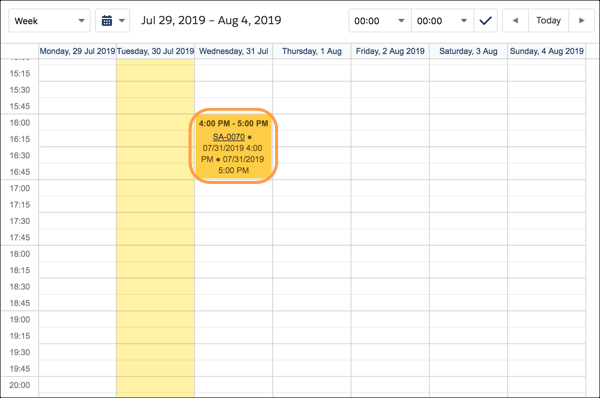
| Service Appt Resource Calendar Display | Controls the fields displayed on appointments on the service resource calendar Visualforce page. |
|
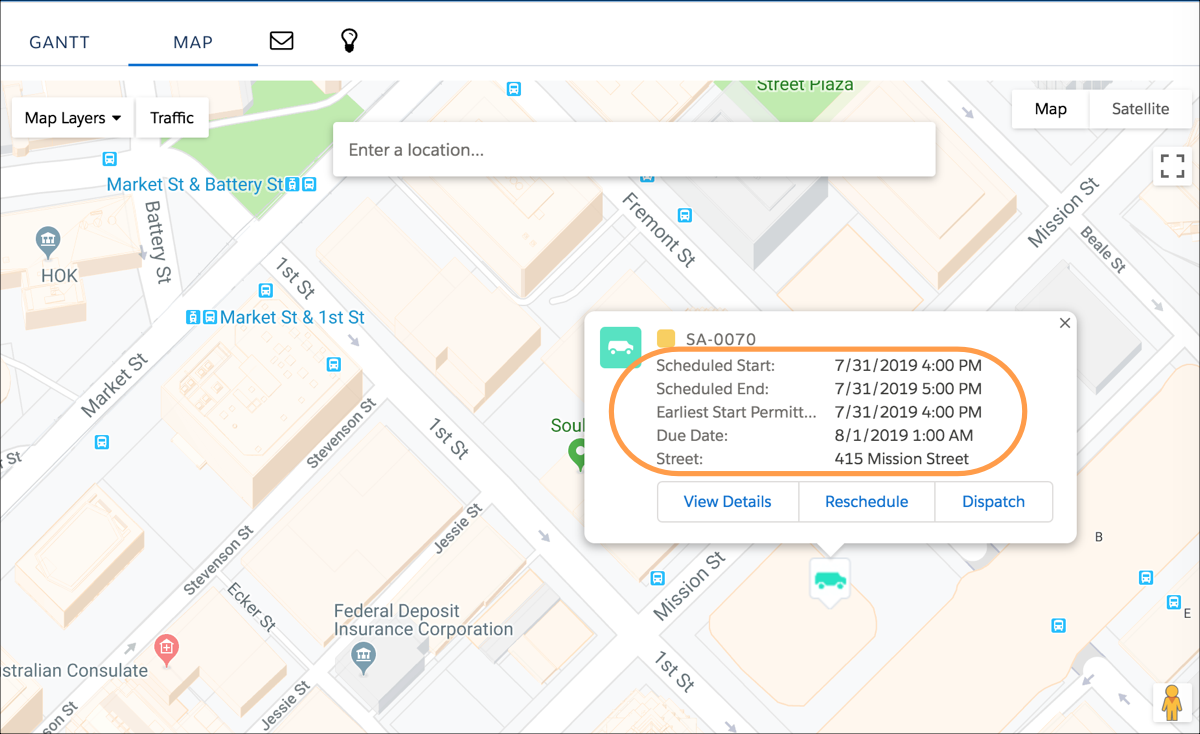
| Service Info Window Map | Controls the layout of the dialog screen displayed when the user double-clicks an appointment on the map. |
|
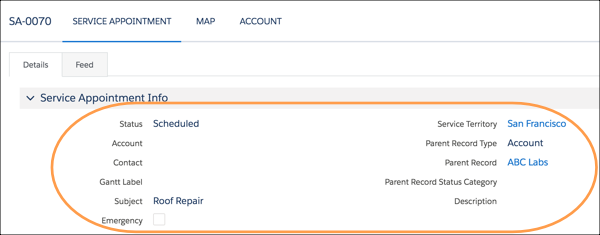
| Service Lightbox | Controls the layout of the dialog screen displayed when the user double-clicks an appointment on the Gantt. |
|
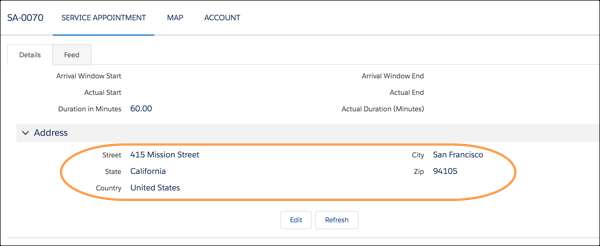
| Service Lightbox Address | Controls which fields are displayed under Address when a user double-clicks a service appointment in the Gantt. |
|
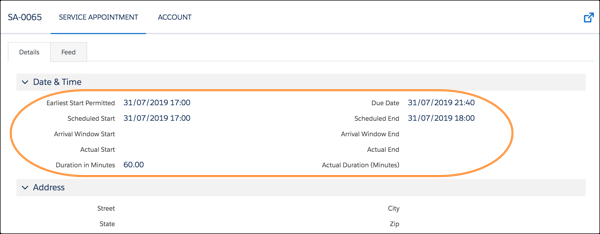
| Service Lightbox Time | Controls which fields are displayed under Date & Time when a user double-clicks a service appointment in the Gantt. |
|
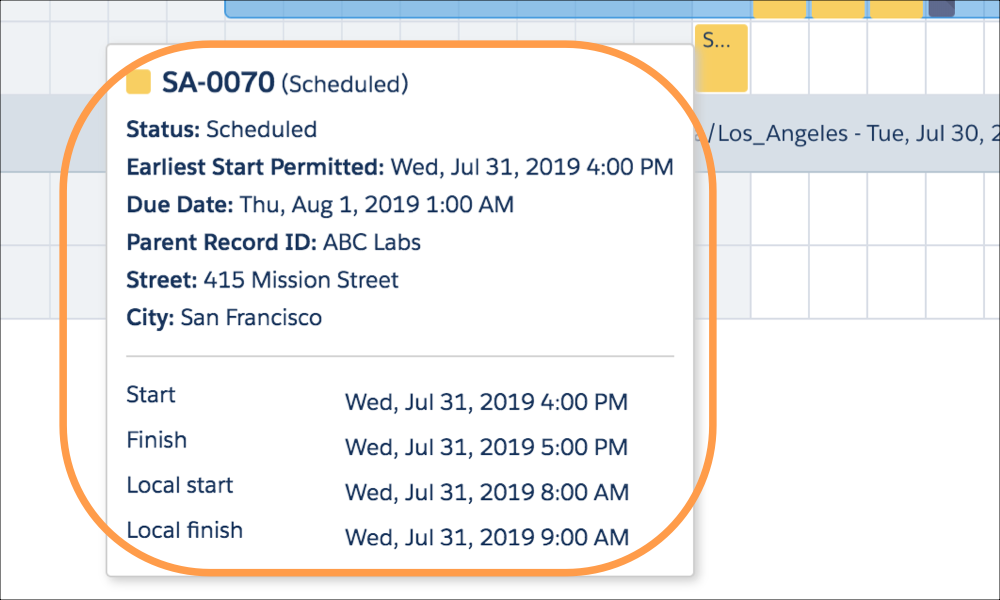
| Service Tooltip Gantt | Controls the tooltip layout shown when hovering over an appointment on the Gantt. This field set supports up to 10 fields. |
|
Service Resource Field Sets
| Field Set | Description | Placement in Dispatcher Console |
|---|---|---|
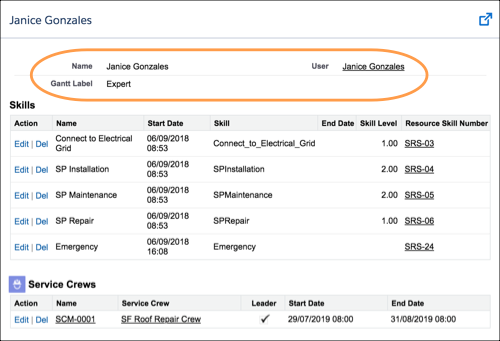
| Crew Management Resource Lightbox | Controls the fields shown when a user double-clicks a service resource in the Crew Management Gantt. |
|
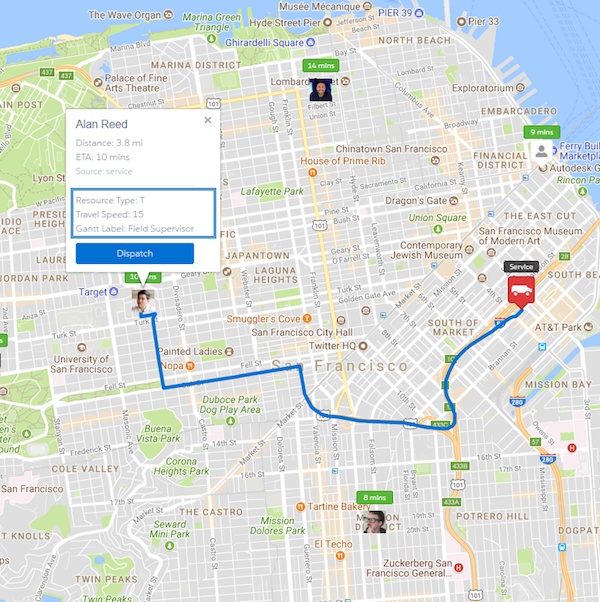
| Emergency Fields | Controls the fields displayed for a service resource in the Emergency Chatter action. |
|
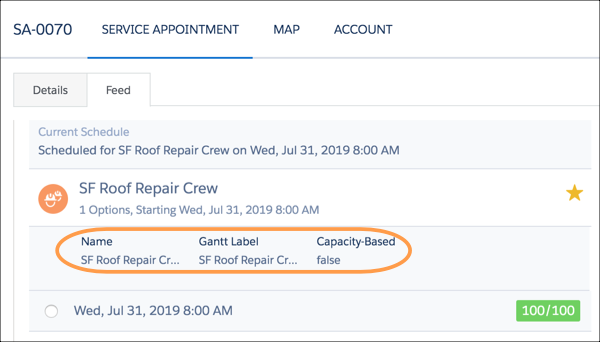
| Get Candidates Resource Details | Controls the fields shown when expanding a resource row on the Candidates Chatter action. |
|
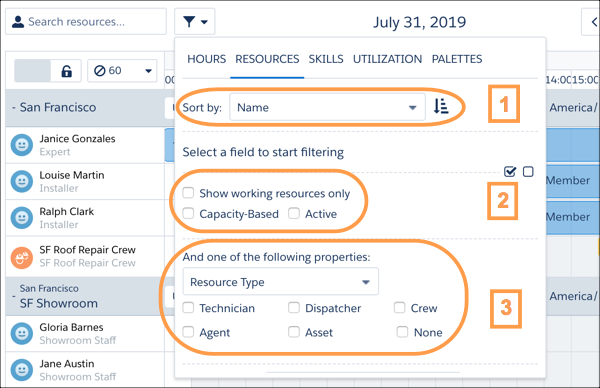
| Resource Gantt Filter | Controls the available fields in Gantt Resource Filters. The fields are shown in these sections:
|
|
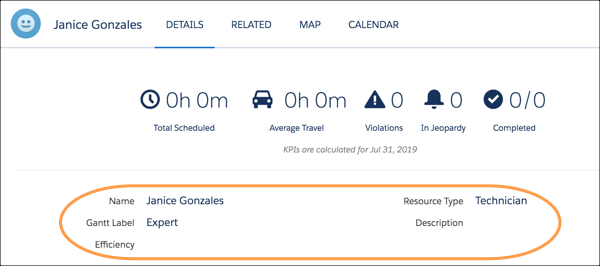
| Resource Lightbox | Controls the layout of the dialog screen displayed when the user double-clicks a service resource in the Gantt. |
|
Gantt Lightbox
| Field Set | Description | Placement in Dispatcher Console |
|---|---|---|
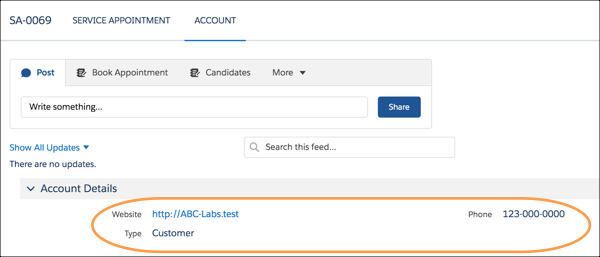
| Account | Controls the layout of the dialog screen displayed when a user double-clicks an appointment on the Gantt and clicks the Account tab. |
|
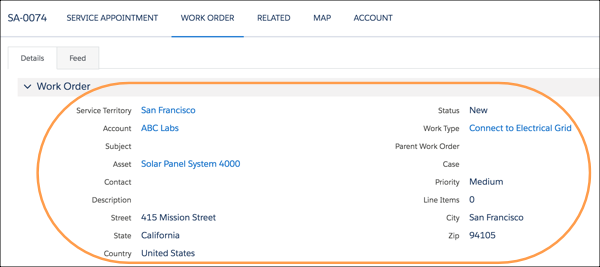
| Work Order | Controls the layout of the dialog screen displayed when the user double-clicks an appointment on the Gantt, and then clicks the Work Order tab. Applies only to service appointments whose parent record is a work order. |
|
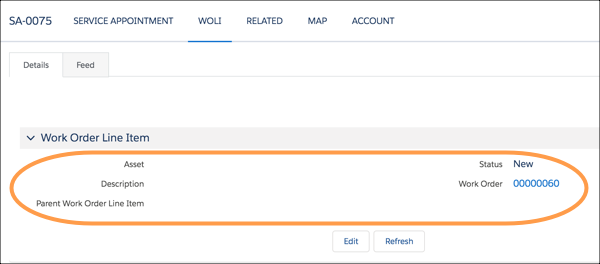
| Work Order Line Item | Controls the layout of the dialog screen displayed when the user double-clicks an appointment on the Gantt, and then clicks the WOLI tab. Applies only to service appointments whose parent record is a work order line item. |
|
Resource Absence Field Sets
| Field Set | Description | Placement in Dispatcher Console |
|---|---|---|
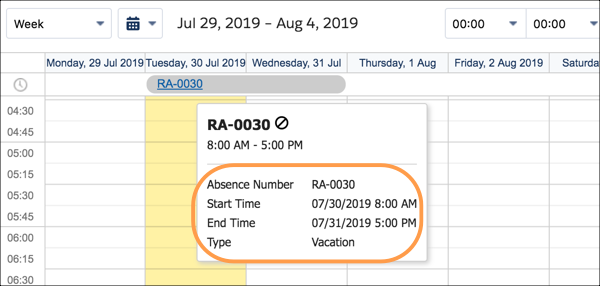
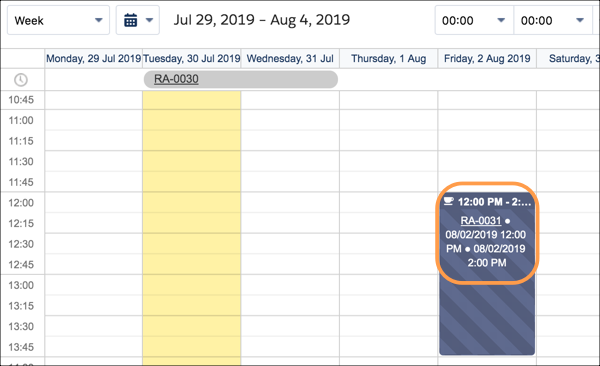
| Resource Absence Calendar Tooltip | Controls the fields displayed on the tooltip when the user hovers over an absence on the service resource calendar Visualforce page on a service resource record. |
|
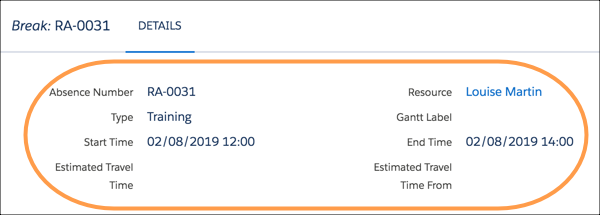
| Resource Absence Lightbox | Controls the layout of the dialog screen displayed when a user double-clicks a resource absence on the Gantt. |
|
| Resource Absence Resource Calendar | Controls the fields displayed on absences on the service resource calendar Visualforce page. |
|
