Install the Field Service Managed Package
After Field Service is enabled, install the managed package to gain access to the Classic Dispatch Console, scheduling tools, a range of custom objects, and Guided Setup.
Required Editions
| Available in: both Salesforce Classic (not available in all orgs) and Lightning Experience |
| The Agentforce Field Service and Operations core features, managed package, and mobile app are available in Enterprise, Unlimited, and Developer Editions. |
| User Permissions Needed | |
|---|---|
| To install the Field Service managed package: | Customize Application |
| To assign a permission set license: | Manage Users |
| To create a permission set: | Manage Profiles and Permission Sets |
To install the Field Service managed package, update your org’s Default Language and Default Locale to the language and locale in which you want the managed package data to be represented.
When you install the Field Service managed package, you get the following features.
- Guided Setup: There’s no need to go it alone! This nifty tool walks you through key setup tasks, including assigning permission sets, creating service resources, and customizing appointment booking settings.
- Scheduling and optimization: Swiftly optimize your team’s schedule in a way that enforces your business objectives. Assign appointments according to your rules and priorities, such as worker skills, location, and availability.
- Classic Dispatch Console: Give dispatchers and supervisors a bird’s-eye view of your field service operations. The Classic Dispatch Console includes a customizable appointment list, easy-to-reach scheduling actions, dynamic Gantt chart, and interactive map. Dispatchers can check that jobs are routed to the right people, receive alerts, and monitor appointments in real time.
- Administration app: Manage optimization, customize the Classic Dispatch Console, and update your managed package settings in one place.

-
Click the installation link on the download page: https://d36000000z1fneac.my.salesforce-sites.com/install
You can install the managed package on a production or sandbox org.
-
Select Install for Admins Only.
If you receive a request to approve third-party access, click Yes and Continue. Approving this request allows the street-level routing and optimization services to function.
-
If a message indicates that the installation is taking longer than expected, click
Done.
You’ll receive an email notification after the installation is complete.
Once the package is installed, the App Launcher includes two new apps.
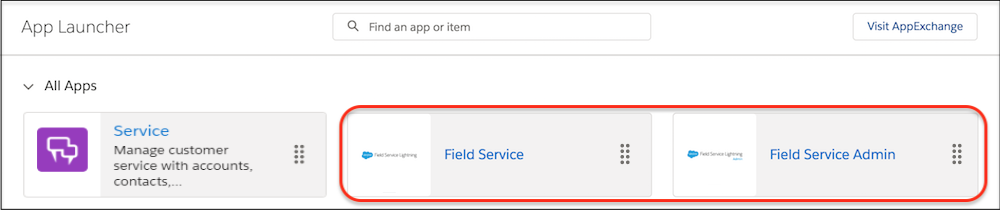
The Field Service app is for dispatchers. The Field Service tab in this app leads to the Classic Dispatch Console.
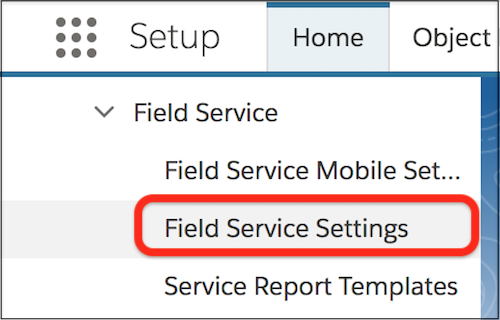
The Field Service Admin app is for administrators. The Field Service Settings tab in this app leads to the managed package settings.
You can add the Field Service and Field Service Settings tabs to other apps.