View Service Crews on the Gantt
Control how service crews are displayed on the Gantt in the Field Service Classic Dispatch Console.
Required Editions
| Available in: both Salesforce Classic (not available in all orgs) and Lightning Experience |
| The Agentforce Field Service and Operations core features, managed package, and mobile app are available in Enterprise, Unlimited, and Developer Editions. |
 This is a Field Service managed package feature.
Show One Crew
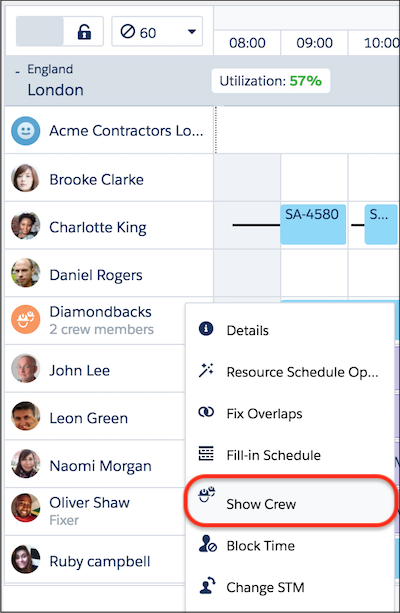
In the resource list, click Show Crew on a service resource of type Crew to leave only the Crew and its members on the Gantt and hide other resources. Click Hide Crew View to return to the regular display.
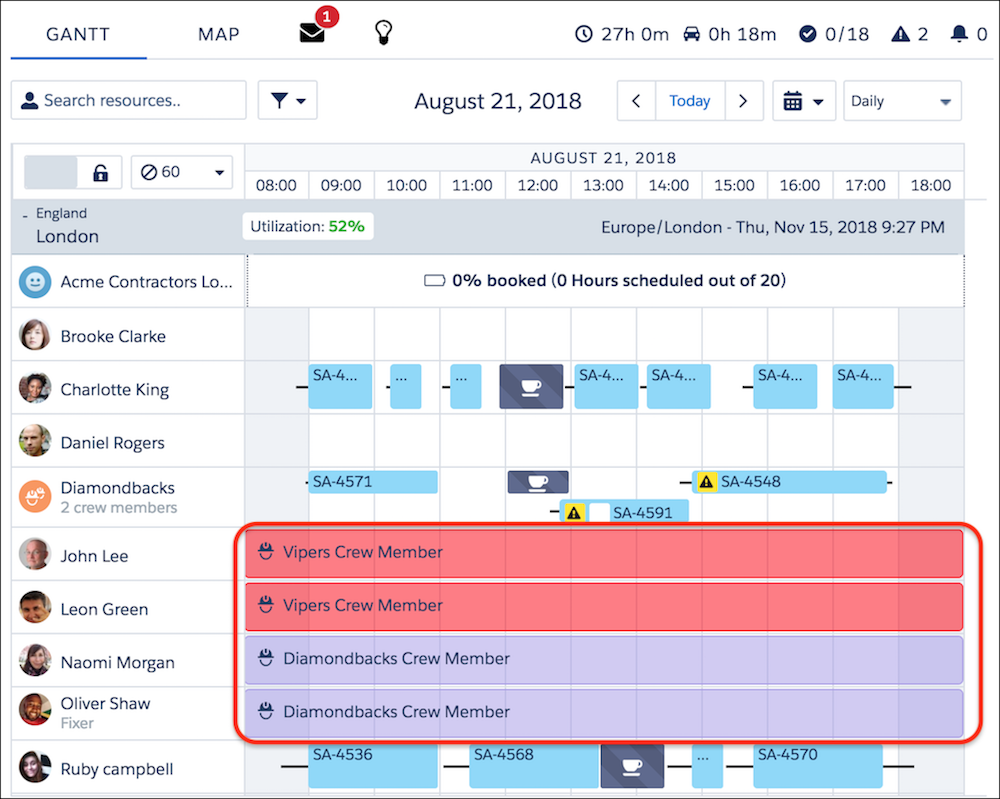
The Gantt displays each service crew member’s Gantt Label value. If the field is blank on a service crew member record, it defaults to the service crew name + “Crew Member.” For example, Alpha Team Crew Member.
Show or Hide Crews
To customize the way crews are shown on the Gantt, click the Gantt filter icon. Click the Resources tab, and then select one of the following values in the Crews filtering field.
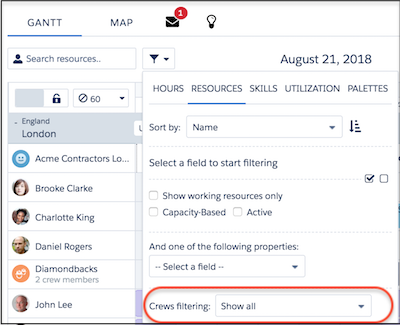
- Show all: Do not filter based on crew properties.
- Hide Service Crew Members: Show only service resources of type Crew and service resources of type Technician who are not allocated to crews in the time frame open on the Gantt.
- Show Crews and their Service Crew Members: Show only service resources of type Crew and service resources of type Technician who are allocated to those crews in the time frame open on the Gantt.
- Show only Crews: Show only service resources of type Crew.
- Hide Crews and Service Crew Members: Show only service resources of type Technician that are not allocated to a crew in the time frame open on the Gantt.
Customize Crew Color
Optionally, display a service crew in a particular color on the Gantt by entering a hex code in the Gantt Color field on the crew. For example, set the Gantt color to green (#008000) for all service crews that use a company vehicle. Crews without a defined Gantt color appear in purple.
Here, we’ve entered #ff0000 in the Gantt Color field for the Vipers crew, and haven’t specified a color for the Diamondbacks crew.