
You are here:
Use Pre-Made Email Templates to Draft Service Emails
Ask Einstein generative AI to draft some of your most common types of emails, such as introductions and follow-up nudges. Einstein pulls in the customer’s name and information from a case to customize your email, creating a personalized output every time.
Required Editions
| View supported editions. |
| User Permissions Needed | |
|---|---|
| To send service emails with Einstein generative AI: | Prompt Template User permission set Einstein Service Email Assistant User permission set |
Some email prompt templates are inactive by default. To use them, go to the Prompt Builder and activate the email templates that meet your business needs. After activation, they show up in the email composer on the Case page.
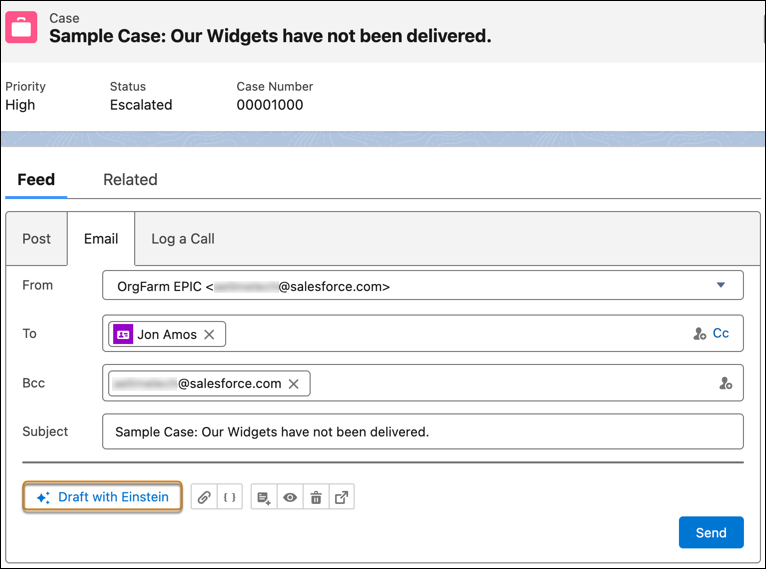
- Open a case record and go to the Email tab.
-
In the email composer, click Draft with Einstein.
-
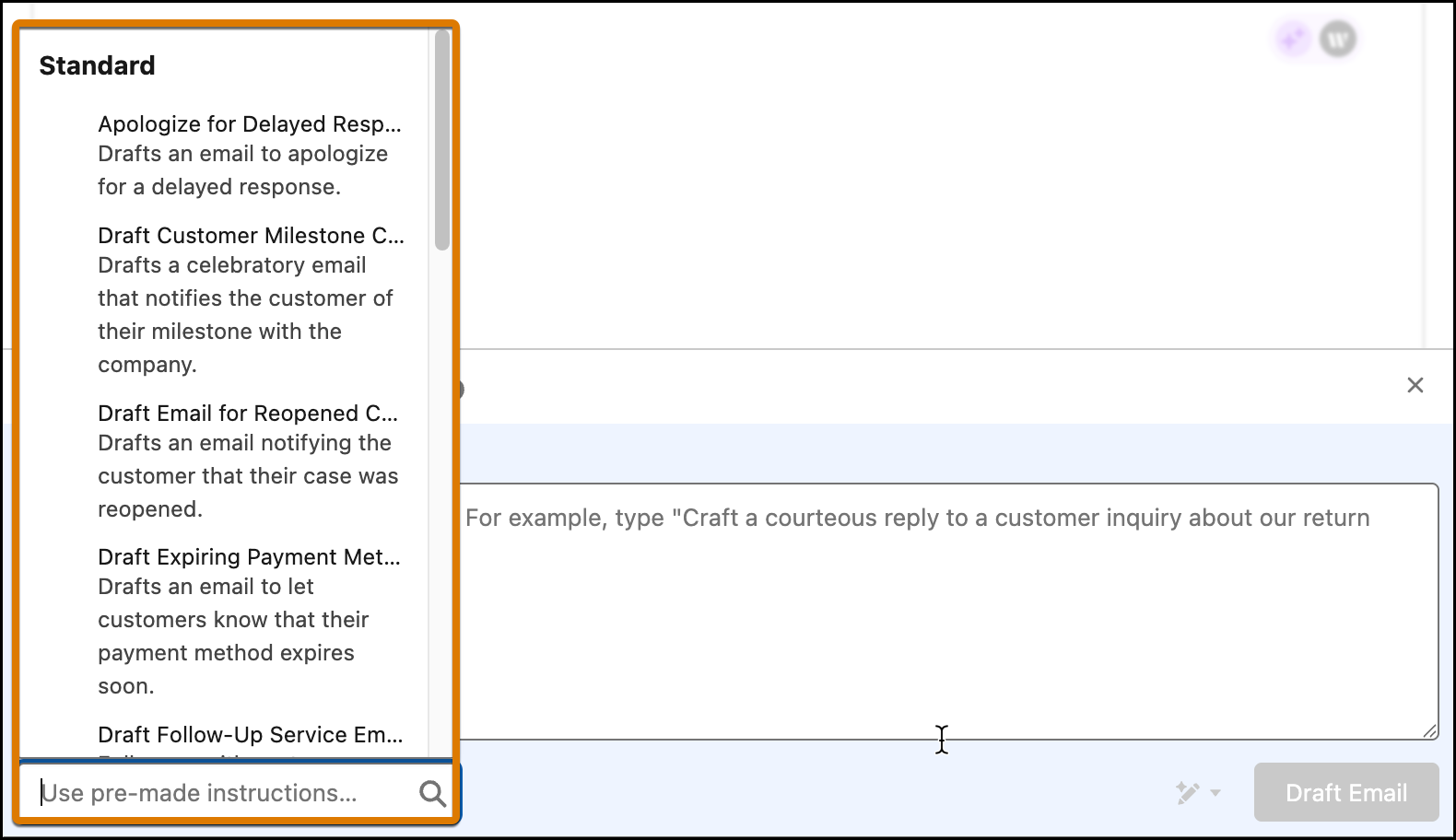
Click Use pre-made instructions… and select the prompt template
relevant to your service scenario. The pre-made instructions can be default instructions
or custom instructions created by your company’s admin.
 A proposed draft email appears for review.
 -
Review the output and edit it as you like before sending it.
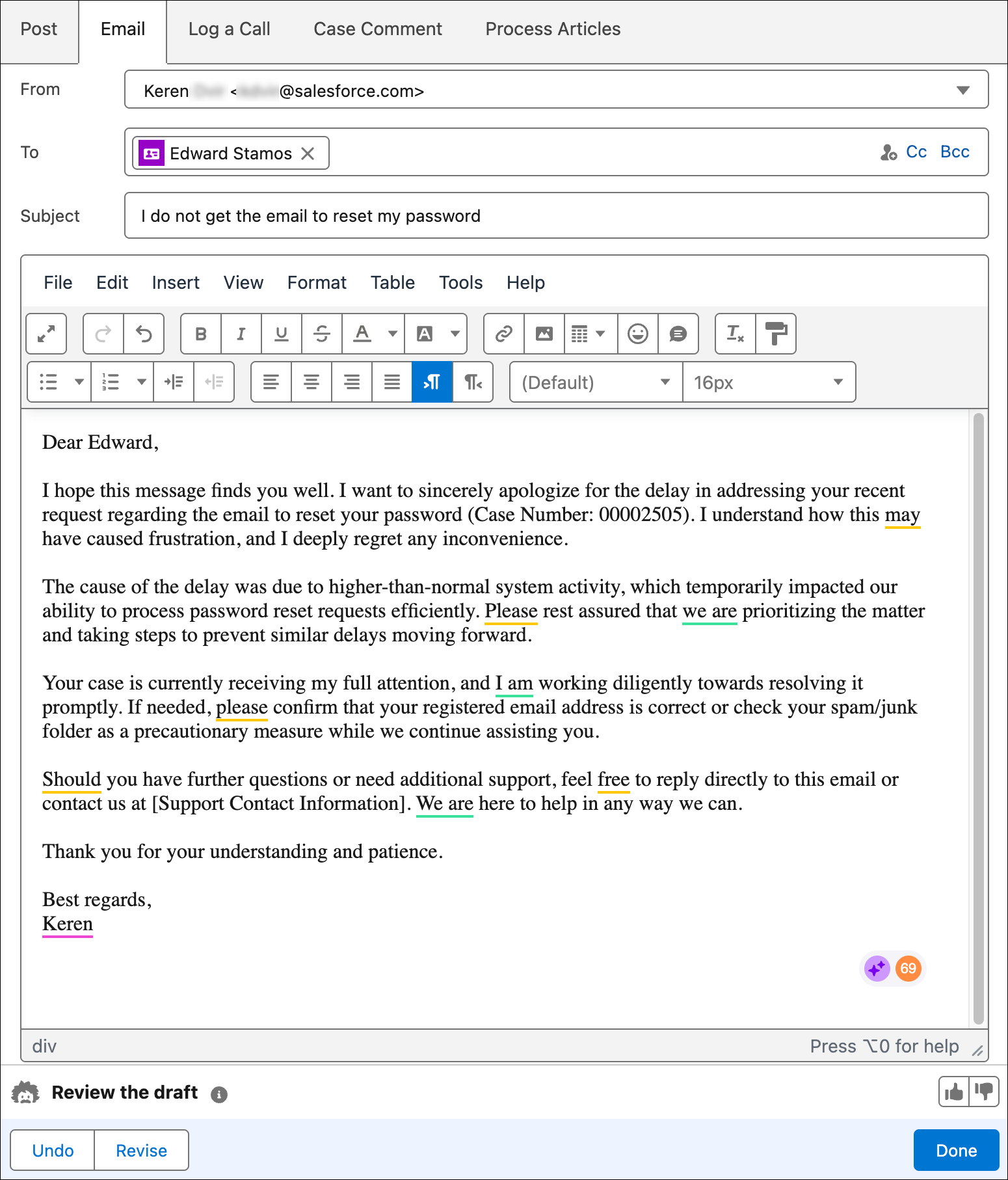
- Send the email.
Each time you choose pre-made email instruction, you get a personalized response.


- The generated email may include placeholders for some case details. Review the generated email and manually add the missing details.
- Einstein supports drafting email in multiple languages based on your locale settings, but it doesn't automatically detect the case language when generating emails.
Einstein Service Emails supports Dutch, English, French, German, Italian, Japanese, Portuguese (Brazilian), Portuguese (Portugal), Spanish (Mexico), Spanish (Spain), and Swedish.
- Pre-made Email Templates
Here's a list of service email templates available for use in the email composer.
See Also
Pre-made Email Templates
Here's a list of service email templates available for use in the email composer.
| Name | description | benefit |
|---|---|---|
| Apologize for Delayed Response | Drafts an email to apologize for a delayed response. | Maintains trust and goodwill. |
| Draft Customer Milestone Celebration Email | Drafts a celebratory email that notifies the customer of their milestone with the company. | Strengthens customer relationships and loyalty |
| Draft Email for Reopened Case | Drafts an email notifying the customer that their case was reopened. | Ensures customers feel heard and valued. |
| Draft Expiring Payment Method Email | Drafts an email to let customers know that their payment method expires soon. | Avoids service interruptions and reduces churn. |
| Draft Follow-Up Service Email | Drafts a follow-up email to customers who haven’t responded. | Accelerates case resolution and boosts service efficiency. |
| Draft Recovery Offer Email | Drafts an email to rebuild customer trust and offer compensation after a complaint is resolved. | Helps turn dissatisfied customers into loyal advocates. |
| Draft Service Appointment Reminder Email | Drafts an email notifying the customer about an upcoming service appointment. | Reduces no-shows and improves operational efficiency. |
| Draft Service Email | Drafts an email response based on the case information. | Improves customer service efficiency. |
| Draft Service Introduction Email | Drafts a welcome email to new customers that outlines their available service options. | Helps customers find the available resources and support channels. |
| Draft SLA Breach Apology Email | Drafts an email that apologizes for a service level agreement breach. | Builds transparency and helps retain customer trust. |
| Follow-Up on Escalated Cases Email | Drafts a follow-up email for escalated cases. | Improves resolution times and customer satisfaction. |
| Request More Details Email | Drafts an email to request more details about the service request. | Improves service accuracy and satisfaction. |
| Summarize Case Resolution Email | Drafts an email to the customer that summarizes the steps taken to resolve a case. | Shows commitment to long-term satisfaction and helps customers retain key details. |
| Verify Customer Identity Email | Drafts an email to verify customer identity for secure transactions. | Prevents fraud and ensures secure transactions. |
| Thank You email | Drafts an email to thank customers after service interaction. | Improves customer relationships and boosts satisfaction. |
