
You are here:
Customize Post-Chat Surveys
Use Salesforce Feedback Management to gather feedback at the end of a chat session. When customers choose to participate at the end of a session, a survey opens within the chat window to complete.
Required Editions
| View supported editions. |
| User Permissions Needed | |
|---|---|
| To set up Embedded Chat: | Customize Application AND Modify Metadata |
| To select a post-chat survey: | Salesforce Surveys Advanced Features |

Legacy Chat will be retired on February 14, 2026. To avoid service interruptions to your end users, switch to enhanced Chat (formerly Messaging for In-App and Web). Enhanced Chat offers many of the legacy Chat features that you love plus asynchronous conversations that can be picked back up at any time. Learn about migrating in Help and Trailhead.
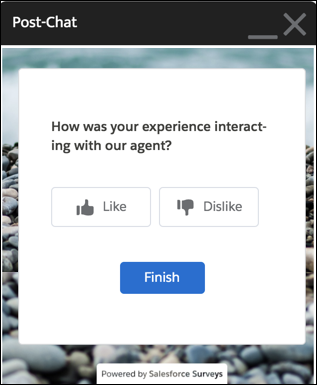
To open a post-chat survey within the chat window on your website, allow inline framing of surveys within the URL on the Session Settings page. This feature is available with the Salesforce Feedback Management license.
- From Setup, in the Quick Find box, enter Session Settings, and then select Session Settings.
- Navigate to the Trusted Domains for Inline Frames section and
select Add Domain.
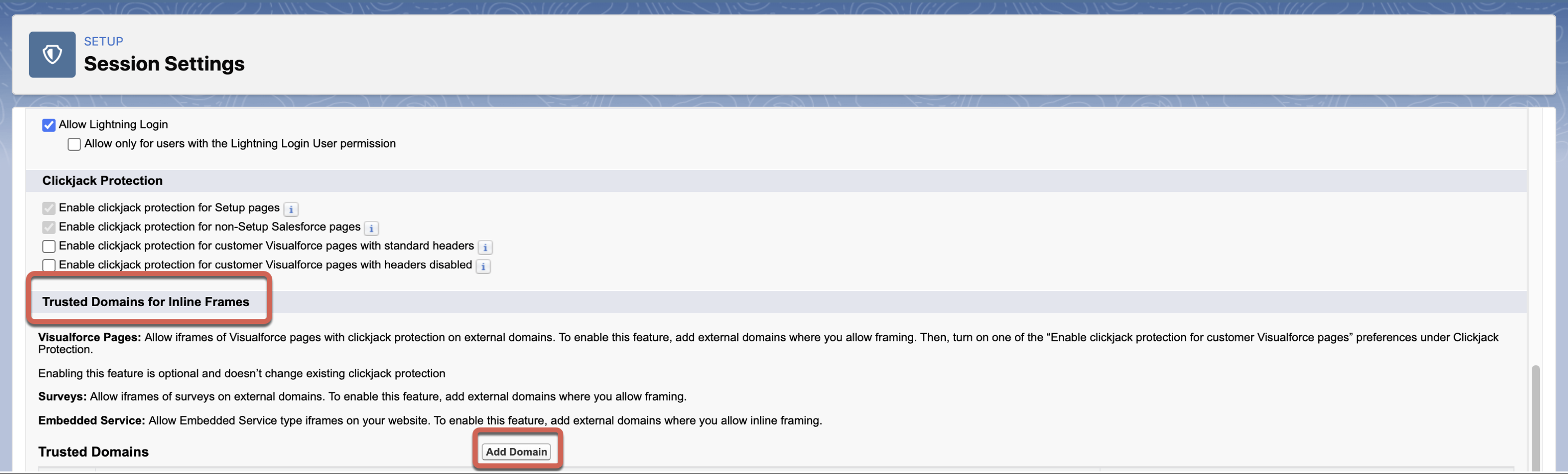
- Enter your domain name and select Surveys as the IFrame
Type.
Use an accepted domain format: *.example.com or https://example.com.
- Save your work.
Surveys must be enabled with at least one active survey. Only active surveys can be used to gather post-chat feedback.
- From Setup, in the Quick Find box, enter Embedded Service, and then select Embedded Service Deployments.
- To add a post-chat survey, select View by an existing embedded service deployment.
- Click Edit next to Chat Settings.
- In the Chat Setting header, click Edit.
-
In the Post-Chat Settings section, search and select any active survey.
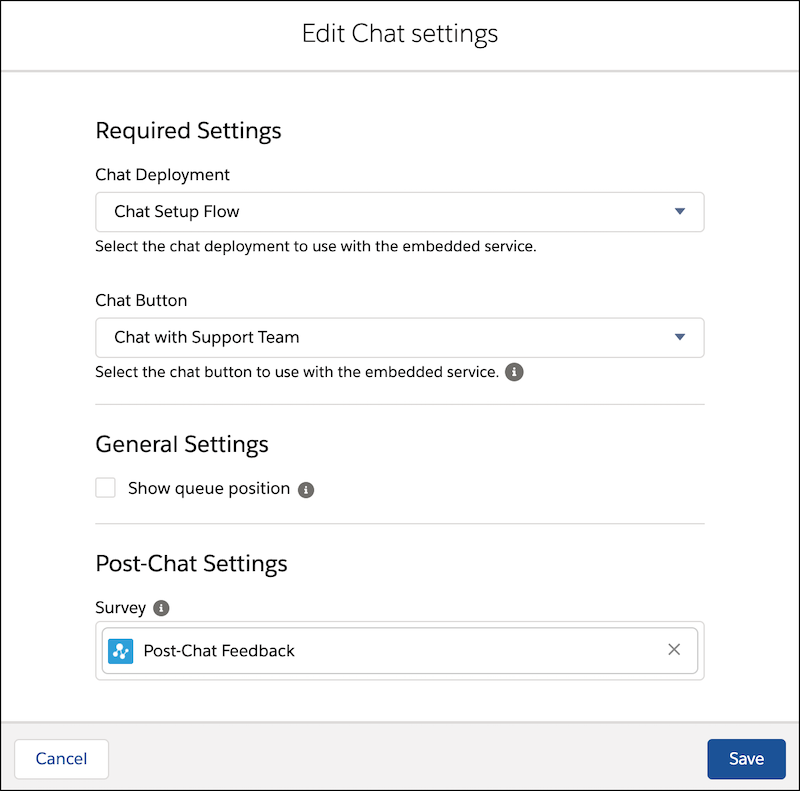
- Save your changes.

A survey invitation is generated each time a customer decides to provide feedback. If the pre-chat form is configured to associate customer information with Salesforce records, the survey invitation is also associated with the same Salesforce records.
