
You are here:
Quick Actions in Service Assistant
Get to know the role of quick actions in Service Assistant and their relation to Agentforce topics.
Required Editions
| View supported editions. |

Quick actions are metadata that serve as an additional and optional grounding source for Service Assistant. They’re used in the same agent processing framework as topics, instructions, and knowledge to build a service plan that allows service reps to complete steps tasks directly in the Service Assistant component.
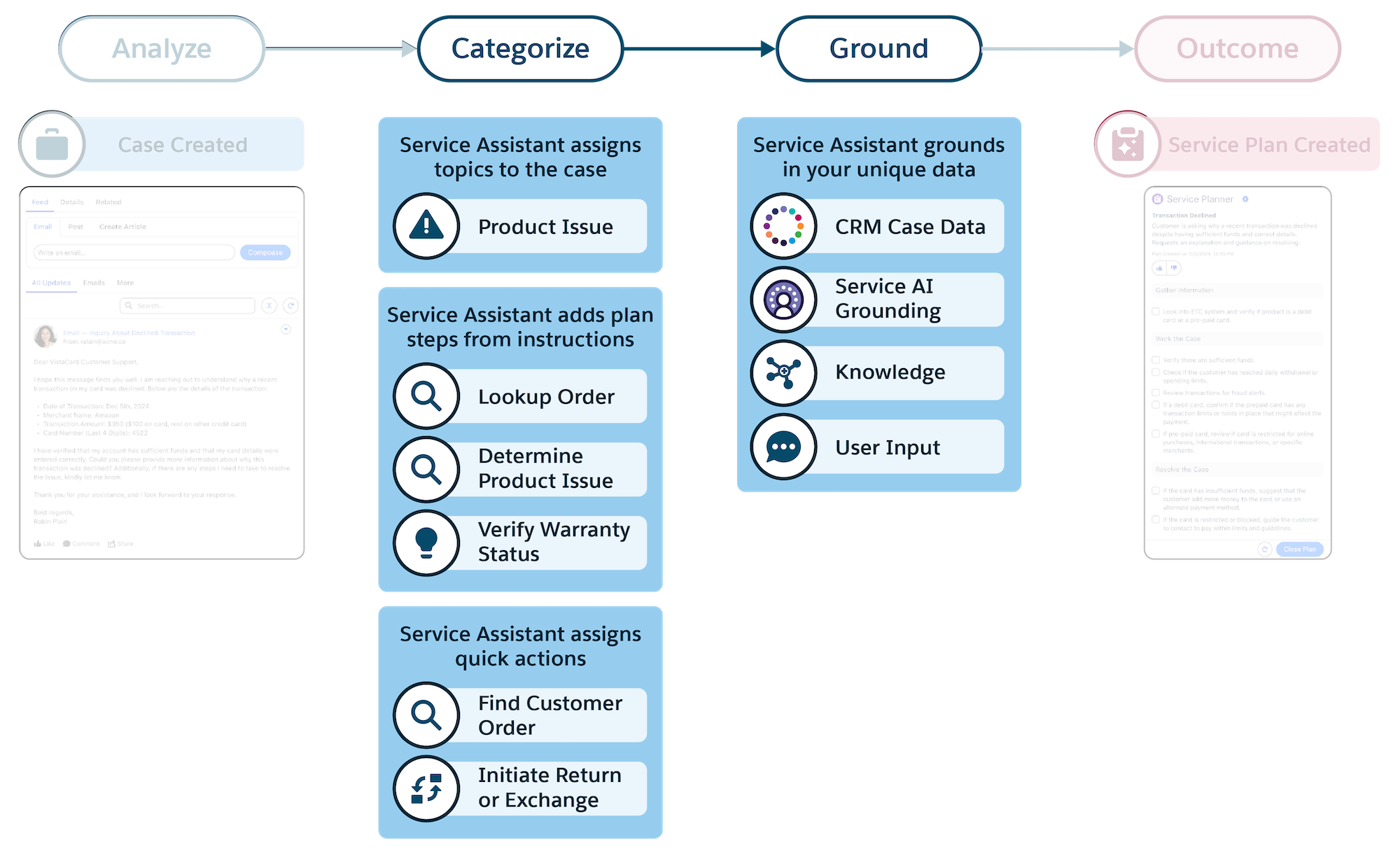
Like topics, quick actions require their own set of instructions, but they serve a different purpose. Topic instructions help create the high-level, sequential steps of the service plan. Meanwhile, quick action instructions provide the executable tools needed to complete those steps. In a service plan, quick actions show as buttons that launch automated workflows to help service reps complete tasks that a plan step requires.
To surface in plan steps, each quick action requires a clear instruction that defines what it is, what it does, and the conditions for its use. The instructions help Service Assistant to determine when and why the quick action is matched to a specific topic and its instructions and then shown in a service plan step.
The table provides an overview of the difference between the two types of instructions and their roles in Service Assistant. The next few sections provide advice on how to create quick action instructions. For specific guidance for topic instructions and how to write them for Service Assistant, see Grounding Service Assistant with Topics.
| Asset | What they are and what they do | Example |
|---|---|---|
| Topics and instructions | The foundational framework of a service plan. Topics categorize the case, and their instructions contain your high-level company policies and standards for working a case. Service Assistant uses this information to create the steps of the service plan. | Topic: Return Request Instruction: If the return is within the eligibility time frame, initiate the return in the order management system. Resulting plan step: Process the return in the order management system. |
| Quick actions and instructions | Quick actions show as buttons in a service plan step. These buttons provide service reps a way to complete a task that the step requires, like sending an email or closing a case. The instructions for a quick action define the action’s specific goals, conditions, and outcomes. These instructions provide Service Assistant with the necessary context to determine when and why a quick action shows as a button in a plan step. |
Name: Initiate a Return Type: Update a Record Instruction: Initiate a customer's return request in the order management system. This action is intended for use only after a return has been confirmed as eligible and all required customer information is collected. Once executed, the return begins processing, and the case should be updated with the new status. |
