
Loading
Service
Table of Contents
Select Filters

          No results
          No results
          Here are some search tips

          Check the spelling of your keywords.
          Use more general search terms.
          Select fewer filters to broaden your search.

          Search all of Salesforce Help
          Reduce Support Rep Handling Time with Conversation Intelligence

          Reduce Support Rep Handling Time with Conversation Intelligence

          Automatically trigger actions based on intelligence signals from your telephony system or keywords mentioned by support reps or customers. To help your support reps during conversations with customers, you can create a rule that sends notifications to a supervisor and a support rep, displays recommendations to support reps, or runs processes in the background. For example, create an action that recommends that the support rep offer a discount if the customer asks to cancel the service due to a poor customer experience.
          Required Editions

          View supported editions.

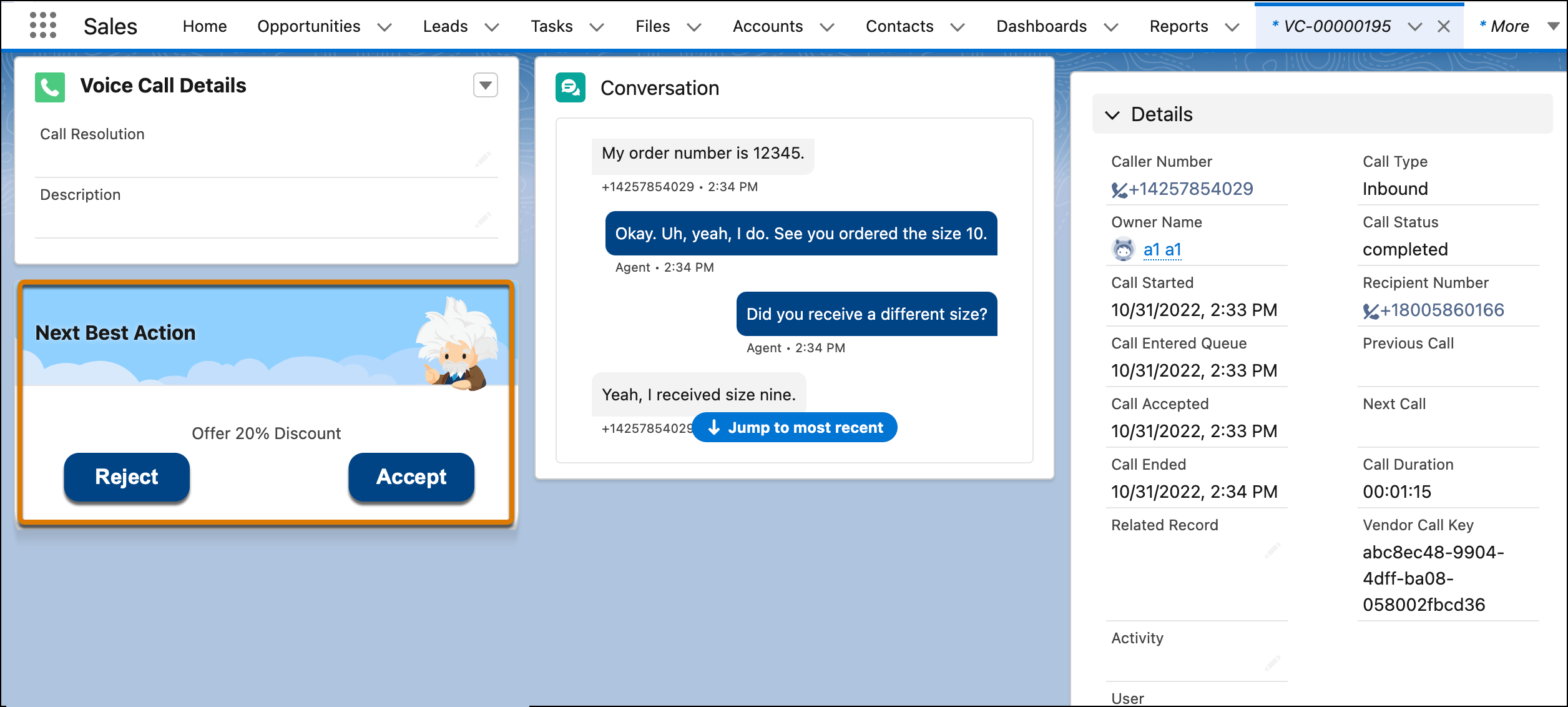
          In this example, the support rep sees a suggestion to discount the service by 20% based on the current conversation with the customer.

          The Next Best Action component suggests what a support rep should do given the current state of the conversation with the customer.
          • Automatically Trigger an Action Based on Detected Keywords
            Create a Conversation Intelligence rule to trigger an action when an support rep or customer speaks or types a keyword on the phone or in a message. Sample actions include sending notifications to a supervisor and an support rep, displaying recommendations to support reps, and running processes in the background. For example, create an action that recommends that the support rep offer a discount if the support rep says “cancel your service.”
          • Taking Action Based on Intelligence Signals
            Automate actions based on intelligence signals detected by your telephony system. For example, if your telephony system detects that the customer is unhappy during a support call, Salesforce Voice can show a Next Best Action recommendation. The recommendation can suggest that the support rep offer a 20% discount based on the detected signal and their customer loyalty information.
          • Set Up a Next Best Action
            If you created a rule that triggers a next best action, set up an Einstein Next Best Action component to show recommendations to support reps based on keywords during a conversation or intelligence signals from your telephony system. To determine which recommendation to show a support rep, the Next Best Action component evaluates an incoming signal using the predefined action strategies.
          • Set Up an Autolaunched Flow
            Use autolaunched flows to run business processes. In this case, use a no-trigger autolaunched flow, which runs in the background and doesn’t require an event to trigger it. To specify when to run the autolaunched flow, define the conditions in the flow.
           
          Loading
          Salesforce Help | Article