You are here:
Set Up an Autolaunched Flow
Use autolaunched flows to run business processes. In this case, use a no-trigger autolaunched flow, which runs in the background and doesn’t require an event to trigger it. To specify when to run the autolaunched flow, define the conditions in the flow.
Required Editions
| View supported editions. |
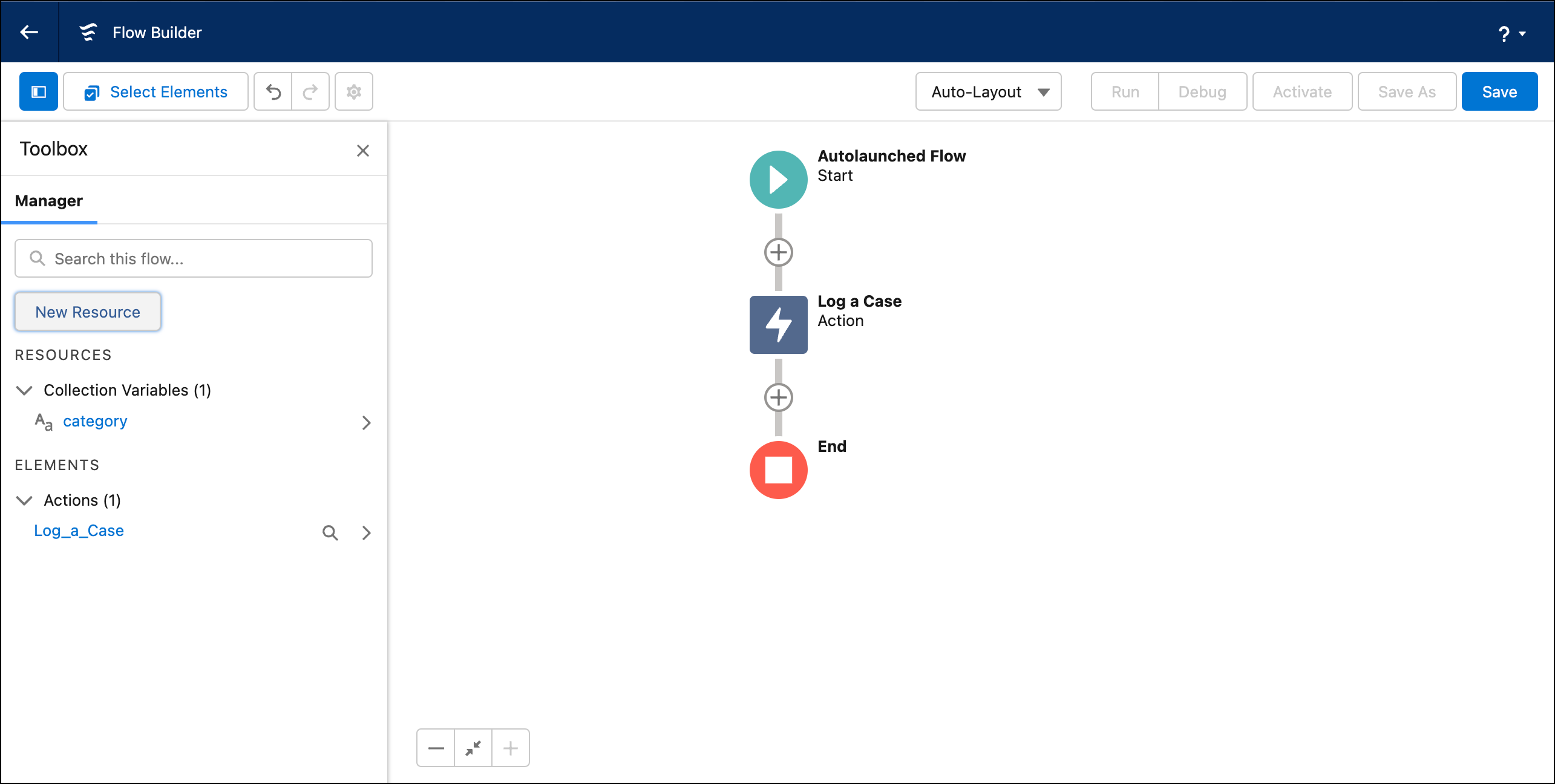
Add variables to the autolaunched flow to pass in input. At minimum, add the recordId variable. Based on your use case, you can also add other variables. For example, to pass a list of keywords to the flow, add an input variable that stores the Conversation Intelligence rule that uses the keywords. To use the keywords in the flow, add the input variable to the flow.
| Variable API Name | Description | Type |
|---|---|---|
| category | Stores a collection of category signal types. Required only if the Conversation Intelligence rule uses matching keyword as the trigger type. | Text (Collection) |
| intelligenceSignals | Stores a collection of intelligence signal types. Required if you’re passing intelligence signals to the flow. To use an intelligenceSignals input variable for an autolaunched flow, enable the Use an Apex-Defined Variable for All Intelligence Signal Types release update. The update is available starting in Summer ’24 and will be enforced in Spring ’25. | Apex-Defined |
| matchedKeywords | Stores a collection of matched keywords. Required only if the Conversation Intelligence rule uses matching keyword as the trigger type. | Text (Collection) |
| recordId | Stores the record ID of the conversation where the rule is matched, like voice call or messaging record ID. This variable is required in an autolaunched flow. | Text |
| ruleDevName | Dev name of the Conversation Intelligence rule. Required for keyword rules only. Note: To use a rule input variable for a Next Best Action or autolaunched flow, you must enable the feature. See Pass the Rule Name as Input to a Flow. | Text |
- In Flow Builder, click New Flow.
- Select Autolaunched Flow (No Trigger).
- To add a recordId variable, in the Toolbox, click New Resource, select Variable as the resource type, enter recordId as the API name, select Text as the data type, select Available for input, and click Done.
-
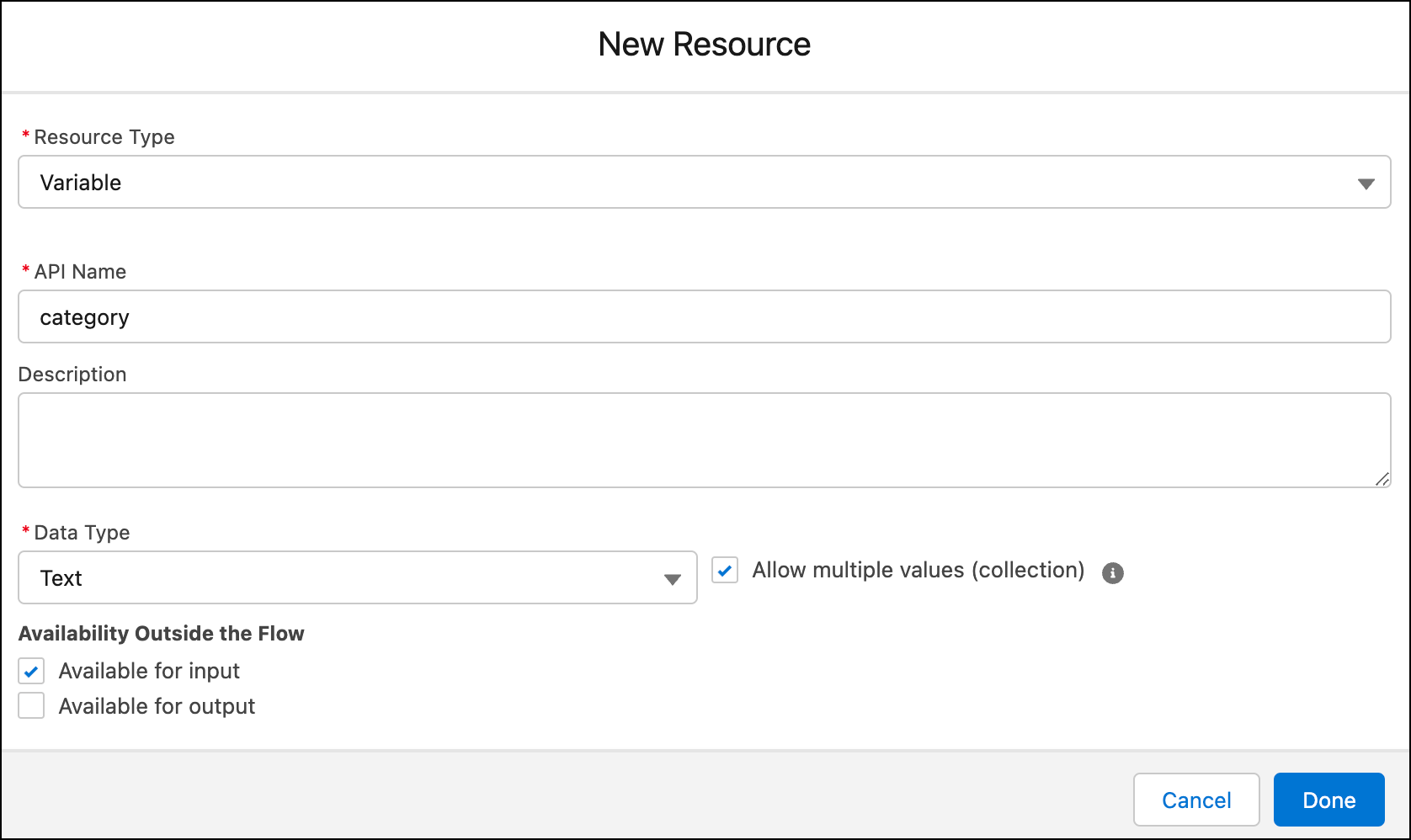
If needed, add other variables.
The API name of the variable must be intelligenceSignals, category, or matchedKeywords.
Select the right data type for the variable. For the intelligenceSignals variable, set the Apex class to EnhancedChannel__IntelligenceSignals.
For a collection variable where values can be passed at the same time, select Allow multiple values (collection). Also, for the intelligenceSignals, category, or matched Keywords variables, select Available for input. These values are required input parameters to the flow.
-
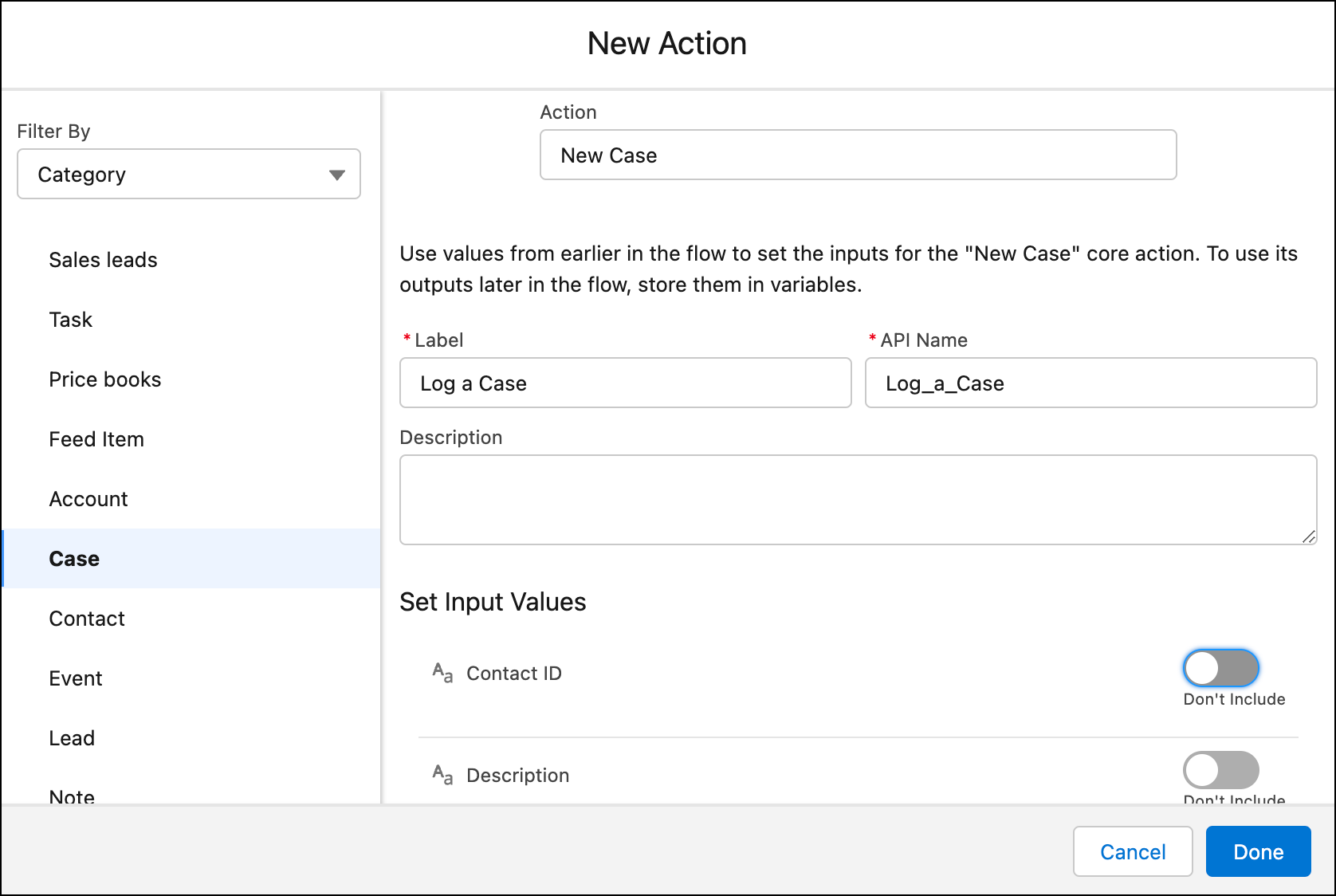
Add an Action element to the flow. For example, add an action that logs a case.
-
Save and activate the flow.