You are here:
Create the Recommendation Strategy Flow for Next Best Action
To determine how and when to present the Einstein Next Best Action recommendation on a Lightning page, create a Recommendation Strategy flow with Flow Builder. In the flow, use the keywords or signals to show the right recommendations.
Required Editions
| View supported editions. |
Flow Builder offers more flexibility and power than Strategy Builder. Flow Builder can also better integrate with customer data in Salesforce. To understand the Flow Builder limitations, review the flow limits.
Add the required variables to the Recommendation Strategy flow to pass in input. By default, the recordId variable is created when you create a Recommendation Strategy flow.
| Variable API Name | Required | Description | Type |
|---|---|---|---|
| intelligenceSignals | True | Stores a collection of intelligence signal types. Required if you’re passing intelligence signals to the flow. To use an intelligenceSignals input variable for a Next Best Action flow, enable the Use an Apex-Defined Variable for All Intelligence Signal Types release update. The update is available starting in Summer ’24 and will be enforced in Spring ’25. | Apex-Defined |
| matchedKeywords | True | Stores a collection of matched keywords. Required if you’re passing matched keywords to the flow. | Text (Collection) |
| ruleDevName | True | Dev name of the Conversation Intelligence rule. Required for keyword rules only. To use a rule input variable for a Next Best Action or autolaunched flow, you must enable the feature. See Pass the Rule Name as Input to a Flow. | Text |
- From Setup, in the Quick Find box, enter Flows, and then select Flows.
- To create a Recommendation Strategy flow, click New Flow, select Start from Scratch, and then click Next.
- Select Recommendation Strategy and click Create.
-
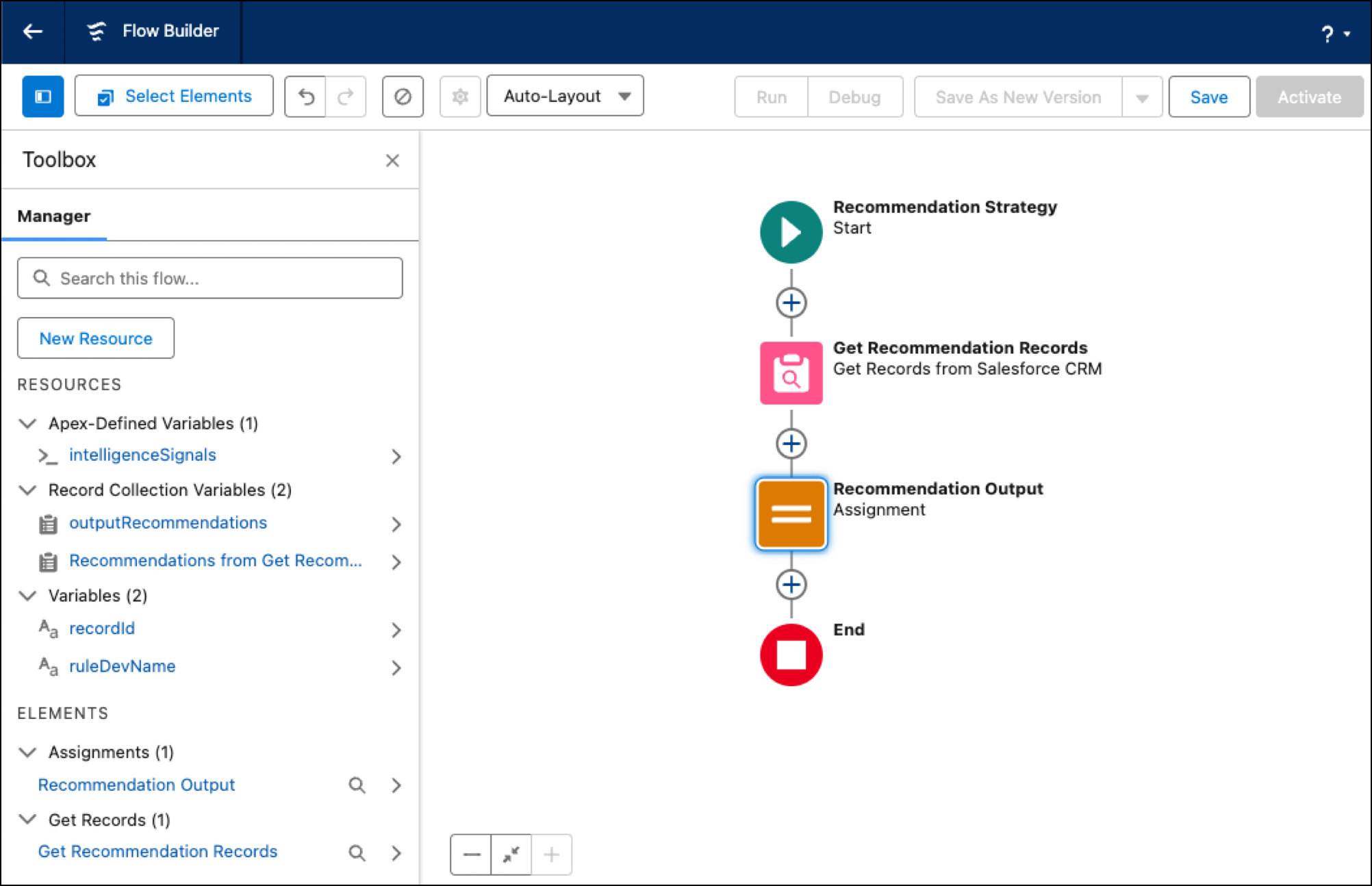
Recommendation Strategy flows come preconfigured with a
recordID
variable. To add the other required variables, intelligenceSignals and
ruleDevName, open the
Toolbox.
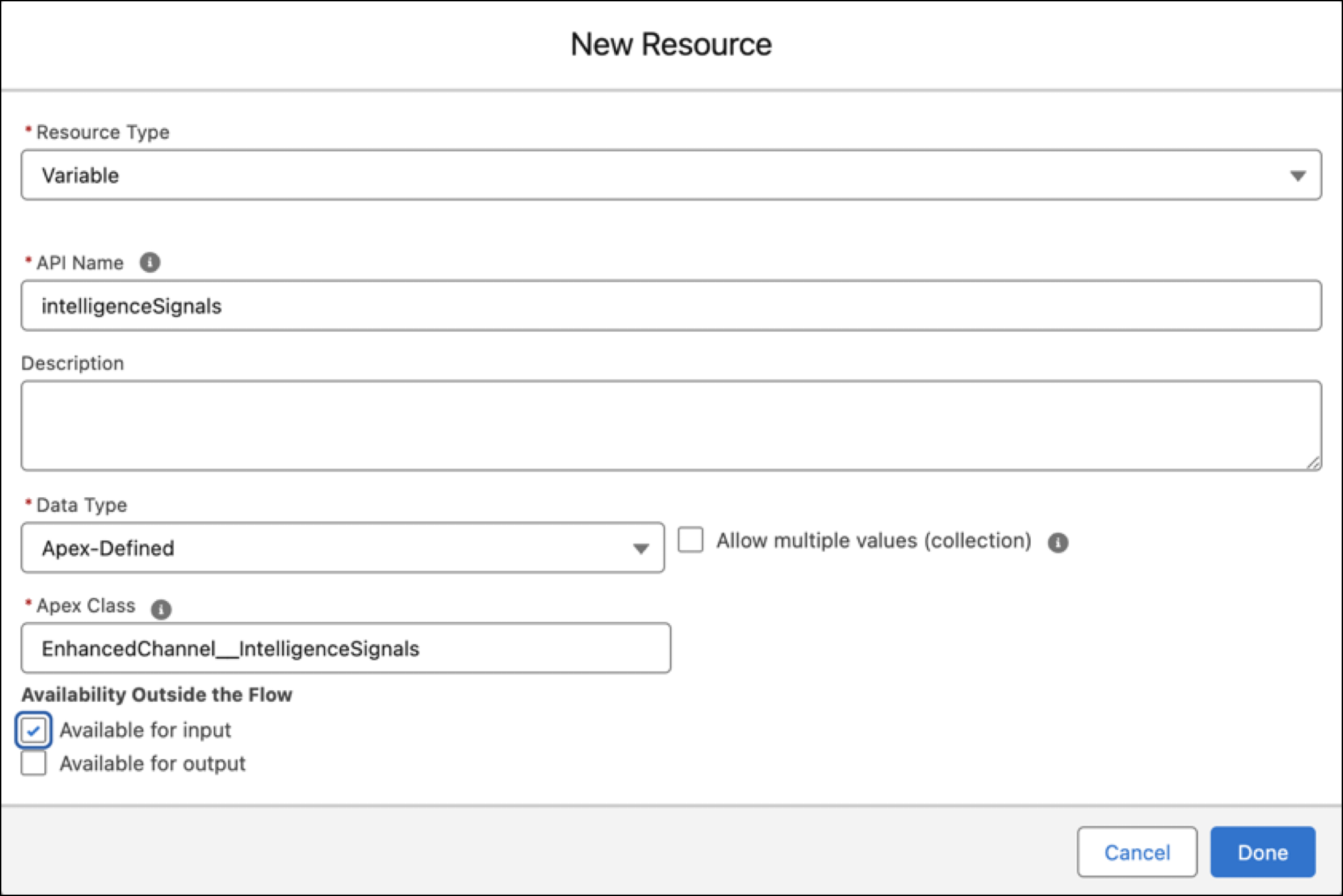
For each additional variable, click New Resource, and select
Variable as the record time.
If you programmatically created a rule with Salesforce Voice Toolkit API, the API name of the input variable must be the same as the attribute name inside the updateNextBestActions method payload.
To declaratively create a Conversation Intelligence rule, set the API name of the variable to intelligenceSignals. Set the variable type to the Apex class to EnhancedChannel_IntelligenceSignals.
For a collection variable where values can be passed in at the same time, select Allow multiple values (collection). Also select Available for input. These values are required input parameters to the flow.
-
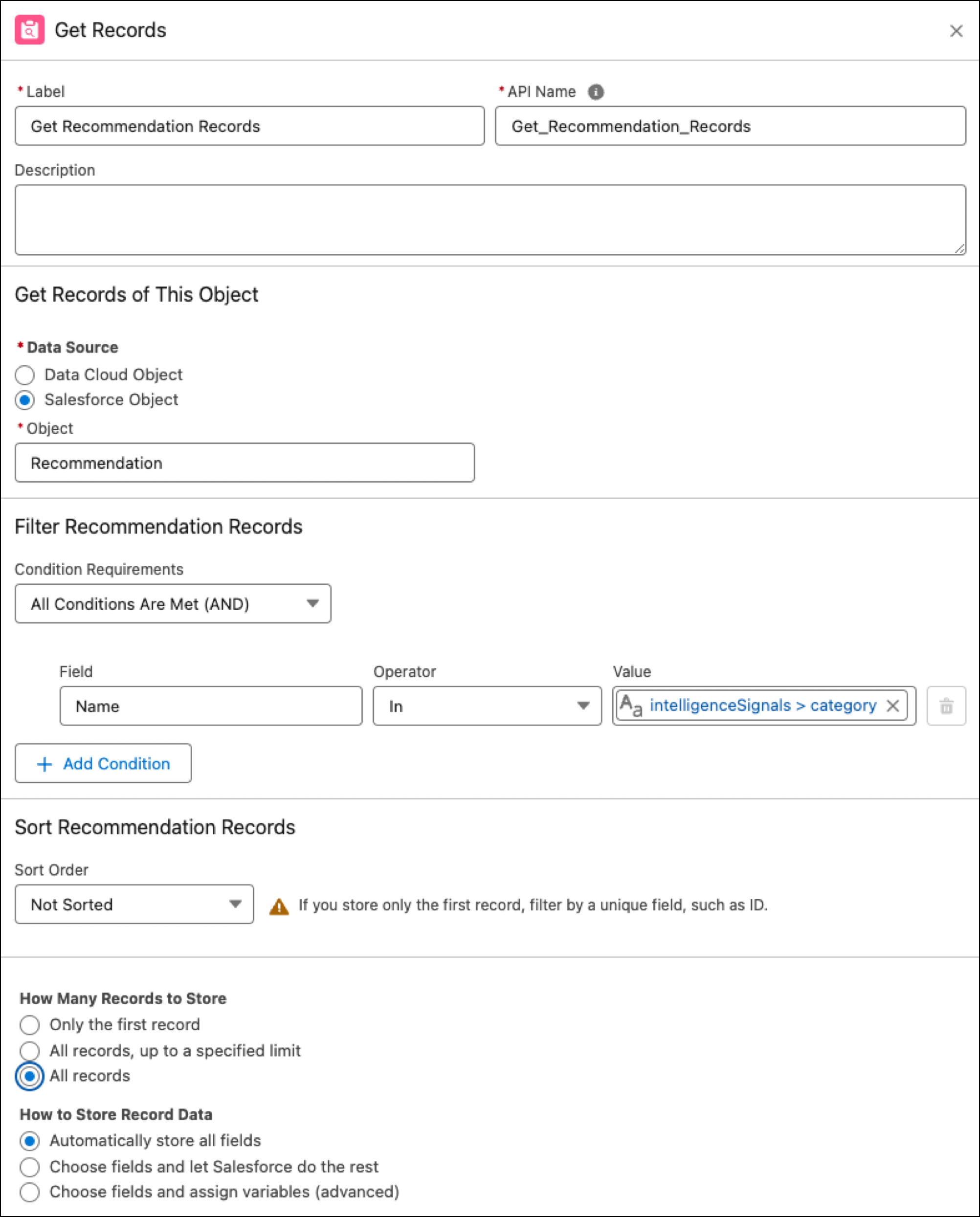
To get the Recommendation records, add a Get Records element to the flow. To filter
what recommendations are retrieved, add conditions based on
intelligenceSignals fields, such as category or
matchedKeywords.
-
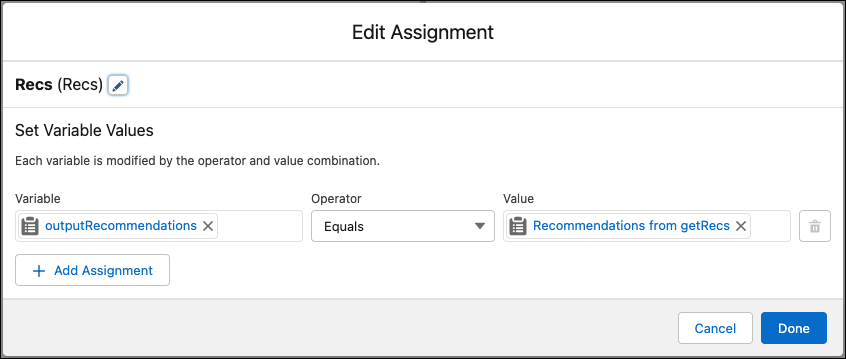
To assign the retrieved recommendation records to the
outputRecommendations record variable, add an Assignment element to
the flow.
-
Save and activate the flow.