
You are here:
Auto-Generated Sentiments of Call Conversations
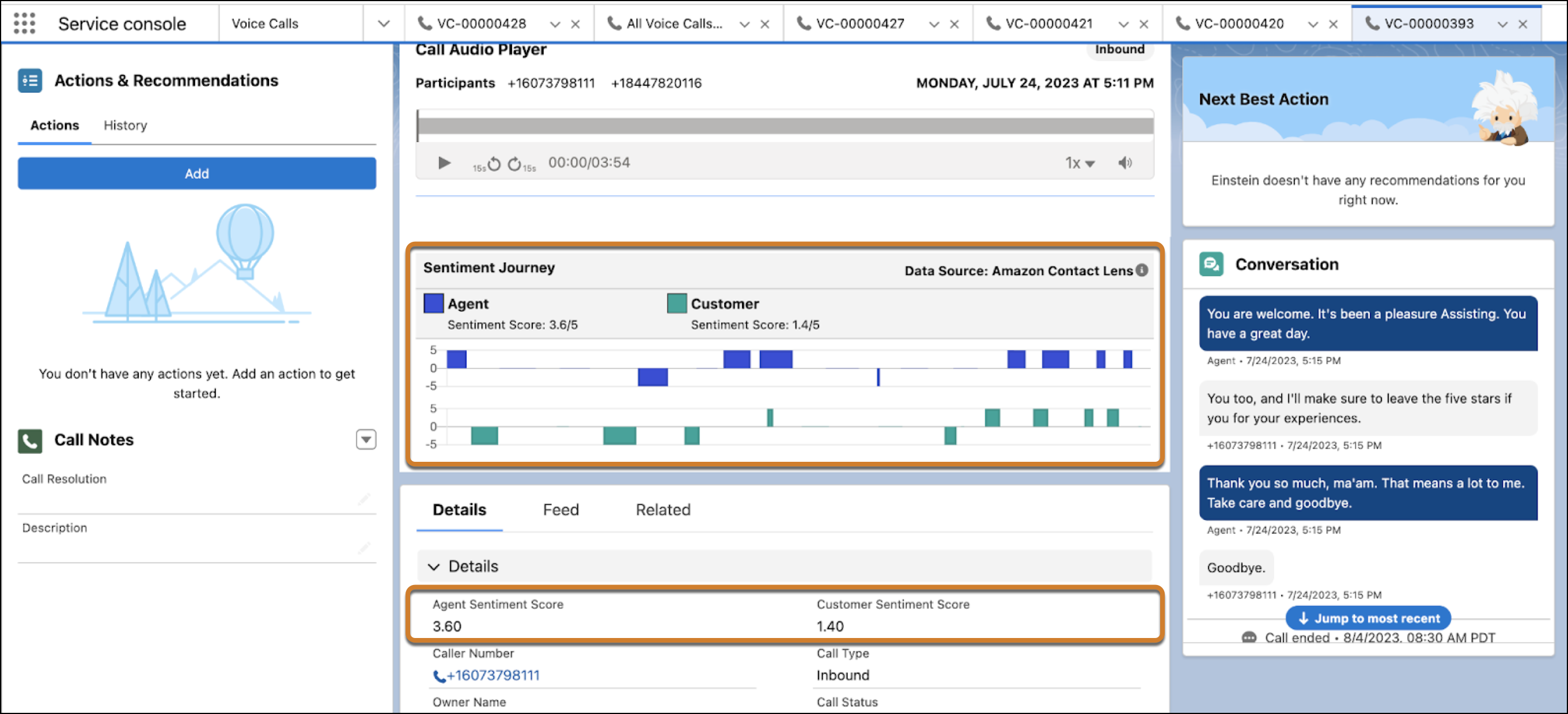
Improve customer service and rep training with sentiment analysis of call conversations. Reps and supervisors can view turn-by-turn sentiment alongside the call recording from a previous conversation. Supervisors can easily spot moments when the customer or rep isn’t happy, listen to the corresponding recorded call segments, and then provide better rep training.
Required Editions
This article applies to:
- Service Cloud Voice with Amazon Connect
- Service Cloud Voice with Partner Telephony
- Service Cloud Voice with Partner Telephony from Amazon Connect
| View supported editions. |
Sentiment Journey is available for Salesforce orgs in the North America region only.
After a call ends, you can view the customer and rep sentiments in the Call Audio Player. Each utterance can have a positive, negative, or neutral sentiment. For example, to identify what was said when negative sentiments occur, play the recording at those moments. A rep can then follow up with the customer to turn negative experiences into positive ones. A supervisor can also coach the rep to improve the way they handle calls.

For additional post-call analysis, Einstein Conversation Insights provides out-of-the-box insights based on customer-defined keywords.
- Complete the Conversation Sentiment Prerequisites for Amazon Connect
For sentiments coming from Amazon Connect Contact Lens, complete these prerequisites before you configure conversation sentiments. - Create an EventBridge Rule for Amazon Sentiment Signals
For sentiment signals coming from Amazon Connect Contact Lens, create an EventBridge rule to define the trigger mechanism between Amazon S3 and the PostCallAnalysisTriggerFunction Lambda function. - Let Reps and Supervisors View Sentiments of Call Conversations
To enable reps (agents) and supervisors to view the rep’s and customer’s sentiments, add the Call Audio Player to the Voice Call page layout. You can also add the Agent Sentiment Score and Customer Sentiment Score fields to the Voice Call page layout. To identify sentiment trends for your contact center or reps, add the Agent Sentiment Score and Customer Sentiment Score fields to a Salesforce report.
Complete the Conversation Sentiment Prerequisites for Amazon Connect
For sentiments coming from Amazon Connect Contact Lens, complete these prerequisites before you configure conversation sentiments.
- Verify that Contact Lens is enabled. By default, Contact Lens is enabled.
- Verify that Contact Lens is enabled in your contact flows.
- Verify that you have the Amazon Web Services IAM admin permissions with the ability to create Amazon EventBridge rules. See Amazon EventBridge setup and prerequisites.
- Upgrade your contact center to at least version 10.0. See Service Cloud Voice Contact Center Updates and Update Your Contact Center.
Create an EventBridge Rule for Amazon Sentiment Signals
For sentiment signals coming from Amazon Connect Contact Lens, create an EventBridge rule to define the trigger mechanism between Amazon S3 and the PostCallAnalysisTriggerFunction Lambda function.
- From the AWS Management Console, go to Amazon EventBridge | Rules.
- Click Create rule.
-
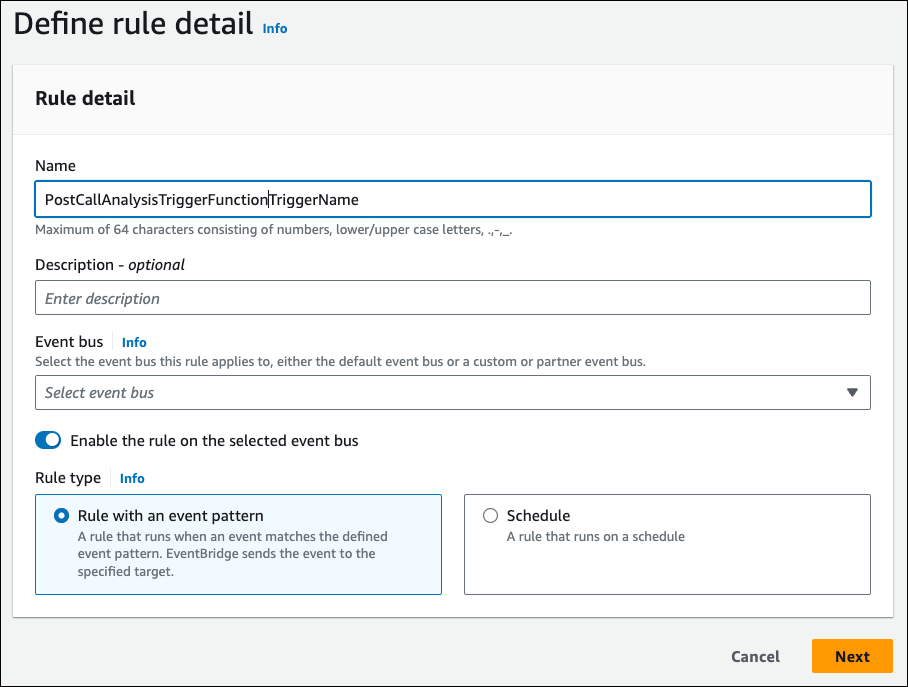
In the Define rule detail screen, give the rule a name and optional
description. Leave the other default settings.
- Click Next.
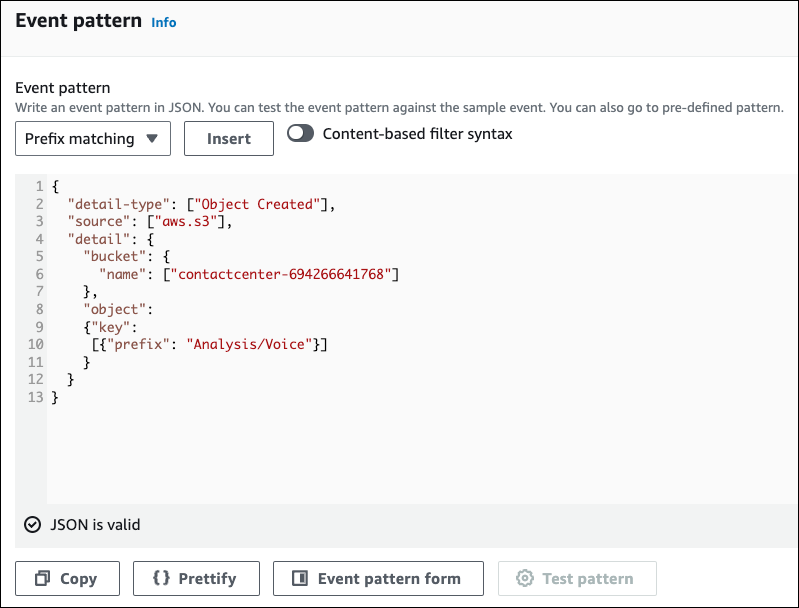
- In the Build event pattern screen, scroll down to the Event pattern section and click Custom patterns (JSON editor).
-
Copy the following JSON sample event and paste it into the Event pattern text box,
replacing the name of the bucket to your contact center’s S3 object name:
{
  "detail-type": ["Object Created"],
  "source": ["aws.s3"],
  "detail": {
    "bucket": {
      "name": ["contactcenter-694266641768"] //replace with CC S3 bucket name
    },
    "object":
    {"key":
     [{"prefix": "Analysis/Voice"}]
    }
  }
}
- Click Next.
-
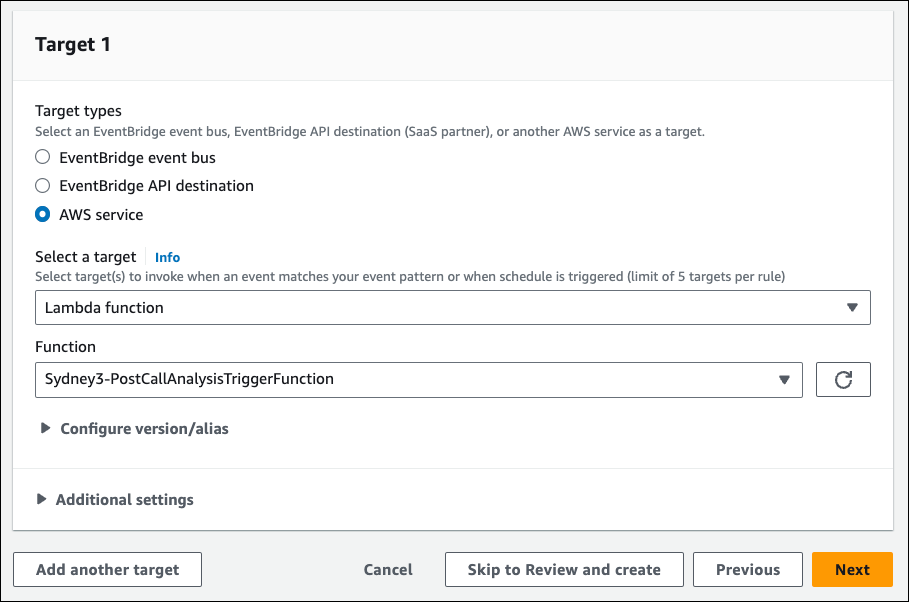
In the Select target(s) screen, set the Select a target dropdown to
Lambda function, and set the Function to
the PostCallAnalysisTriggerFunction.
- Click Next twice.
- In the Review and create screen, review the settings for your new EventBridge rule, and click Create rule.
After you configure the Contact Lens settings and EventBridge rule, when a customer hangs up from a voice call, Contact Lens processes the call data and saves the transcript file to the contact center Amazon S3 bucket. Every time a file is added to the S3 bucket, the EventBridge rule triggers the PostCallAnalysisTriggerFunction Lambda function to read the files in the S3 bucket, prepare the data, and save the data to the Salesforce database.
Let Reps and Supervisors View Sentiments of Call Conversations
To enable reps (agents) and supervisors to view the rep’s and customer’s sentiments, add the Call Audio Player to the Voice Call page layout. You can also add the Agent Sentiment Score and Customer Sentiment Score fields to the Voice Call page layout. To identify sentiment trends for your contact center or reps, add the Agent Sentiment Score and Customer Sentiment Score fields to a Salesforce report.
