You are here:
Wellness Check
Wellness Check provides two surveys and email templates that you can use as-is, or modify to meet the needs of your organization.
The surveys were designed using public guidance available from the US Centers for Disease Control and Prevention.
- Return Readiness
- Continuing Wellness
The questions are the same in both surveys, but the introductory text is different. Send the Return Readiness survey first. The introduction explains that the survey is designed to assess an employee’s health so that they can return to their workplace safely.
Send the Continuing Wellness survey periodically, at whatever interval you decide. It asks the employee to update their health status.
When an employee submits a wellness survey, the survey response is processed and the employee data model updates. For example, if an employee responds that they decline to provide health data, their wellness status is set to Remote Work Only. You can configure how the survey response data maps to the data model.
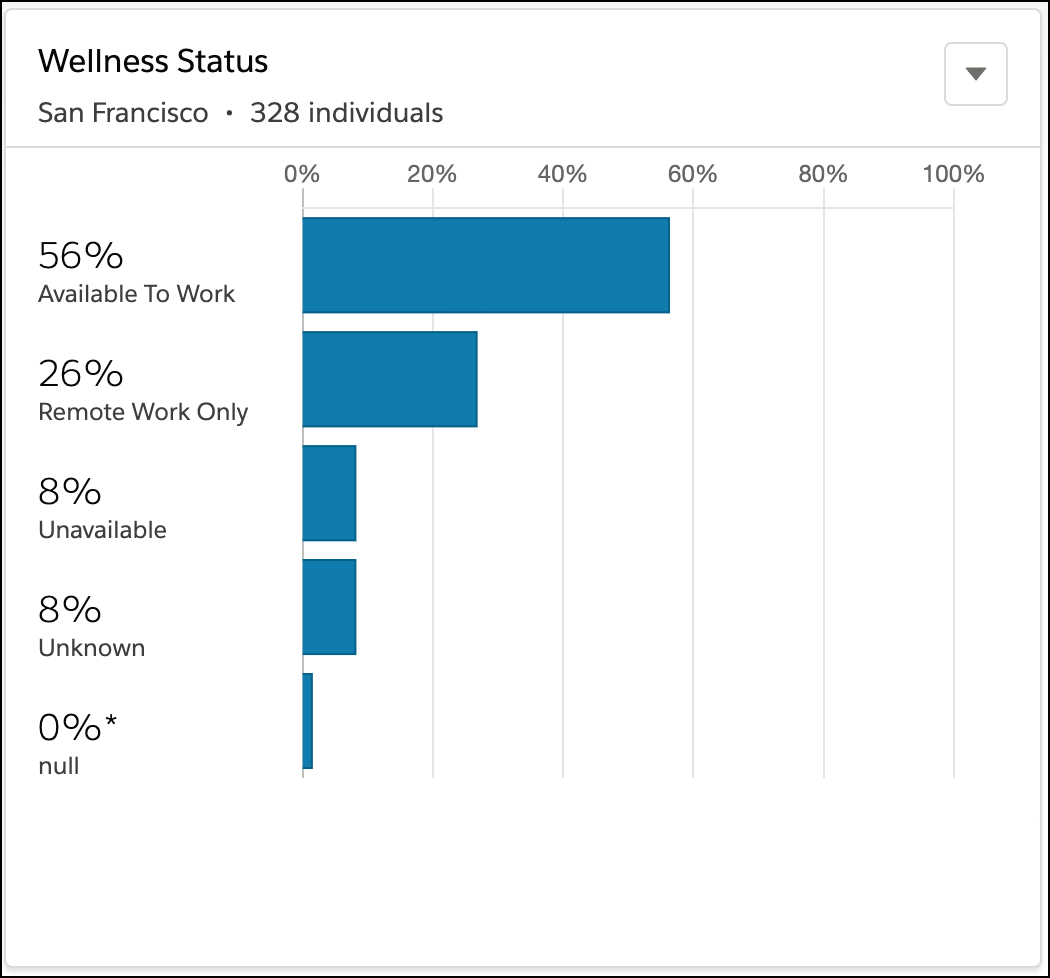
Wellness status data is visible in the wellness components in the Command Center. For example, the Wellness Status component displays the percentage of individuals with each wellness status.