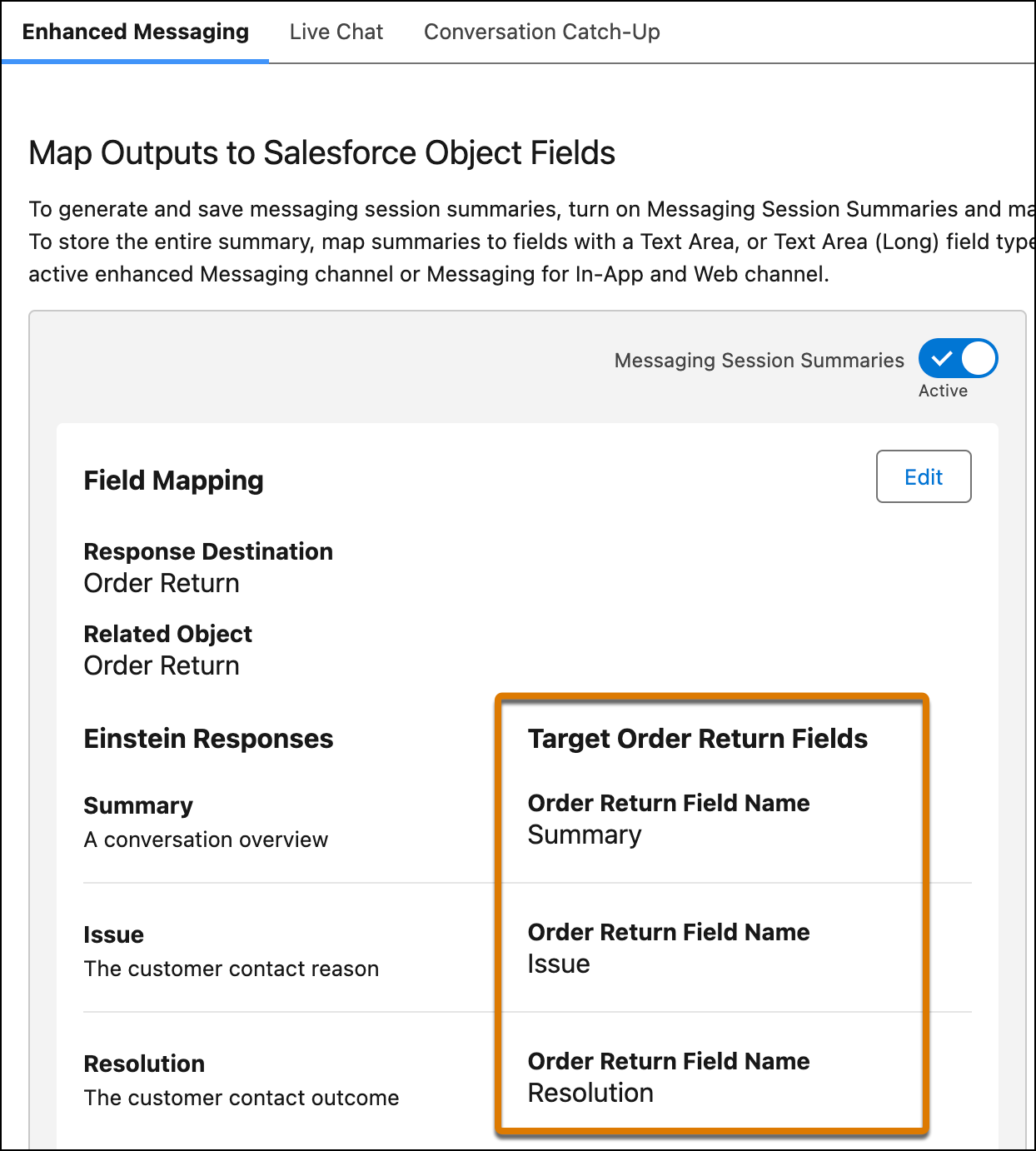
To store the generated Summary, Issue, and Resolution outputs, map these outputs to
fields of the MessagingSession object or one of its related objects. You must map these fields
before you can activate work summaries for the service channel.
To store messaging session summaries in Salesforce object fields:
Edit on Salesforce object OR Modify All Data
From Setup, in the Quick Find box, enter Einstein Work Summaries,
then select Einstein Work Summaries.
Click the Enhanced Messaging tab.
In the Map Outputs to Salesforce Object Fields section, click
Edit.
For the Summary, Issue, and Resolution outputs, select the Salesforce object field where
you want to map each output.
Only fields with the Text Area and Text Area (Long) data types appear in the
picklist.
Tip To map a field, you must have field-level security access on the
field. If you don’t have access and try to map the field, an error appears.
Click Save.
We don't recommend changing the field mappings after you set them up. If a field mapping
is updated, new summaries are stored in the new field you specify, while the content from the
previous field isn't shown on the summaries page.
To restore mapping for a custom field that you deleted and then undeleted, map the field
to the output again.
We use three kinds of cookies on our websites: required, functional, and advertising. You can choose whether functional and advertising cookies apply. Click on the different cookie categories to find out more about each category and to change the default settings.
Privacy Statement
Required Cookies
Always Active
Required cookies are necessary for basic website functionality. Some examples include: session cookies needed to transmit the website, authentication cookies, and security cookies.
Functional Cookies
Functional cookies enhance functions, performance, and services on the website. Some examples include: cookies used to analyze site traffic, cookies used for market research, and cookies used to display advertising that is not directed to a particular individual.
Advertising Cookies
Advertising cookies track activity across websites in order to understand a viewer’s interests, and direct them specific marketing. Some examples include: cookies used for remarketing, or interest-based advertising.