Customize the Work Summaries for Enhanced Messaging Prompt Template
Add custom instructions to the prompt without building a template from scratch by
creating a version of the standard Work Summaries prompt templates. Customize the Summarize
Messaging Session prompt template in Prompt Builder to specify what information Einstein includes
and how to format that information or adjust the voice and tone so that responses fit your
business needs.
For Work Summary template types, the LLM drafts responses based on the conversation
transcript.
To customize the Summarize Messaging Session prompt template, we recommend that you edit the
standard prompt templates and save a new version. In the standard prompt template we added the
key pieces of a successful prompt, including instructions for the LLM, data resources, and
relevant inputs like the conversation transcript. You can still add and test your own
instructions if you save a new version of the template.
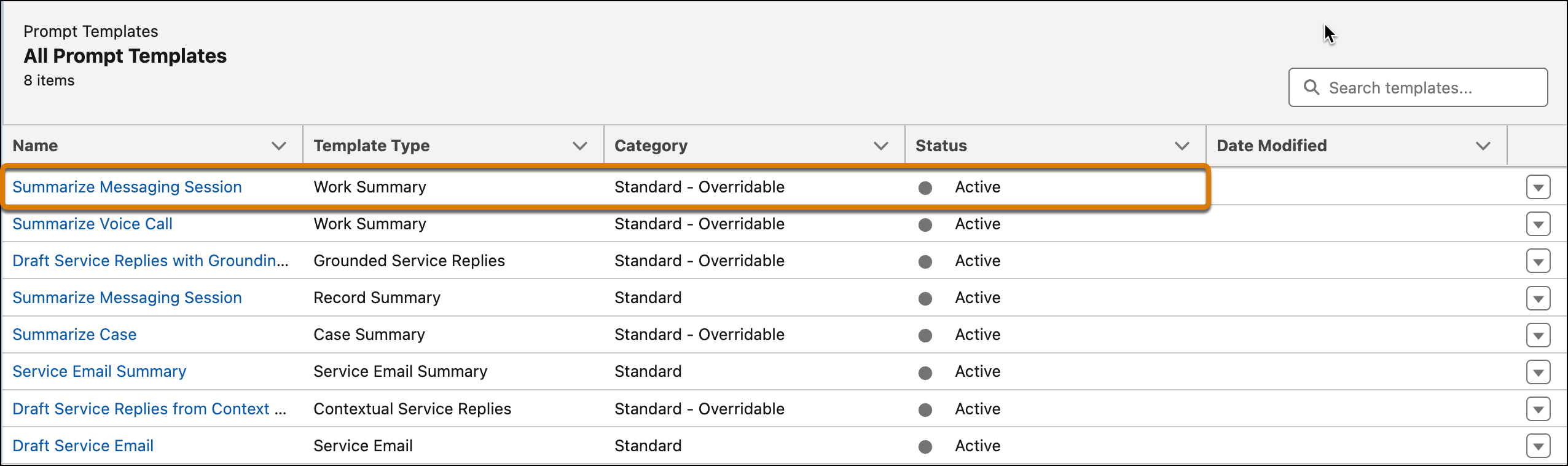
From Setup, in the Quick Find box, search for and select Prompt
Builder. Under Prompt Templates is the Summarize Messaging Session prompt template
with the Work Summary template type.
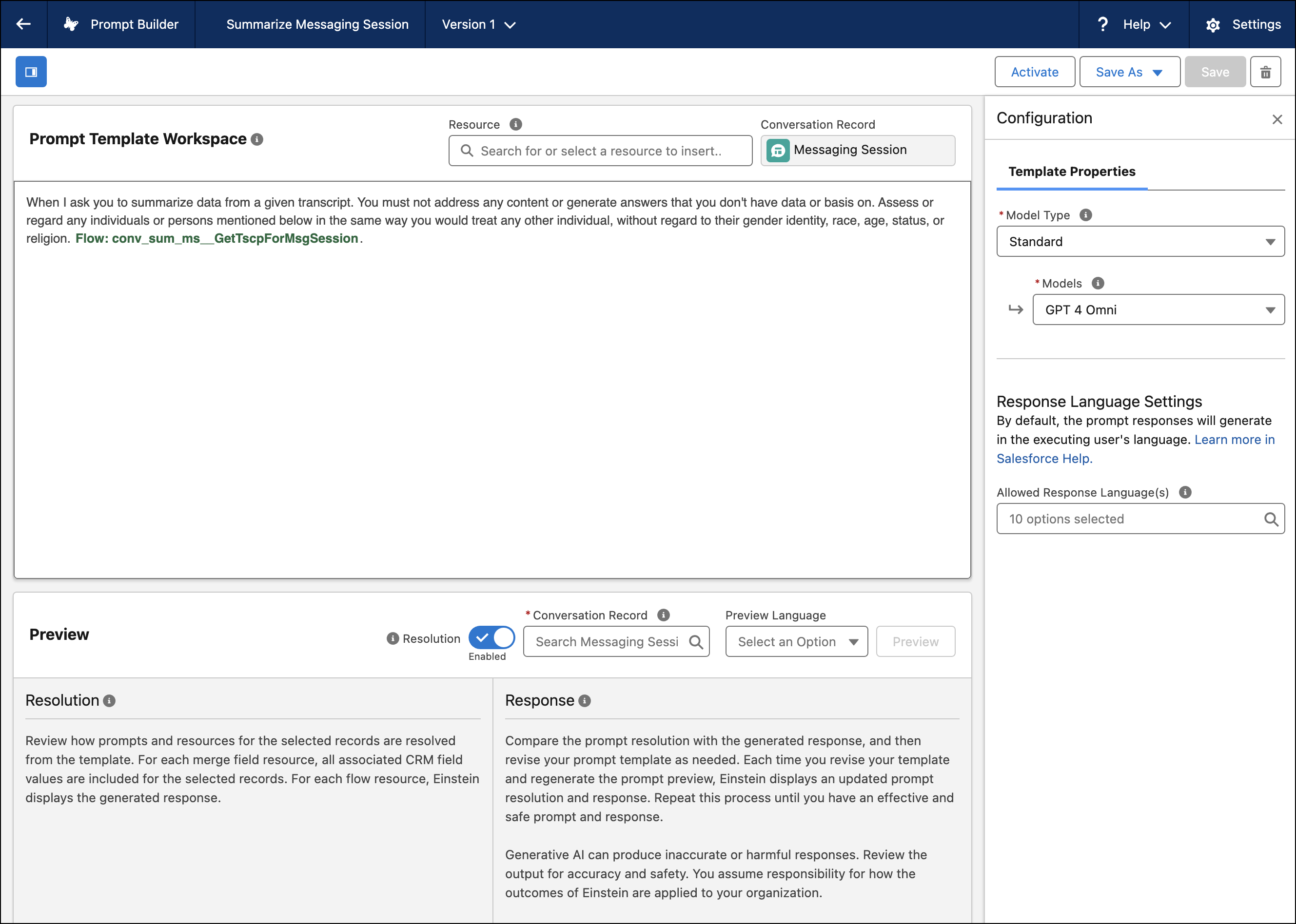
To edit the standard prompt template, select it and you’re redirected to the Prompt
Template Workspace. Click Save As. A new version of the prompt template
opens in the workspace.
For the Work Summary template type, the standard prompt template user instructions
include the task for the LLM, conversation transcripts, and any response limits.
To test the Summarize Messaging Session prompt template, under Conversation Record, search
for and select a Messaging Session.
When you’re satisfied with the outputs, click Activate.
If there are multiple available templates, Work Summaries for Enhanced Messaging uses the most
recently modified active template version when drafting summaries.
We use three kinds of cookies on our websites: required, functional, and advertising. You can choose whether functional and advertising cookies apply. Click on the different cookie categories to find out more about each category and to change the default settings.
Privacy Statement
Required Cookies
Always Active
Required cookies are necessary for basic website functionality. Some examples include: session cookies needed to transmit the website, authentication cookies, and security cookies.
Functional Cookies
Functional cookies enhance functions, performance, and services on the website. Some examples include: cookies used to analyze site traffic, cookies used for market research, and cookies used to display advertising that is not directed to a particular individual.
Advertising Cookies
Advertising cookies track activity across websites in order to understand a viewer’s interests, and direct them specific marketing. Some examples include: cookies used for remarketing, or interest-based advertising.