
You are here:
Set Average Handle Times
Average handle times indicate the length of a typical customer interaction. Workforce Engagement uses average handle times to estimate staffing needs in a capacity plan.
Required Editions

| View supported editions. |
In an Omni-Channel queue-based workflow, Workforce Engagement calculates average handle times from your Omni data.
In a non-Omni workflow, if your channel data includes handle times, specify a numeric field that contains that data when you create the workload history. Workforce Engagement can then aggregate handle times to determine the average for that channel.
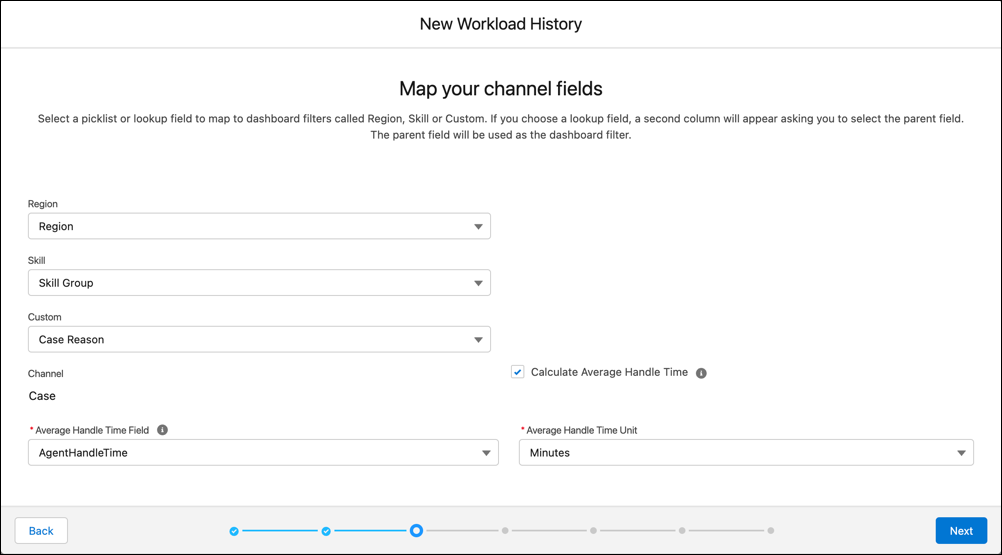
If your workload history in a non-Omni workflow lacks handle time data, you can define per-channel defaults when you create a capacity plan.
Some customer interactions take days or even weeks to complete, such as cases. When a workload history includes data about extended interactions, handle times can vary widely and make accurate predictions difficult. For example, suppose that it takes four weeks to close a case but your planner wants to generate a short-term capacity plan for the next two weeks. When Workforce Engagement estimates staffing, no cases reach completion, resulting in inaccurate staffing predictions.
If your data reflects extended handle times, we recommend that you create plans with long durations. Select a date range for the capacity plan that extends beyond the average handle time. Then use a date filter on the plan results to focus on a shorter time frame.

A call center runs 5 days per week and 10 hours per day. Agents handle both cases and voice calls. For each channel, Workforce Engagement considers how long it takes to complete an interaction and how many interactions an agent can handle concurrently.
For the Case channel, it takes an agent 4 weeks (200 hours) to create and close a case. If an agent's active work time on a case is 4 hours total, each agent can handle 50 cases (200 divided by 4) at the same time. For the voice channel, an agent takes one call at a time and the average call length is 30 minutes.
To create a capacity plan, the planner sets the plan duration for at least four weeks and specifies characteristics for each channel in the job profile. These characteristics determine the staffing that the call center requires to meet service level goals for each channel.
- Channel-skill-custom combination. The planner specifies Voice, Technical Support, and Tier 2 as the first channel-skill-custom combination. The second combination is Case, Technical Support, and Tier 2.
- Shrinkage. This percentage represents agents’ nonworking time during shifts. For instance, if agents spend 60 minutes in each 8-hour shift at lunch or on breaks, shrinkage is 60 minutes divided by 480 minutes or 12.5%.
- Maximum work units. This value represents an agent’s capacity at any given time for the channels in the job profile. In this example, a single agent can handle up to 50 cases or 1 call at the same time. Therefore, the planner sets the maximum work units to 50 with each call or case considered as 1 unit of work. The planner specifies 50 work units for the Voice channel and 1 work unit for the Case channel. They assign Voice as priority 1 and Case as priority 2.
- Asynchronous or synchronous. The planner marks the Voice channel as synchronous and the Case channel as asynchronous. Unlike calls, agents work on multiple cases simultaneously, and they start and stop work on a case until it’s closed.
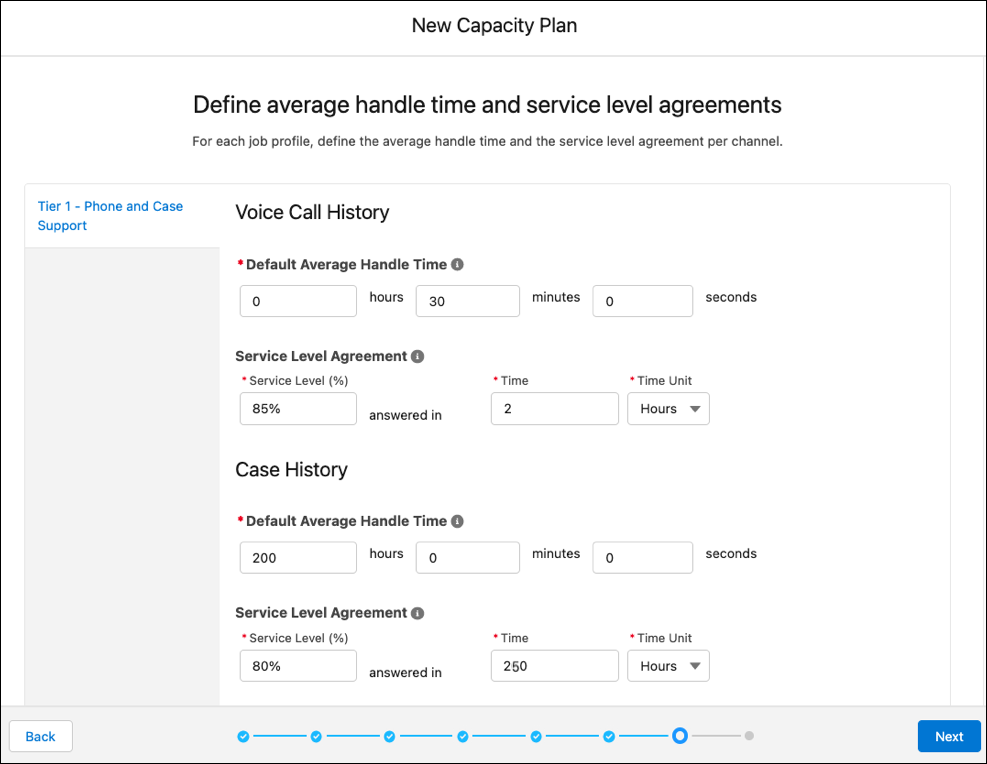
- Average handle times. The planner sets average handle time for the Voice channel to 30 minutes and to 200 hours for the Case channel.
- Service level agreements (SLAs). The planner sets a percentage for the number of cases that the team answers in a given time. For Voice, the call center wants 85% of calls completed within 2 hours. For Cases, the call center wants 80% of cases answered within 250 hours.
The planner names the capacity plan and saves the configuration.
