You are here:
Control How Your Captured Emails Are Shared
Choose how to share email data that Einstein Activity Capture adds to the activity timeline of related Salesforce records. Share with all users, Chatter groups, or no one.
Required Editions
| User Permissions Needed | |
|---|---|
| To view and change your sharing settings: | Use Einstein Activity Capture |
| Available in: Lightning Experience |
| Available with Einstein Activity Capture Standard in Sales in Starter, Pro Suite, Professional, and Enterprise Editions |
| Available with Unlimited Edition, Einstein 1 Sales Edition, and Agentforce 1 Edition |
| Available with Einstein for Sales, which is included in Einstein 1 Sales Edition and available for an extra cost in Enterprise and Unlimited Editions |
| Available with Sales Engagement, which is included with Sales in Performance and Unlimited Editions, and available for an extra cost in Professional and Enterprise Editions |
| Available with Revenue Intelligence, which is available for an extra cost in Enterprise and Unlimited Editions |


Sharing for calendar events is managed by your Salesforce admin. You can’t adjust or control how events are shared to the activity timeline.
- From your personal settings, enter Sharing Settings in the Quick Find box, and then select Sharing Settings under Einstein Activity Capture.
-
Click Change.
If your admin chose to enforce the Don’t Share setting, you can’t change the sharing setting. However, you can still share individual emails and events, and respond to sharing requests from other users.
-
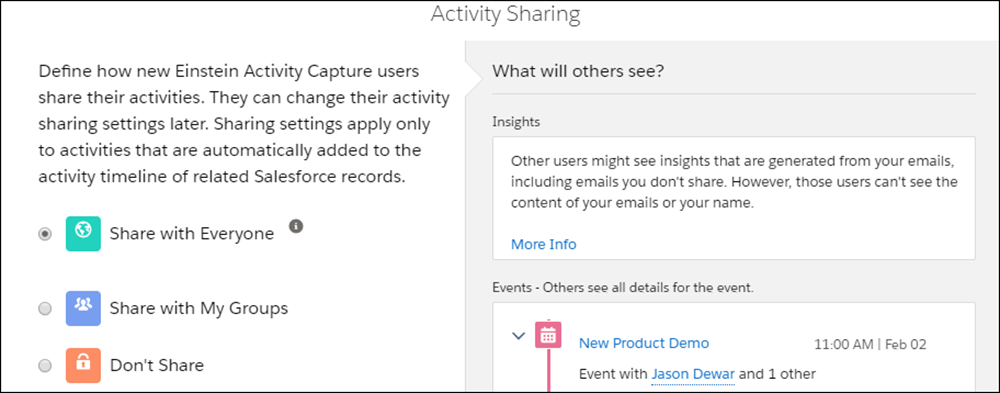
Select how you want to share your emails and events.
When activities are shared with everyone, others see full email and event details. When activities aren’t shared with everyone, others see basic details, such as dates and names, and can request full access from the activity owner. “Everyone” means all Salesforce users at your company, unless your admin changed it to mean only Einstein Activity Capture users. To share with Chatter groups, the group owner has to add the Enable email and event sharing option to the group. If you share with Chatter groups, you can choose up to 20 private or unlisted Chatter groups.
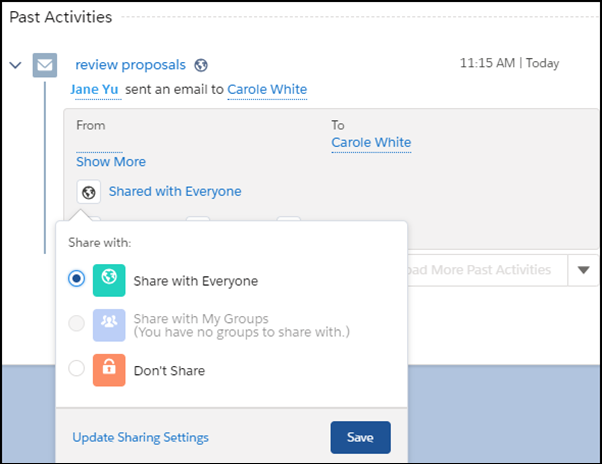
Your sharing setting, which overrides the default sharing set by your Salesforce admin, is applied to all your emails and events, except the ones that you individually set sharing for. To set sharing setting for an individual email or event, find the email or event on the activity timeline and select a new sharing setting. To share individual emails and events, you need access to Chatter.