
You are here:
Follow People and Records
Follow people and records to see their updates in your feed. When you follow people, you can see their posts, comments, and likes on the feeds that you also have access to. If a person you follow posts to a group you don’t have access to, you can’t see that post. When you follow a record, you are notified about activity on the record, provided feed-tracking is enabled on the record’s type.
| Available in: Salesforce Classic and Lightning Experience |
| Available in: Essentials, Group, Professional, Enterprise, Performance, Unlimited, Contact Manager, and Developer Editions |
If someone can see a record that you own, then they can follow that record. People can follow only the records that they can see.
- To follow a person or a record, click Follow on a person’s profile or a record page.
-
To follow the person or record from the menu, click What I
Follow. If the Follow button has a
 in front of it, you have more options. Click the
button to see options for following the person or record and for adding it to a new or
existing stream.
in front of it, you have more options. Click the
button to see options for following the person or record and for adding it to a new or
existing stream.
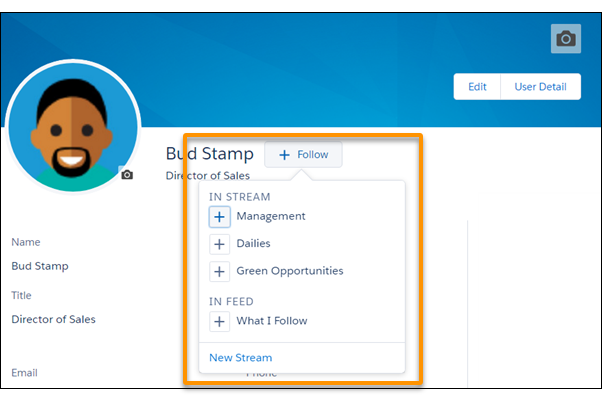
You can find streams in Lightning Experience on the Chatter home page.In Salesforce Classic, you can see the people and records that you follow and the people who are following you. View the Following list on your profile, and filter the results by user or by an object type.
When you follow people, you see their posts, comments, and likes in your feed. You can follow a maximum combined total of 500 people, topics, and records. To see how many items you’re following, view the Following list on your profile.
To stop following a person from your profile, mouse over the follower, then, in the hover,
mouse over the Following label. In Salesforce Classic, click  . In Lightning Experience,
select Unfollow. When you stop following a person, their past posts
continue to appear in your What I Follow feed. But you don’t see any future updates
from them.
. In Lightning Experience,
select Unfollow. When you stop following a person, their past posts
continue to appear in your What I Follow feed. But you don’t see any future updates
from them.
