You are here:
Center Data in Every Conversation with CRM Analytics for Slack (Generally Available)
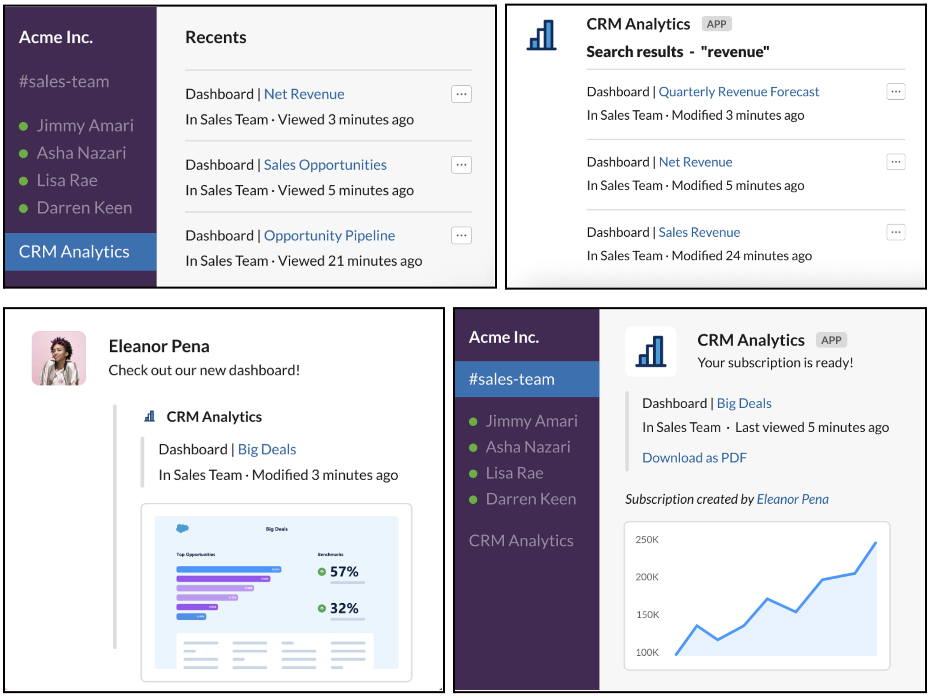
Browse, search, and share CRM Analytics and Lightning reports and dashboards to get data insights within the flow of your work in Slack. Stay updated on your key data, collaborate with subscriptions and notifications, and take action at the point of insight.
Where: The CRM Analytics for Slack app works with CRM Analytics in Lightning Experience and Salesforce Classic. CRM Analytics is available in Developer Edition and for an extra cost in Enterprise, Performance, and Unlimited editions. Available for use where approved by a workspace admin and installed in Slack.
Who: Users must have the following permission: Connect Salesforce with Slack. The following permissions are recommended: Use CRM Analytics, Subscribe to CRM Analytics Assets, Add Recipients to CRM Analytics Notifications, Subscribe to Dashboards, Subscribe to Dashboards: Add Recipients, Subscribe to Reports, and Subscribe to Reports: Add Recipients.
How: To make CRM Analytics for Slack available for your users, first follow the admin procedure for enabling Salesforce for Slack Integrations, and then instruct your users to complete the setup steps.
- Admins complete the enablement steps at Enable Salesforce for Slack Integrations.
- Individual users then complete the setup steps at Add Apps in Your Personal Slack Sidebar.

Why: With CRM Analytics for Slack, you and your team can:
- Browse and Search. Browse recent and favorite analytics or search to find specific items. View details and snapshots of your items.
- Share and Collaborate. Share links to analytics items and snapshots of reports, dashboards, and lenses. Collaborate with the team, and even loop in external stakeholders like partners, vendors, and customers with Slack Connect.
- Stay Updated. Keep up to date from anywhere. Subscribe to CRM Analytics dashboards for periodic updates, and import CRM Analytics notifications to get notified when data thresholds are met. Import Lightning reports and dashboards subscriptions into Slack. Share all of your notifications and subscriptions to your teammates.
- Learn the Why Behind Your Data. Run Einstein Discovery on Lightning reports to
drive better business outcomes with AI-powered predictions and recommendations. Share
relevant and actionable predictions, improvements, and top factors with your Slack
channels and colleagues.