
You are here:
Test LWC Omniscript Data in the Omniscript Data Panel (Managed Package)
For the managed package runtime, test data while previewing an LWC Omniscript by using the Omniscript Data panel.
 This information is for Omnistudio for Managed Packages. For Omnistudio on standard runtime, see Omnistudio Help.
For information on loading larger data sets into Omniscript, see Load Data into Omniscript Elements (Managed Package).
Test an LWC Omniscript's ContextId functionality by entering a recordId into the Data panel's ContextId field. Omniscript automatically generates the ContextId when the Omniscript is on a Record page. The ContextId can also be set manually using Set Values or dynamically by accessing the Id of the current user in Omnistudio Data Mapper. Test additional data in Omniscripts by entering key-pair values into the data JSON.
-
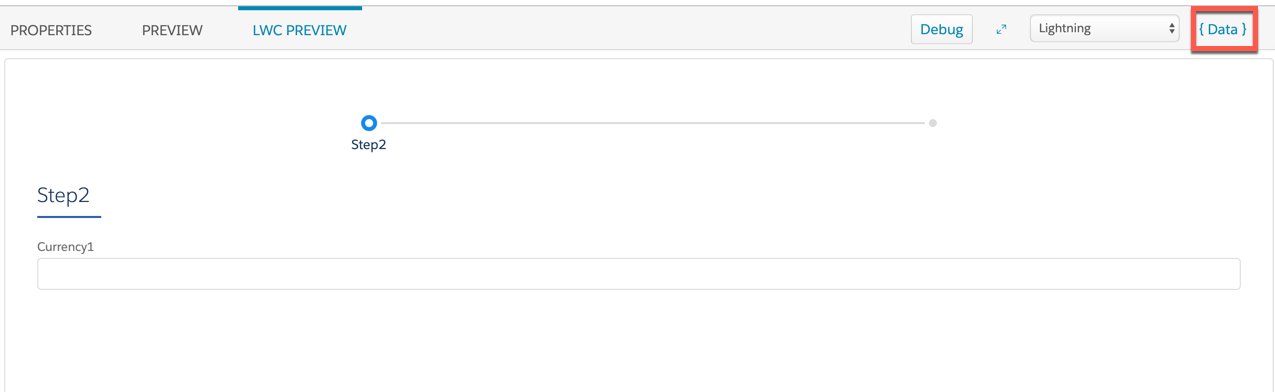
Preview the Omniscript, and click Data.
-
In the ContextId field, enter a Record ID.
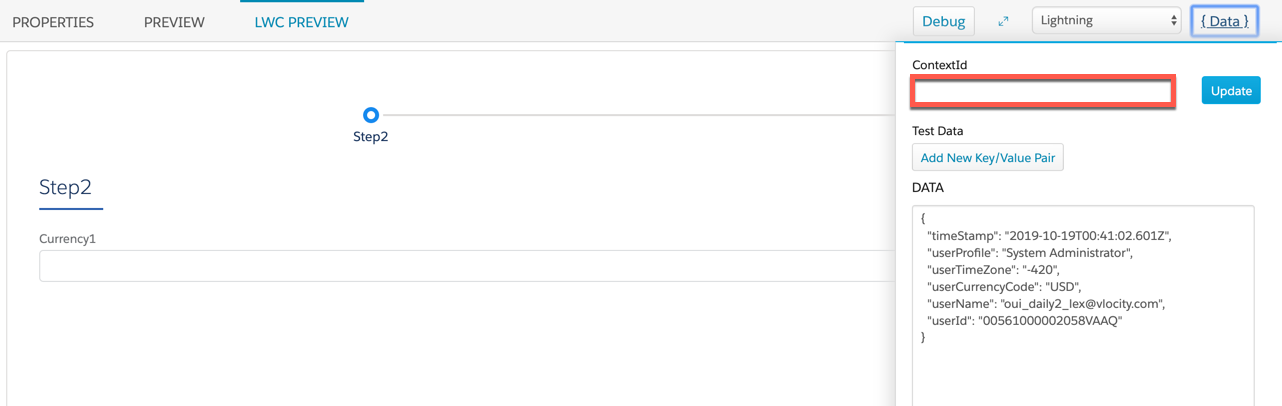
- Pass the Record ID into the ContextId JSON node by clicking Update.
-
To test additional data:
- Preview the Omniscript, and click Data.
- Click Add New Key/Value Pair, and enter a Key and a Value to pass into the data JSON.
- Click Update to preview the data.
