
You are here:
Model Support Programs
Use Education Cloud objects and apps to define, plan, and deliver non-scholastic services and initiatives that support each learner’s journey.
| Available in: Lightning Experience |
| Available in: Enterprise, Performance, Unlimited, and Developer Editions with Education Cloud |
Educational institutions must offer a variety of support programs to help students succeed academically, personally, and professionally. A strong support program helps students to feel safe, valued, and confident, and can help to increase retention and graduation rates. Here are some support programs found in schools and universities.
- Academic support services, such as tutoring centers, writing centers, and study skills workshops.
- Advising services, such as academic advising, career counseling, and personal counseling.
- Financial support services, such as financial aid and emergency financial assistance.
- Health and wellness programs, such as counseling and psychological services, health clinics, and fitness centers.
- Student success programs, such as first-year experience, retention, and mentoring programs.
- International student services, such as international student advising, and study abroad programs.
There are countless more support programs. Education Cloud offers features that enable institutions to run programs effectively and at scale. With the Student Success and Mentoring apps, directors and facilitators can model programs and set the benefits that they contain.
- Program Management in Education Cloud Apps
In the Student Success and Mentoring apps, you can launch workflows from the dropdown navigation menu to create programs, program enrollments, and benefits. - Use Assessments for Support Program Enrollment
In Student Success and Mentoring, you can add an assessment with predefined questions to a program. The assessment questionnaire appears in the portal when a learner enrolls in the program. Automation saves the submitted responses as records related to the program enrollment. Advisors and mentorship facilitators can review the responses to clearly understand the learner's requirements and determine if the program meets their needs and how best to support them. - Support Programs with Benefits and Assessments
In Education Cloud, when you want to create a program, you have the option to create a support program. This flow is similar to the standard program setup, but includes the options to assign the Advising or Mentoring benefit types, add a benefit, assign a success team, and add an intake assessment.
Program Management in Education Cloud Apps
In the Student Success and Mentoring apps, you can launch workflows from the dropdown navigation menu to create programs, program enrollments, and benefits.
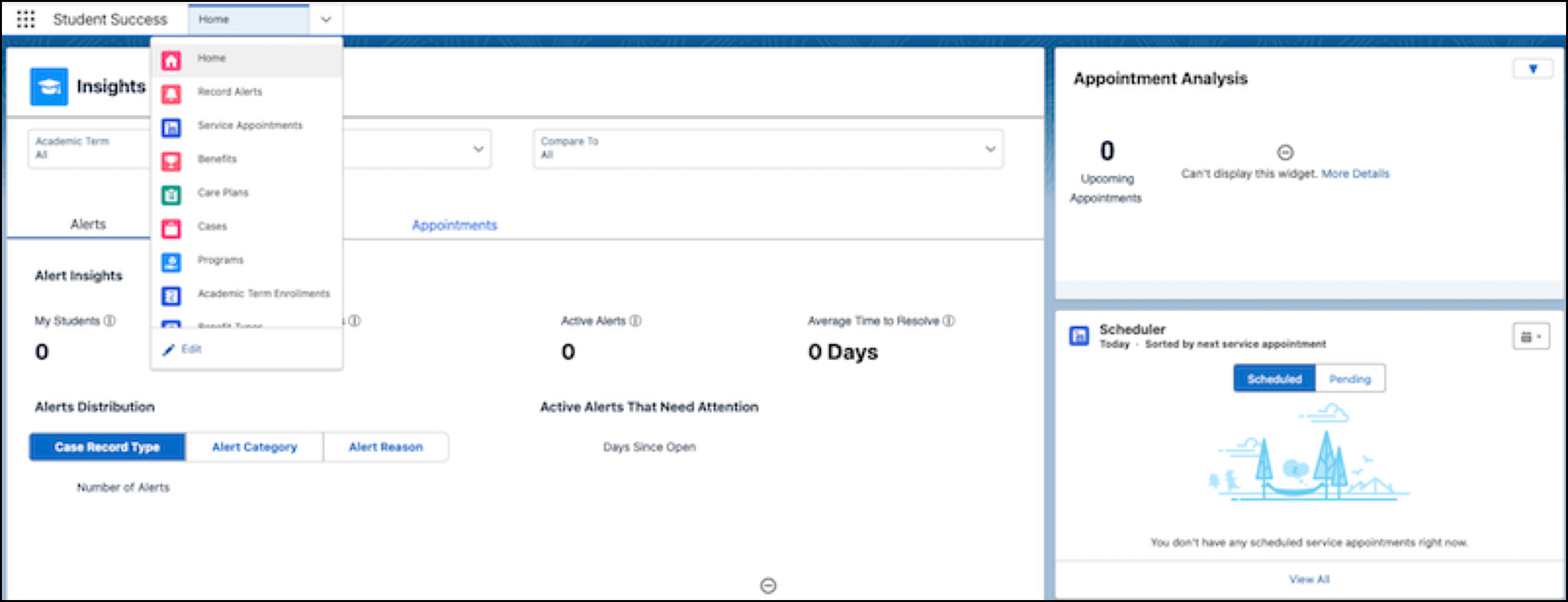
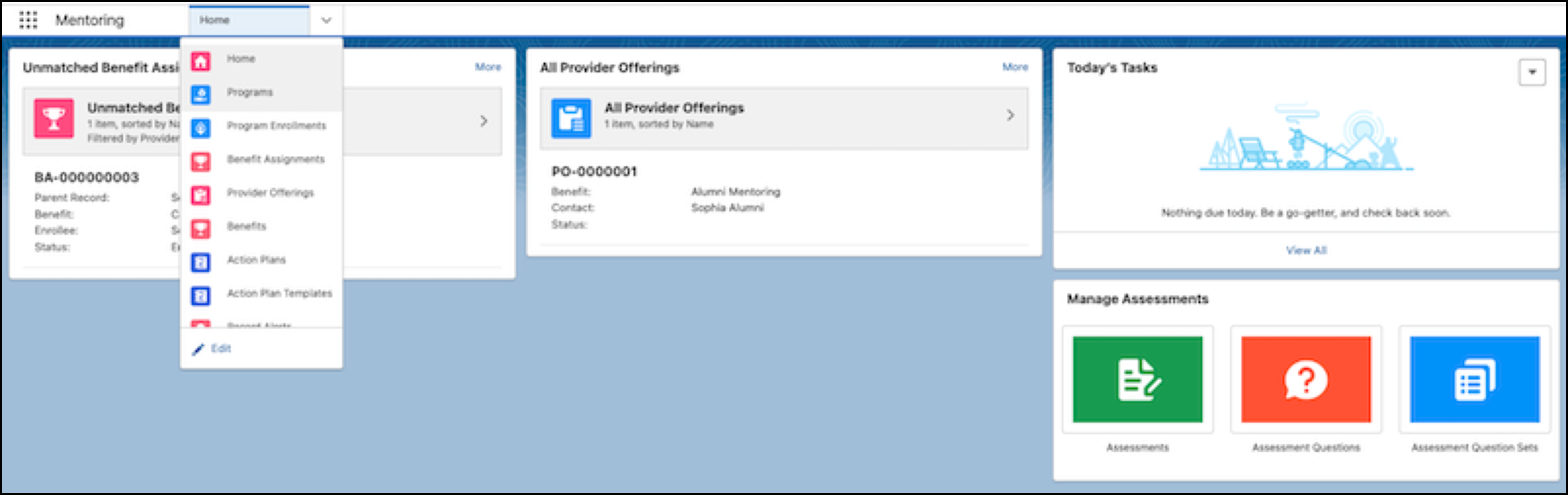
When an advisor adds a benefit to a learner’s care plan, Salesforce automatically enrolls the learner enrolled in the corresponding program. Mentoring facilitators can connect students with the provider of a mentoring benefit, enrolling the student in that mentoring program. But you can also let students proactively find and receive the help that they need. With Education Cloud, you can set up an Experience Cloud site as a portal where students can self-register for programs and benefits.
Benefit types available with Education Cloud are:
- Advising
- Counseling and assistance for learners.
- Goods
- Items such as stationery or sports equipment.
- Mentoring
- Mentorship and guidance for learners.
- Monetary
- Scholarships or donations for learners.
- Session
- Workshops that have multiple, scheduled sessions.
To learn how to create programs and benefits, see Program and Case Management.
Use Assessments for Support Program Enrollment
In Student Success and Mentoring, you can add an assessment with predefined questions to a program. The assessment questionnaire appears in the portal when a learner enrolls in the program. Automation saves the submitted responses as records related to the program enrollment. Advisors and mentorship facilitators can review the responses to clearly understand the learner's requirements and determine if the program meets their needs and how best to support them.
To learn how to use assessments for program enrollment, see Intake Assessments for Support Programs.
Support Programs with Benefits and Assessments
In Education Cloud, when you want to create a program, you have the option to create a support program. This flow is similar to the standard program setup, but includes the options to assign the Advising or Mentoring benefit types, add a benefit, assign a success team, and add an intake assessment.
