You are here:
Manage Expenditures
The Manage Expenditures feature allows you to link a Disbursement record to an existing General Accounting Unit using the GAU Expenditures object to track which account the disbursed funds come from. This is only available if you are an existing NPSP user and installed the NPSP Extension of Outbound Funds Module.
- Set Up Manage Expenditures
Manage Expenditures is a Lightning component that is available on the Disbursement NPSP Record Page. You can change the location of the component or add it to a different Lightning page, if so desired. - Use Manage Expenditures
Manage expenditures from the App Launcher in Outbound Funds Module.
Set Up Manage Expenditures
Manage Expenditures is a Lightning component that is available on the Disbursement NPSP Record Page. You can change the location of the component or add it to a different Lightning page, if so desired.

Use Manage Expenditures
Manage expenditures from the App Launcher in Outbound Funds Module.
-
From the App Launcher (
 ), find and select Funding Programs.
 -
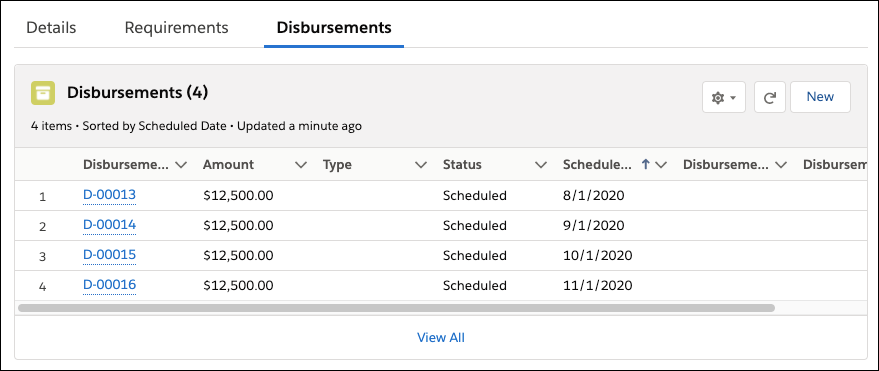
Select a Funding Program that has at least one Disbursement record.
-
Click Disbursements.
-
Select a Disbursement.
-
Enter a value of an existing General Account Unit to tie this Disbursement to, then select it.

-
Enter an Amount or a Percentage to disburse based on that General Account Unit. Notice the Total Amount Remaining updates based on the amount of the Disbursement.
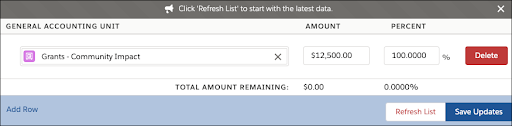
- Optionally, if the Disbursement uses more than one General Account Unit, click Add Row.
- Optionally, to remove an entry, click Delete.
- Click Save Updates to submit your allocations.
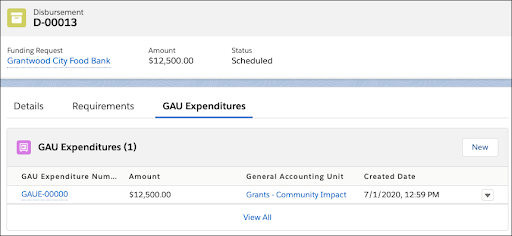
- Refresh the page then select the GAU Expenditures tab to see the new record.