
You are here:
Create a Campaign
The Campaign is the top level of your recurring event structure.
- In Volunteers for Salesforce, click the Campaigns tab.
- Click New.
- Select Volunteer Campaign.
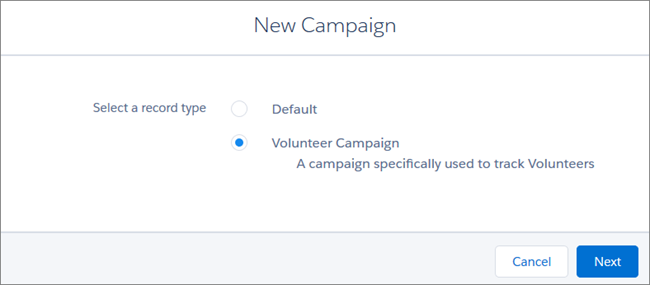
- Click Next.
- Enter your volunteer Campaign name. We recommend using the name of the agency funding your series of events.
- Select the Active option. This ensures that the Campaign displays on the Shift Calendar on your website.
- Select the type of event.
- Choose a status.
- Optionally, enter the start and end dates for the series of events. You can leave these fields blank if this is an ongoing Campaign.
- From the Volunteer Website Time Zone drop-down, select the time
zone where the events are occurring. Remember that you can also set the time zone at
the Job level, if you have Jobs in different time zones.
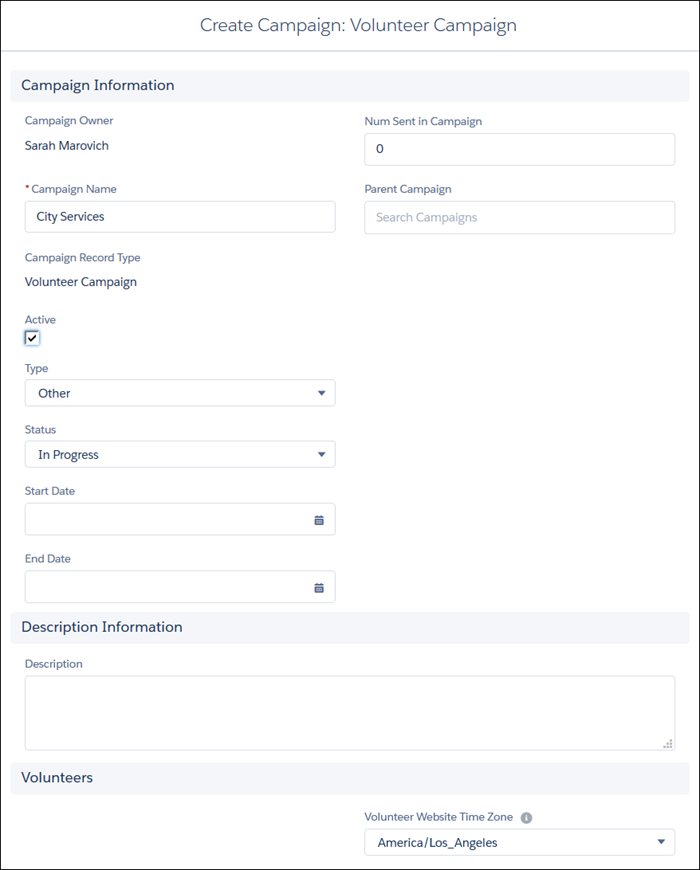
- Click Save.
Now that you've got your Campaign set up, you can start creating Jobs.
Did this article solve your issue?
Let us know so we can improve!
