
You are here:
Enable Service Cloud for Slack
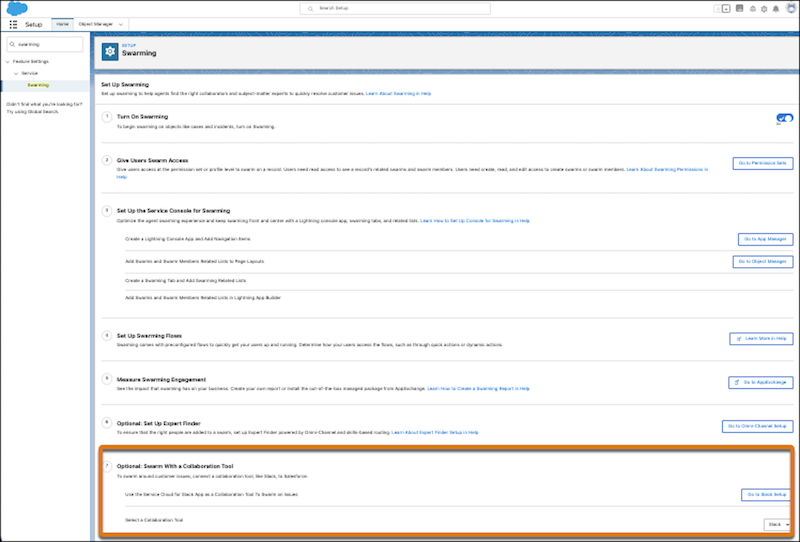
First, complete the Swarming setup, then enable Slack apps in Salesforce. Then, turn on Service Cloud for Slack and start configuring the features that you want your swarming teams to have access to.
- Complete the Swarming setup. See Set Up Swarming.
- To enable Service Cloud for Slack, see the steps on Enable Salesforce for Slack
Integrations.
 Important Make sure to review and accept the terms and conditions.
 -
Download the Service Cloud for Slack app from the Slack App Directory. Select any channel
and allow the Service Cloud for Slack app to view, create, and post necessary content to the
workspace before other users access the app.
 Warning The Service Cloud for Slack app has limited support for Slack Connect.
 -
After you enable Service Cloud for Slack, select Slack as your collaboration tool on the
Swarming setup page.
Did this article solve your issue?
Let us know so we can improve!
