Salesforce Channels: Collaborate Directly in Records Using Slack
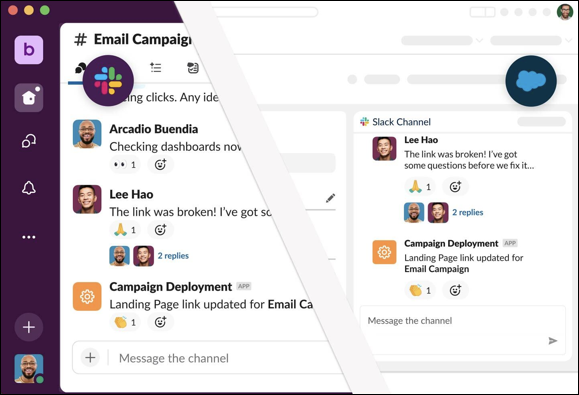
Salesforce channels bring the collaborative experience of Slack into Salesforce.
Connect with your teams directly in a record, and collaborate in real-time to solve problems and
manage complex deals. You can access conversations in both Salesforce and Slack, and communicate
with team members wherever they are.
Required Editions
Available in: Lightning Experience
Available in: Essentials, Starter, Pro Suite,
Professional, Enterprise, Unlimited, and Developer
Editions
You can use Salesforce channels to:
Connect teammates across Salesforce and Slack and can collaborate in real-time. Salesforce
conversations sync instantly in corresponding Slack channels for reduced context switching
across apps.
Manage complex issues as a team with a dedicated place on a record to strategize around
customers, review data, share documents, and manage processes.
Streamline account handoffs and onboarding with historical conversations, files, and
partners, all in one place.
Set Up Salesforce Channels in Your Org Set up and configure Salesforce channels to let users collaborate on projects directly in a record and communicate with teammates in a unified channel across Salesforce and Slack.
Use Salesforce Channels in Your Salesforce Records Salesforce channels are a dedicated place on a Salesforce record where you can collaborate with your team using Slack. You can access conversations in Salesforce channels in both Salesforce and Slack, and communicate with your team wherever they are.
Communicate in a Salesforce Channel After you join a Salesforce channel, you can start using it to communicate with your team. Remember, any updates that you make in a Salesforce channel in Salesforce automatically appear in Slack as well.
Did this article solve your issue?
Let us know so we can improve!
Loading
Salesforce Help | Article
Cookie Consent Manager
General Information
Required Cookies
Functional Cookies
Advertising Cookies
General Information
We use three kinds of cookies on our websites: required, functional, and advertising. You can choose whether functional and advertising cookies apply. Click on the different cookie categories to find out more about each category and to change the default settings.
Privacy Statement
Required Cookies
Always Active
Required cookies are necessary for basic website functionality. Some examples include: session cookies needed to transmit the website, authentication cookies, and security cookies.
Functional Cookies
Functional cookies enhance functions, performance, and services on the website. Some examples include: cookies used to analyze site traffic, cookies used for market research, and cookies used to display advertising that is not directed to a particular individual.
Advertising Cookies
Advertising cookies track activity across websites in order to understand a viewer’s interests, and direct them specific marketing. Some examples include: cookies used for remarketing, or interest-based advertising.