
You are here:
Search and Edit Salesforce Records in Slack
Your accounts, contacts, cases, service appointments, and Customer Service Incident Management records are searchable directly from your swarm channel in Slack.
- Select the /service-search slash command from the list in the About tab, find its global shortcut in Attachments and shortcuts, or enter it directly in the messenger.
- Append the term you’re searching for, and then invoke the command to launch the modal.
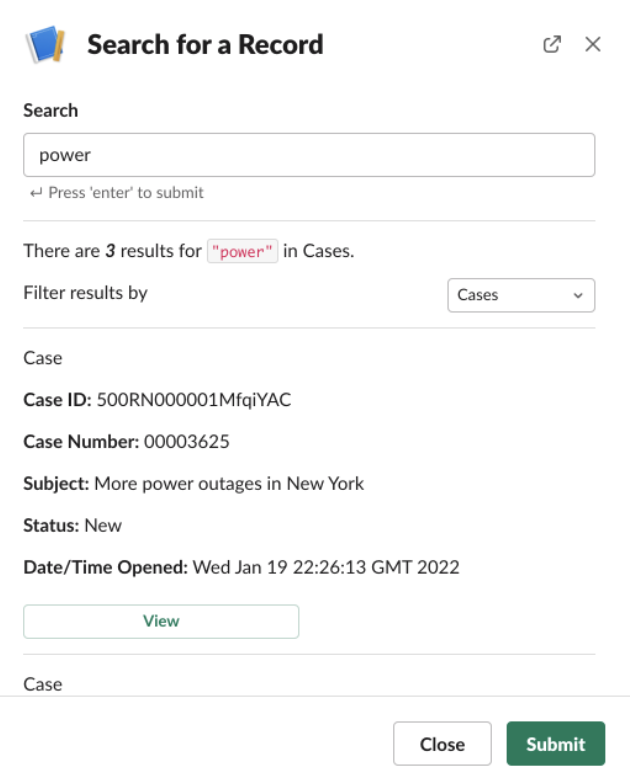
- Filter your search to specify what kind of record you want to search, or leave the step
blank to search across all three fields. To return an object in a search, you must have
permission to view it.
 Tip Search results are shown based on which Salesforce objects you interact most with. If you don’t see the record you’re looking for, try filtering the search results by object type.
If you have permission to edit on the object, you can edit items that are invoked with the /service-search slash command in the modal that appears.
Did this article solve your issue?
Let us know so we can improve!
