After you add the Quip Document component to a Lightning page, your users can create and
edit documents directly in Salesforce. If they prefer, users can also edit the document on your
Quip site. Both options provide the same rich collaborative environment.
Required Editions
Available in: Lightning Experience
Depending on how you configured the Quip Document component, users interact with it in
different ways on the Salesforce pages that include it.
Users pick which documents go on which records. Users choose the documents to embed into
Salesforce records. They can choose existing documents or create them directly from a
Salesforce record.
Users create documents from templates. Users can only embed documents based on a template
that you previously created. This option works well for account plans, creative briefs, and
other documents that your team uses repeatedly.
Administrators preselect documents. Sometimes you, the administrator, knows best, so you
preselect the documents that are appropriate for each Salesforce record. Users can’t change the
embedded document, but depending on their permissions, they can edit it. This option is best
for wikis, contact lists, and other reference documents.
Your users can work with an embedded document the same way they work with any other Quip
document. They can edit text, insert images, leave comments, check off checklist items, update
spreadsheets, @mention colleagues, and more.
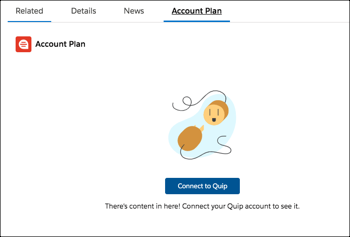
Connect to Quip
Users must be connected to their Quip account to use Quip in Salesforce. If they haven't
already connected their Quip and Salesforce accounts, a button in the Quip Document component
prompts them to do so.
Add an Existing Document Search for or provide the link to an existing Quip document to link it to a Salesforce record.
Add a Blank Document Create a blank Quip document that’s automatically linked to a Salesforce record.
Add a Document Based on a Template Access the Quip Template Library in Salesforce to quickly create and embed a new Quip document that’s automatically linked to a Salesforce record. If the template contains mail merge syntax, it’s populated with Salesforce data automatically.
We use three kinds of cookies on our websites: required, functional, and advertising. You can choose whether functional and advertising cookies apply. Click on the different cookie categories to find out more about each category and to change the default settings.
Privacy Statement
Required Cookies
Always Active
Required cookies are necessary for basic website functionality. Some examples include: session cookies needed to transmit the website, authentication cookies, and security cookies.
Functional Cookies
Functional cookies enhance functions, performance, and services on the website. Some examples include: cookies used to analyze site traffic, cookies used for market research, and cookies used to display advertising that is not directed to a particular individual.
Advertising Cookies
Advertising cookies track activity across websites in order to understand a viewer’s interests, and direct them specific marketing. Some examples include: cookies used for remarketing, or interest-based advertising.