
You are here:
View Errors in the Error Console
When enabled, the Error Console captures and shows component and page errors without interrupting your work in Salesforce. The console collects non-fatal errors so you can see them when it’s convenient for you, and they don’t require interaction. Fatal errors still show in error windows that you must dismiss before continuing. The Error Console also collects fatal errors for later inspection.
When a non-fatal error or warning occurs, the Error Console appears in the bottom-right corner of the page.

You can keep on working in Salesforce. The Error Console continues to collect errors and warnings, remaining collapsed until you open it.
To learn more about errors and warnings, expand the console window.
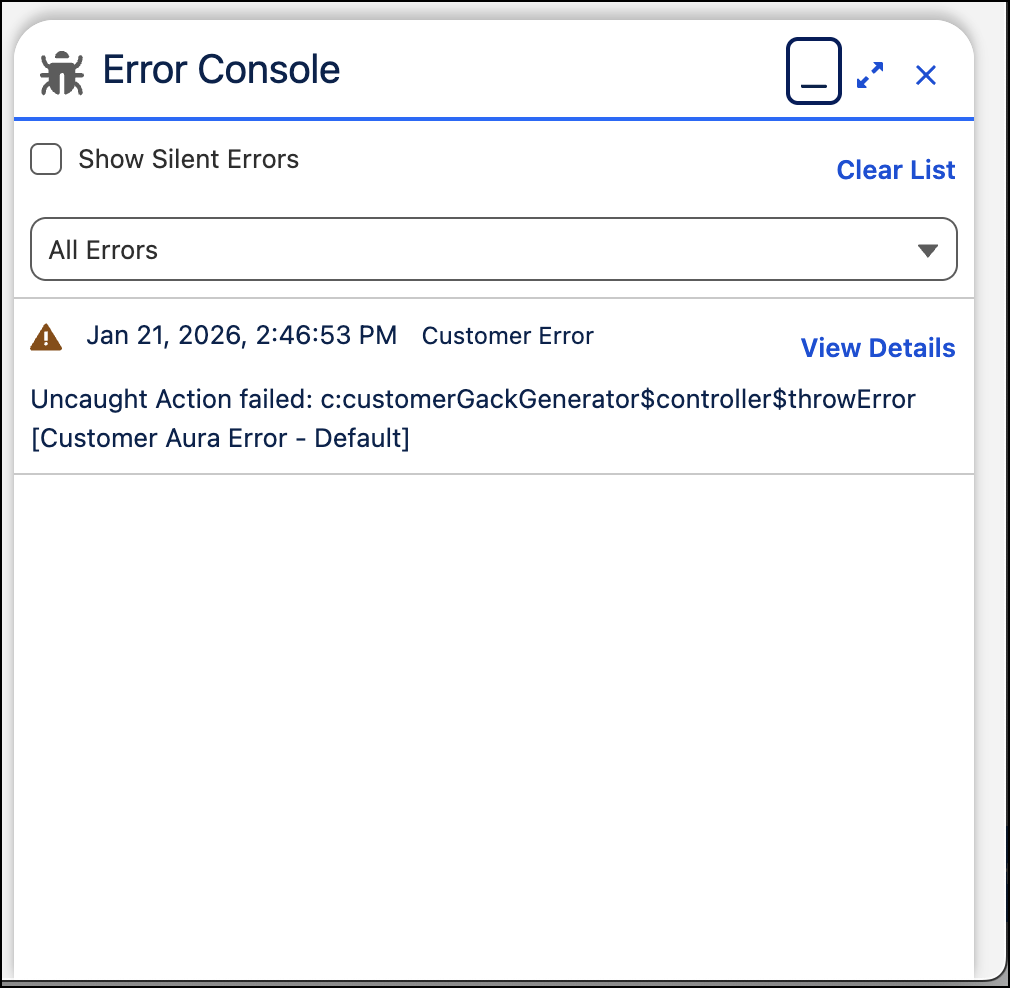
The Error Console shows all recent errors and warnings in a list. This list includes fatal errors, which also appear in an error window. Click View Details to see more technical details of the error. These details are the same as those that appear in the Technical Stuff section of error windows.
