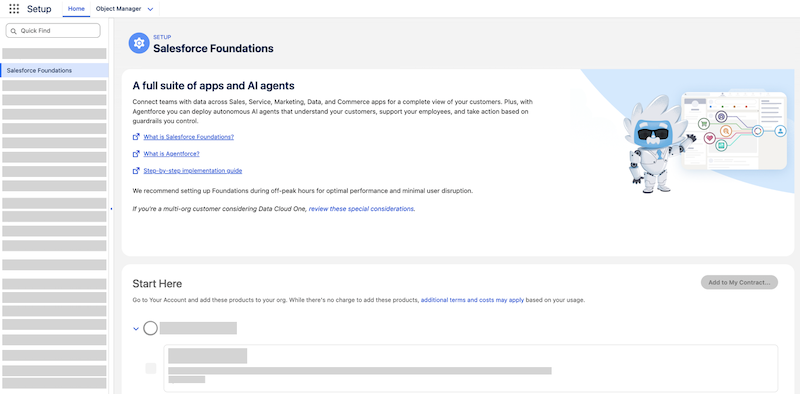
Save time and effort with the Salesforce Foundations setup page. After you review the
considerations, add products to your Salesforce org with Your Account and configure key settings
to change feature and app availability.
Note Salesforce Foundations and the setup page is available on a limited
basis in Summer ’24. Contact your Salesforce account executive for more information.
How It Works
Head to the Salesforce Foundations page in Setup. First, add the required products to your
org with Your Account. These products power important foundational features, such as
audience creation for marketing campaigns. Then, turn on key settings to add the Marketing
app to your org and online store capabilities to the Commerce app. You have full control
over which features to add and which users can access apps.
After you complete the steps on the setup page, reference Salesforce Help to configure additional settings and manage
user access.
Required Permissions
To access the Salesforce Foundations setup page, you must have the View Setup and
Configuration, Customize Application, and Modify All Data permissions.
To add the products that power key Salesforce Foundations features, you need access to Your
Account. You must also have the Manage Billing or Your Account App Admin User permission set.
Some product settings on the Salesforce Foundations setup page require additional
permissions before you can configure them. For example, to create an identity resolution
ruleset, you need the appropriate Data Cloud permission set, and, if you're working in
a companion org, you'll need to log into your home org.
We use three kinds of cookies on our websites: required, functional, and advertising. You can choose whether functional and advertising cookies apply. Click on the different cookie categories to find out more about each category and to change the default settings.
Privacy Statement
Required Cookies
Always Active
Required cookies are necessary for basic website functionality. Some examples include: session cookies needed to transmit the website, authentication cookies, and security cookies.
Functional Cookies
Functional cookies enhance functions, performance, and services on the website. Some examples include: cookies used to analyze site traffic, cookies used for market research, and cookies used to display advertising that is not directed to a particular individual.
Advertising Cookies
Advertising cookies track activity across websites in order to understand a viewer’s interests, and direct them specific marketing. Some examples include: cookies used for remarketing, or interest-based advertising.