You are here:
Explore Detail Pages
Detail pages show you details about a record, for example, details about a particular account.
Let’s navigate to the Accounts home page and click an account name.
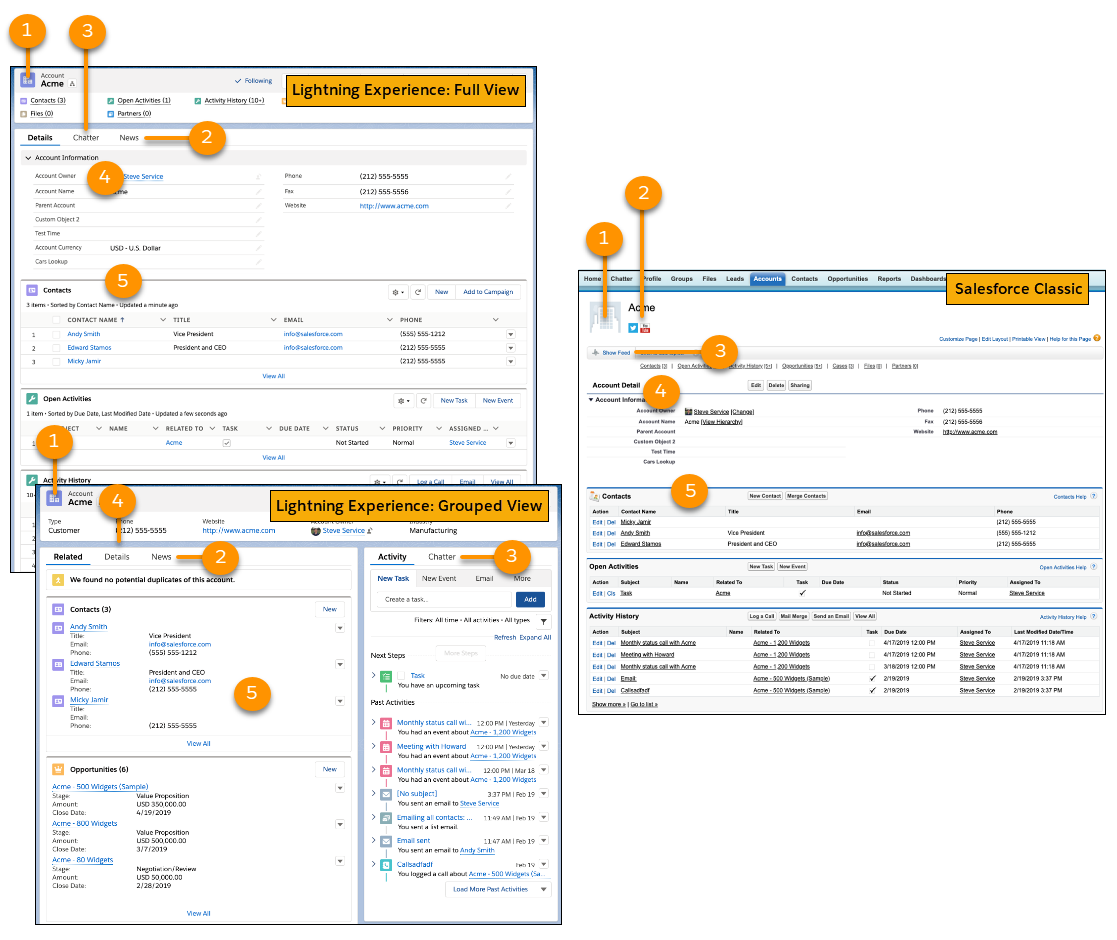
The account details you see depend on how your administrator configured the page layout and your user permissions for that account. The way record pages look is different in Salesforce Classic and Lightning Experience. Lightning Experience has two default record page views. Full view is similar to how record pages look in Salesforce Classic. Grouped view streamlines records by balancing things out across different tabs and columns on the page.
Generally, an account detail page in Lightning Experience and Salesforce Classic contains these sections and items:
- A profile image (1), if available, and social network links (2)
- A feed (3), where you can add and view comments about a record
- Detailed information about the account record (4) and related records (5)