
You are here:
Home Apps and Home Pages in Lightning Experience
When you log in to Salesforce, the first thing you see is most likely the Home page.
Home App
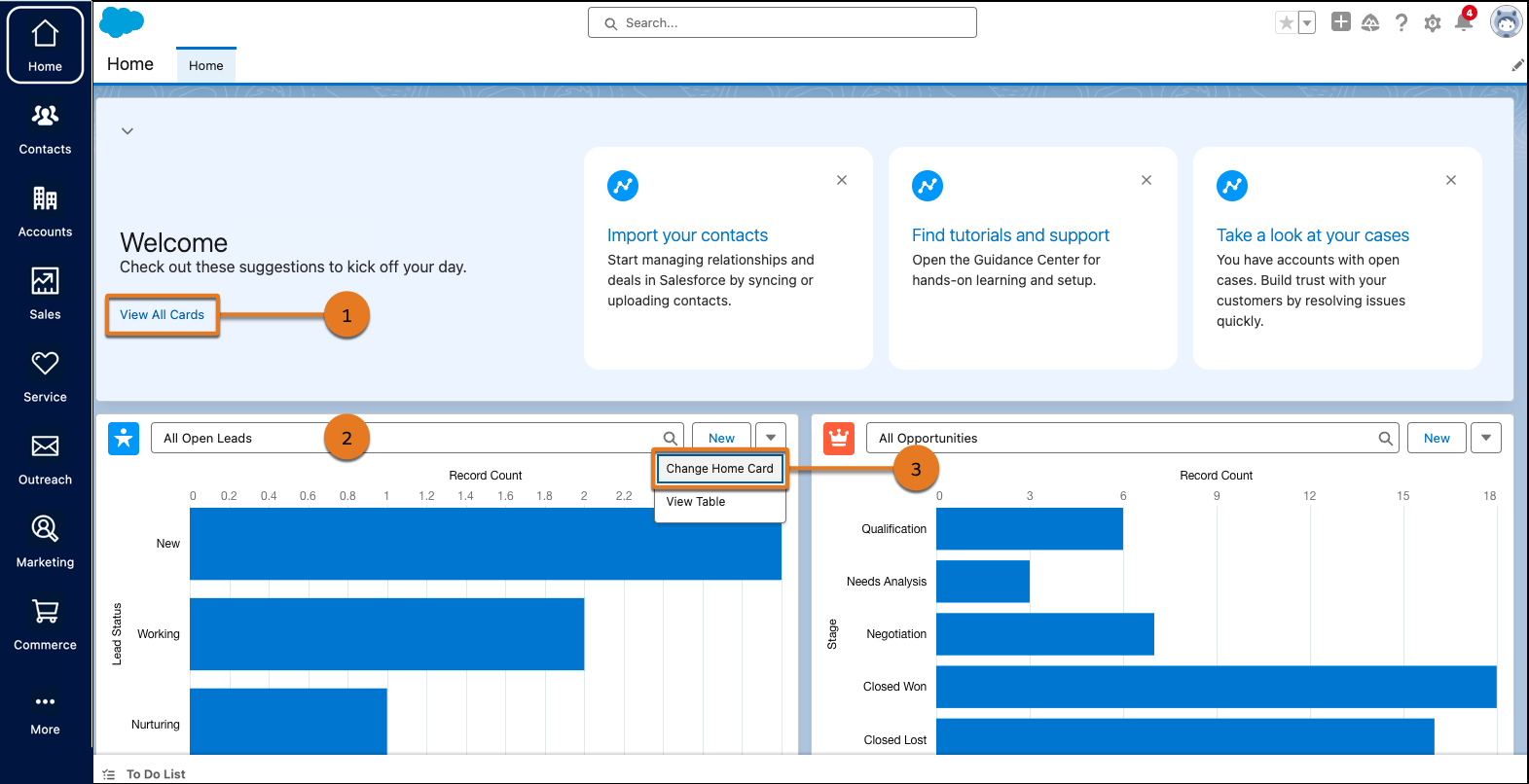
For users with the unified Home app, start working right away with suggestions that are
recommended to you based on your business needs and processes. Select View All
Cards to explore more suggestions (1). Keep up with recent activity and quickly
access the most important things to you (2). Stay informed about business data that’s relevant
to your company by personalizing what appears on the Home app. Click  on the top-right corner of a
card and select Change Home Card (3).
on the top-right corner of a
card and select Change Home Card (3).
Home Page
What you see depend on your user interface, edition, layout, and customizations.
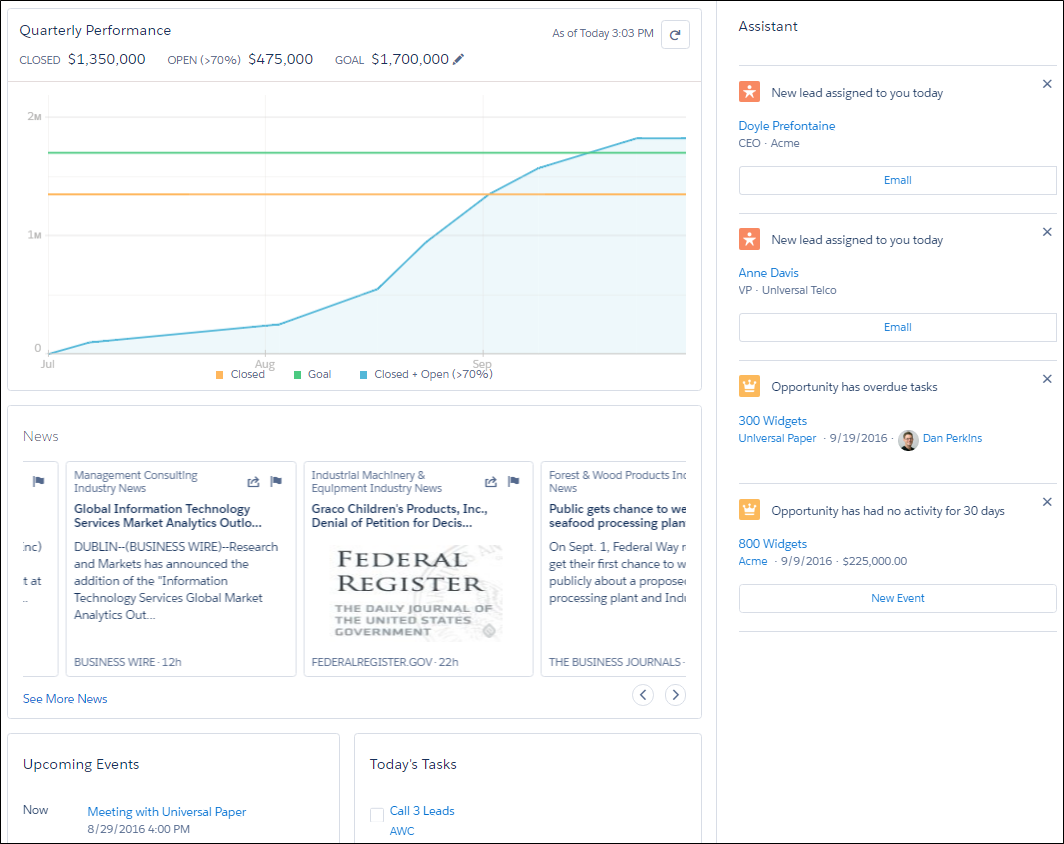
Home in Lightning Experience focuses on top sales user priorities, including quarterly sales performance. There’s even an Assistant, which is your users’ action list of things to do. You can also use the Lightning App Builder to create custom Home pages for different profiles.
Home in Salesforce Classic gives you a high-level view of your work, including recently viewed items, your Chatter feed, and calendar of events.
