You are here:
How to Use Data Management Policies
Use Data Management policies to remove or mask data that you no longer want to store. Common reasons to transform data include when a data subject is no longer a customer or when data has aged out of use in your system. Included are examples of how to use Data Management policies for these use cases.
Required Editions
| Available in: Developer, Enterprise, Performance, and Unlimited Editions. Requires the Privacy Center license. |
Transforming Data for Deactivated Customers
In this example, you use Salesforce to manage your website customers as Contacts. When a customer closes their account on your website, this action triggers an update to the deactivated flag on the Contact record. Your company set these privacy policy criteria for deactivated customers.
- After 60 days: Remove all highly sensitive data from the Contact and any related objects, such as activities, history, and child objects.
- After 120 days: Remove all personally identifiable information from the Contact and any related data.
- After 365 days: Remove the customer’s Contact record and all related data.
You can meet all of these requirements with a Data Management policy and by defining rules on the Contact object. For the first two criteria, create masking rules in your policy with a filter based on the date the customer deactivated. The policy updates the sensitive data as required, setting non-required fields to blank and required fields to a static value such as REDACTED. As you create and edit the policy you can add child rules for related objects.
If you use compliance categorizations to tag how your fields are used, you can filter the fields in the policy by data categorization.
You can meet all three criteria with one Data Management policy by adding multiple parent objects to your policy. You can also add the same object to your policy multiple times, with different filters for each instance to capture more data on the same object. Then schedule your policy to run daily, so that deactivated website customers are processed frequently.
Transforming Expired Data
Sometimes Cases and related data go back many years, often due to regulations that require you to maintain a copy of data for 7 years.
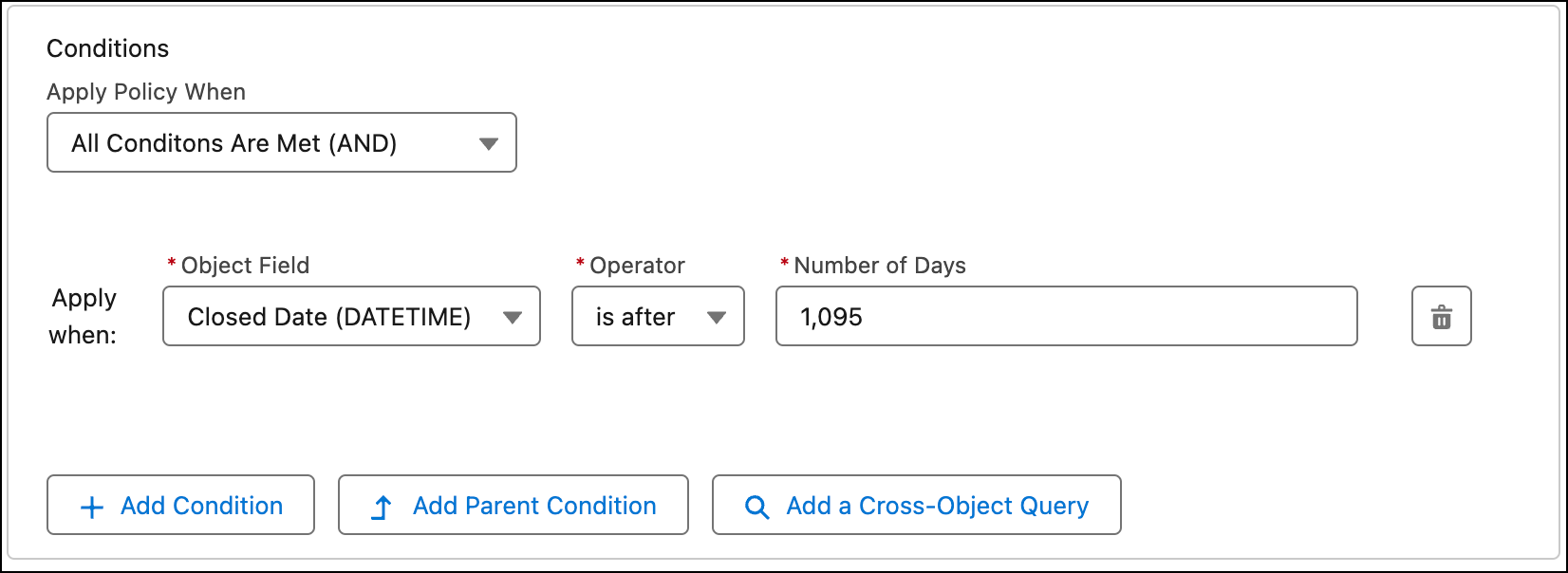
In this example, your company uses Cases to track onboarding customers to capture their related identity documents such as scans of passports, driver’s licenses, and utility letters. To store sensitive data only as long as necessary, your company requires that Cases and associated files are removed 3 years after the Case is closed.
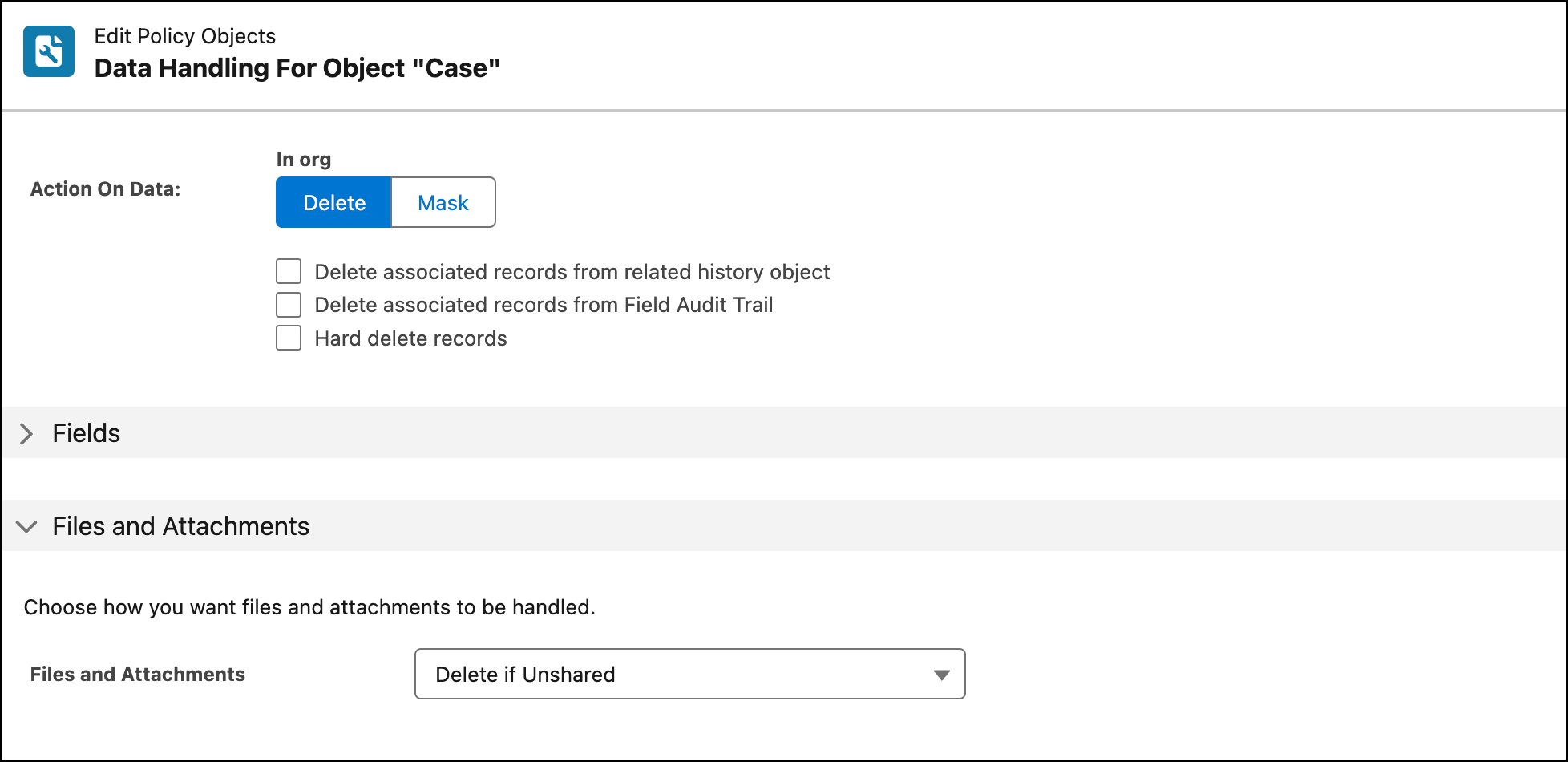
To find relevant records, use a Data Management policy to define a rule on the Case object and any related objects such as EmailMessage. Then schedule the policy to remove the relevant records. Create a filter on the Case object to remove all records with a case closed date of 3 or more years ago. Set a condition to delete the associated Files and Attachments if the targeted record is the last place it was shared. This condition prevents accidental deletion of files that are linked on other records.