
You are here:
Close More Deals
With Salesforce Suites, your sales teams have everything they need to communicate with prospects and customers, manage sales details, and close deals.
Required Editions
| Available in: Lightning Experience |
| Available in: Free, Starter and Pro Suite Editions. |
Connect with Your Customers
Bring together email, calendar, and CRM in one experience. Initiate, track, and share your communications with your customers directly from your CRM. The activities and communications you have with your customers are available for reference for you and your sales team so everyone stays up to date.
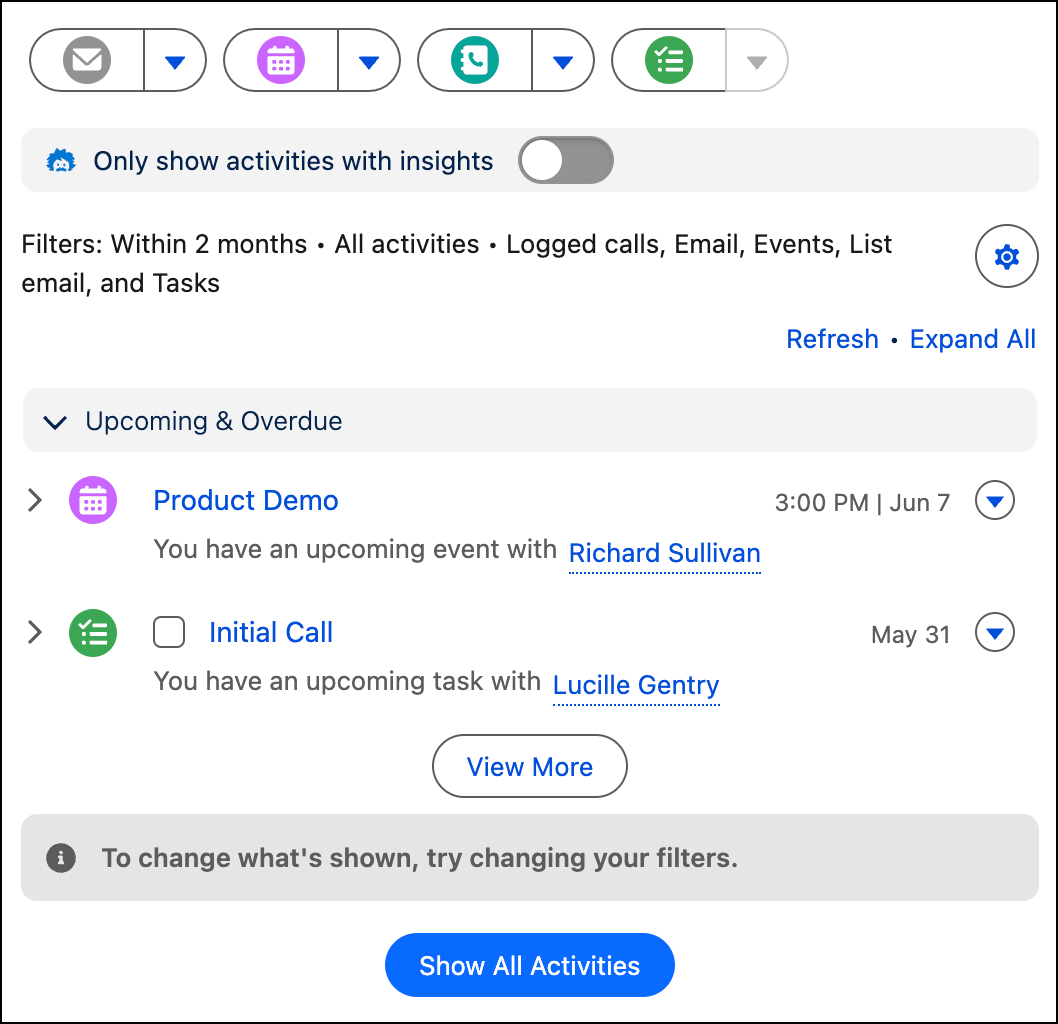
Do you and your team prefer to send communications and schedule events in Outlook, Gmail, or Google Calendar? In Starter and Pro Suite, you can do that too. Add the Salesforce app directly to your email or calendar app and you have access to the same customer data and can log your communications automatically.
Turn Your Conversations into Actionable Data
Salesforce Starter and Pro Suite integrate with your video call providers so you can bring your video meetings into your CRM to unlock a deeper level of customer understanding, stop worrying about manual note-taking, and focus entirely on your customer. Einstein Conversation Insights (ECI) identifies next steps from your calls, ensuring no detail—or deal—gets lost. After a call, access call analysis, complete with analysis of customer sentiment and follow-up tasks. Each year, Starter users are allotted 30 hours of analysis, while Pro users are allotted 60.
See Einstein Conversation Insights. ECI’s generative AI features, such as call summaries, aren’t currently available in Starter and Pro. Conversation Hub is also not available in Starter and Pro Suite.
Organize and Prioritize Your Tasks
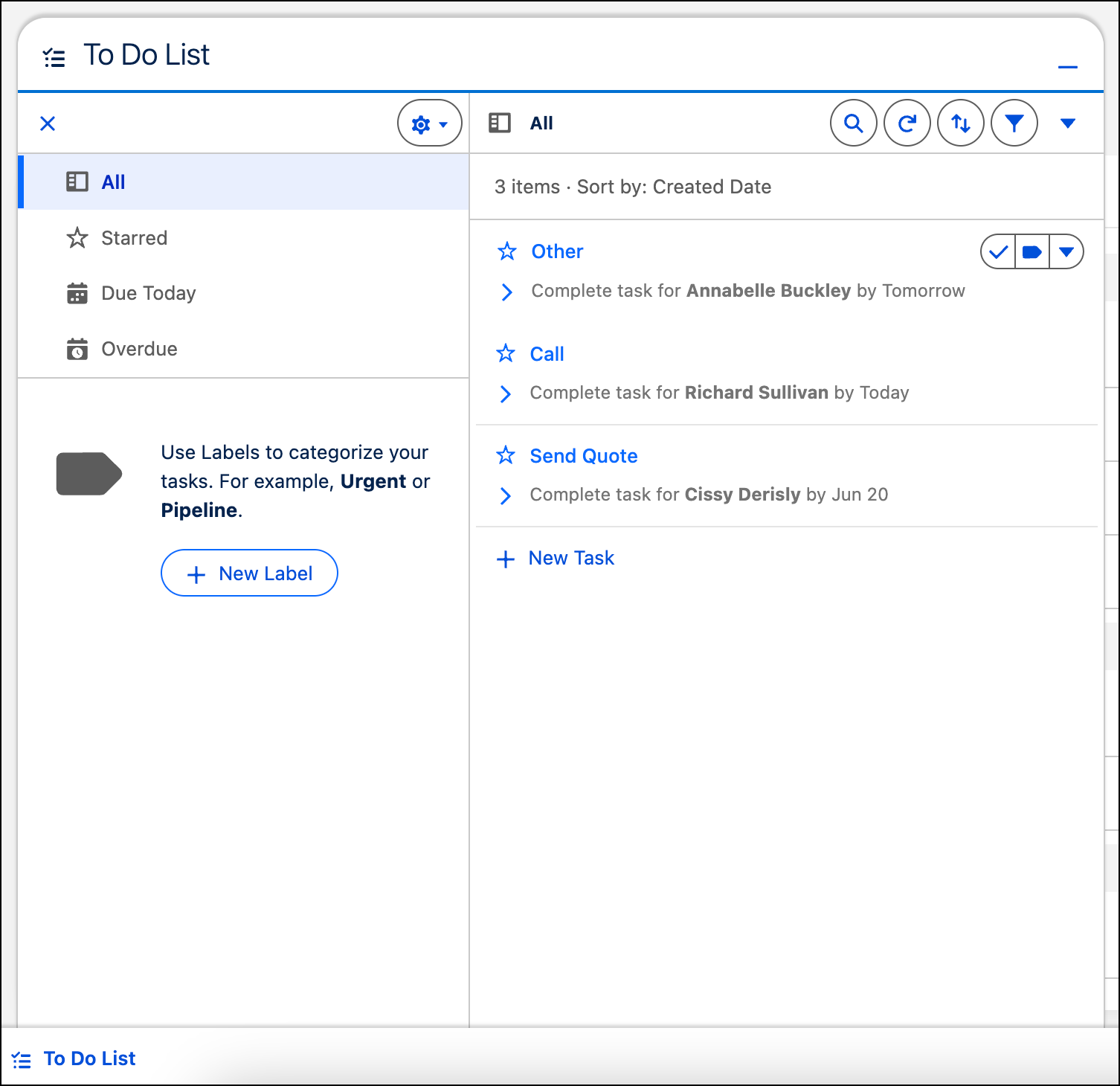
The To Do List is the place to see, sort, and organize your tasks across accounts and contacts. Use colors and labels, such as Urgent or New Business, to help identify what to tackle first. Flag and sort tasks that are most important, or see what’s due today, or find previously overlooked tasks. Apply filters as applicable to see what needs your attention first.
Open the To Do List from the utility bar in the lower portion of the page.
Close More Deals
Sales opportunities give you one place to keep all the details about each deal. The opportunity shows where a deal is on its journey through the sales process. Having all the information about the deal in one place saves you time tracking down details. Plus, tracking sales data over time provides valuable insight into what works best for your business.
Here are the parts of an opportunity that give you all the information about a deal.
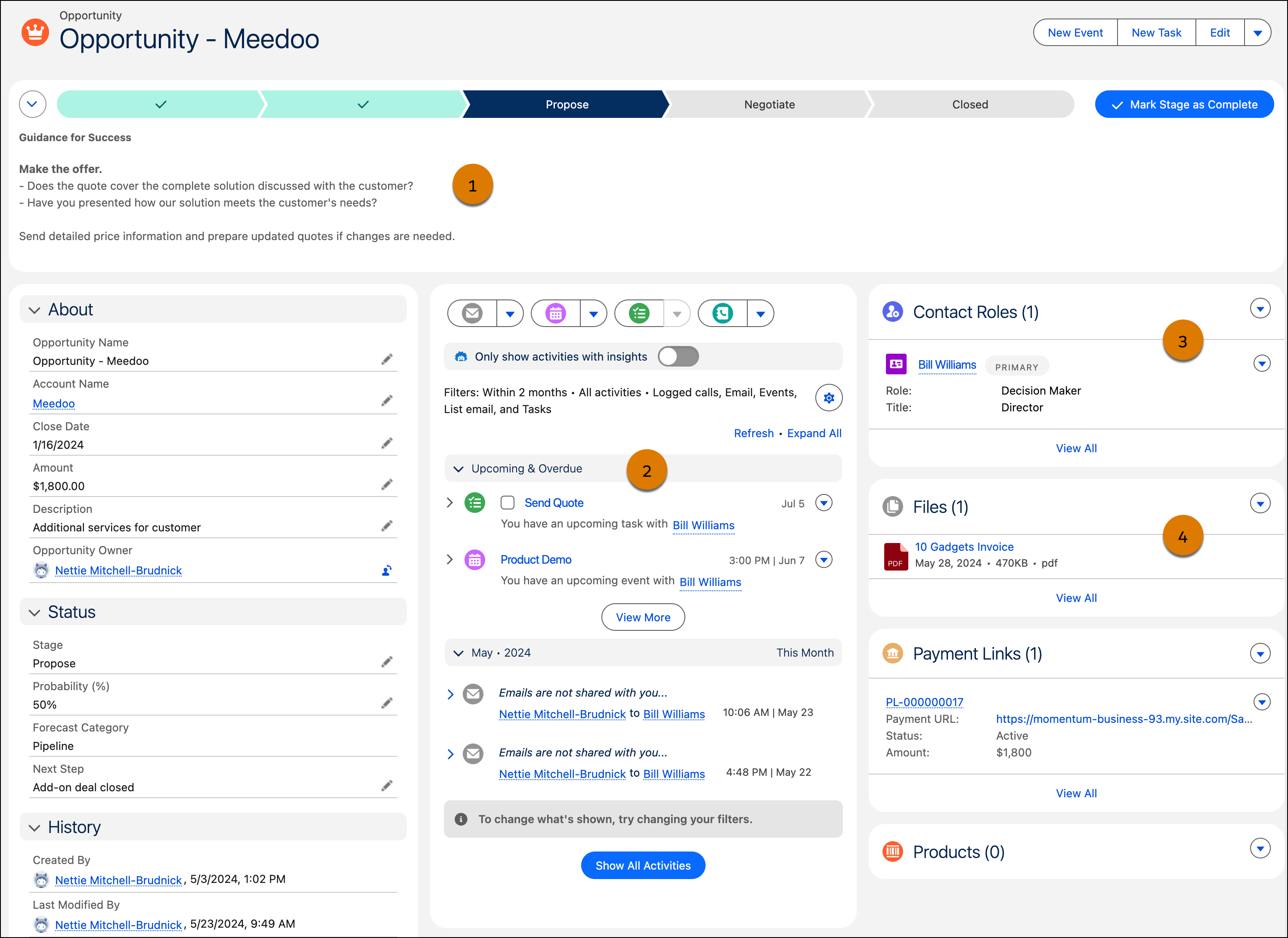
(1) Review your company’s defined stages from an opportunity’s start to close. You always know where the deal is in the process and the requirements to move an opportunity to the next stage (1). Send emails, log call details, and track tasks related to this opportunity to keep your team informed (2). Identify each contact’s role in a deal so that your team knows who to contact with updates (3). Attach proposals, presentations, and other strategic documents that you gather along the way for reference later (4).
Find Out Whether Your Sales Are on Track
Salesforce Suites can answer your important sales questions without you manually crunching numbers or flipping through spreadsheets. Determine whether sales are on track for the quarter, where to improve your win rate, and so many other details.
Dashboards offer a powerful display of your data around a common theme. Salesforce Suites provide various sales-related dashboards to get you started. You can find all available dashboards from the Analytics tab.
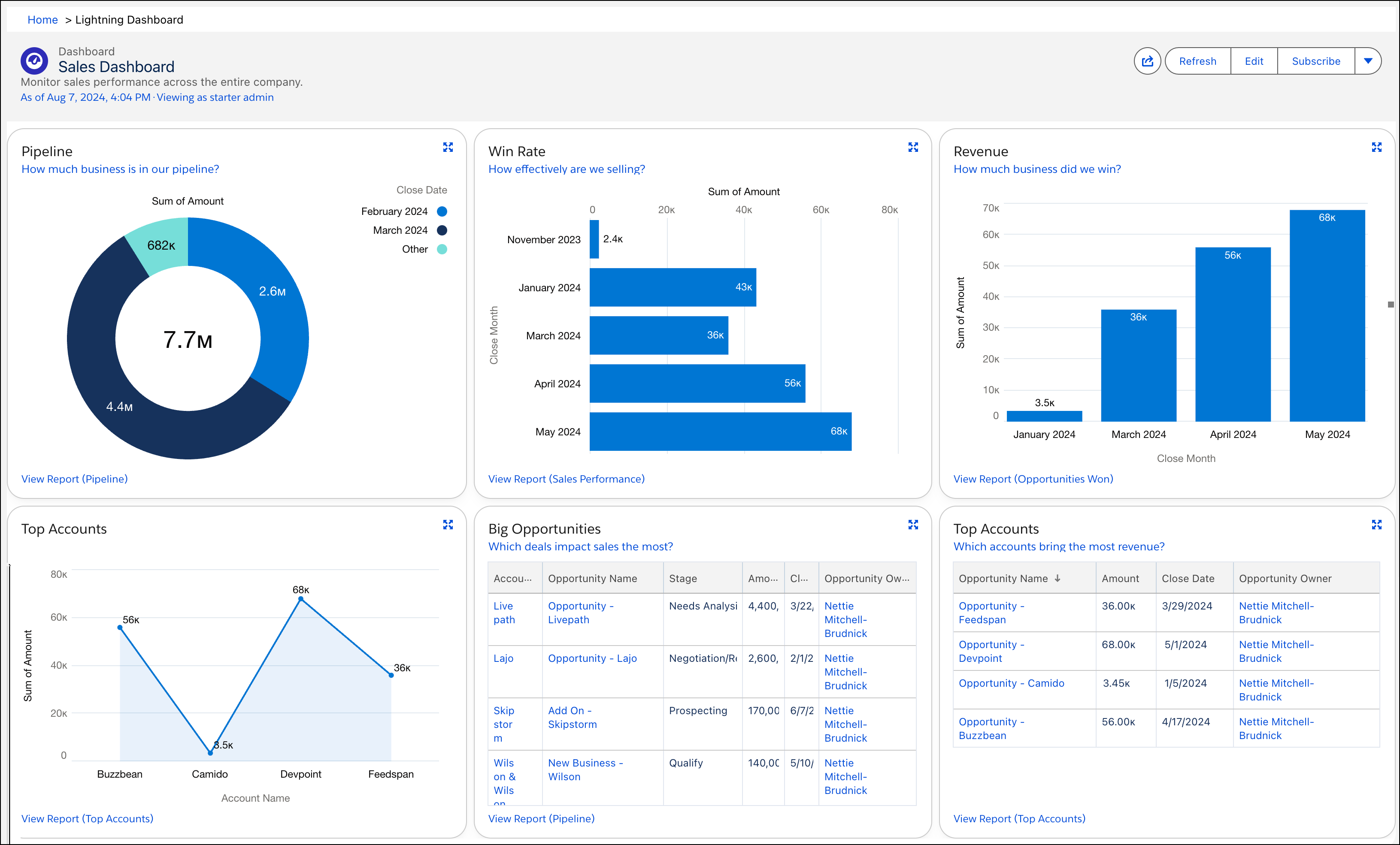
Reports drive the data behind the visuals in the dashboards. To see the data driving each chart in the dashboard, use the links in each dashboard component or access each report from the Analytics tab.
Your data can tell you loads about your business. When you’re ready, create your own reports and dashboards to tell you even more.
