
You are here:
Remind Your Sales Team When a Renewal Comes Due
Create a Process to remind users when a customer's recurring subscription comes due. Reduce churn by nurturing your recurring revenue.
Create a Process
- Open Setup.
- Search for Process Builder in the Quick Find box, and open it.
- Click New.
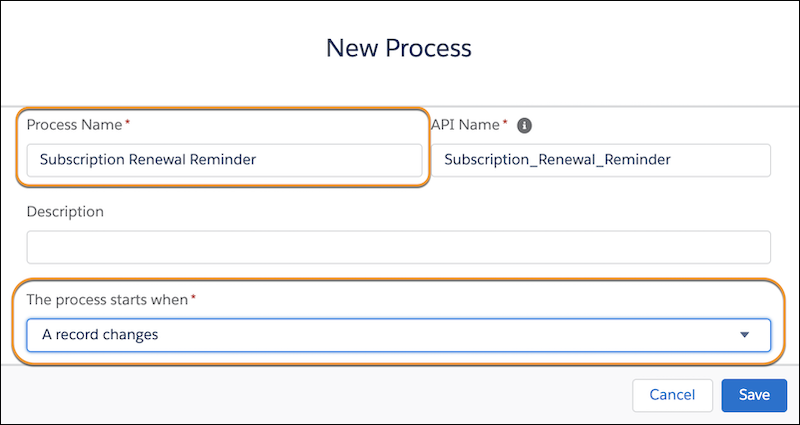
- Name your Process something like Subscription Renewal Reminder.
- Under the process starts when dropdown, select A record
changes.
- Save your changes.
Tell the Process That It's Based On an Opportunity Being Edited
- Click + Add Object on the process map.
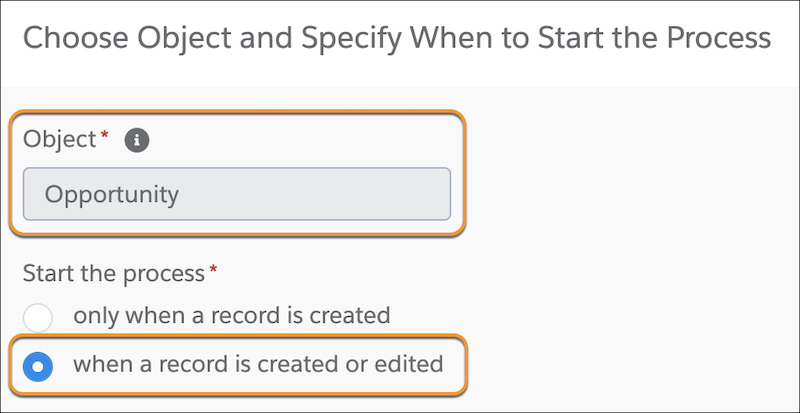
- From the Object dropdown, select Opportunity.
- Under start the process, choose when a record is created or edited.
-
- Save your changes.
Tell the Process What Criteria Causes It to Run
- Click + Add Criteria on the process map.
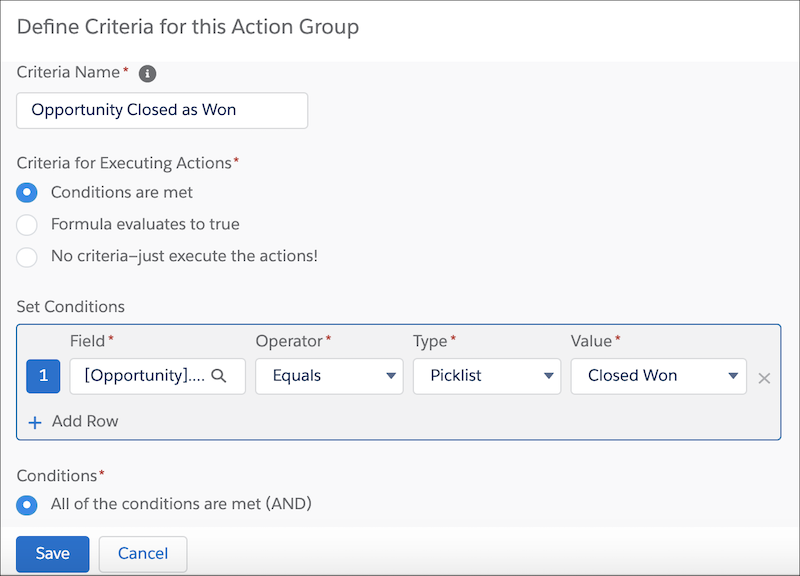
- Name the criteria Opportunity Closed as Won.
- Under Define Criteria for this Action Group, select Conditions are met.
- Under Set Conditions, choose Stage > Equals > Picklist > Closed Won.
- Under Conditions, select All of the conditions are met (AND).
- Save your changes.
Tell the Process What to Do When Criteria are Met.
- Click + Add Action on the process map.
- Under Action Type, select Create a record.
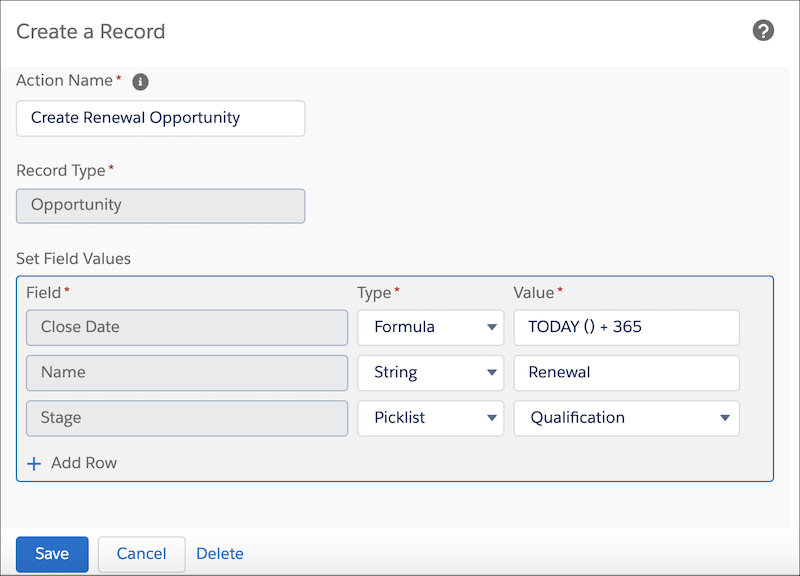
- Name your action Create Renewal Opportunity.
- Under Record Type, select Opportunity.
- Under Set Field Values, choose Close Date > Formula, enter the formula TODAY () + 365, and click Use this Formula.
- In the next row, select Name > String > Renewal.
- In the next row, select Stage > Picklist > Qualification.
- Save your changes.
- Activate your process. It now runs whenever criteria are met.
Did this article solve your issue?
Let us know so we can improve!
