Narrow the records you want to focus on by searching and filtering a kanban view, and
view records by record type. Update records by dragging, or edit a card without leaving the kanban
view. If your Salesforce admin has set up key fields and guidance, you see them in the details
panel. If you’re viewing opportunities, alerts help you move deals ahead.
Required Editions
Available in: Lightning Experience
Available in: Essentials, Group, Professional, Enterprise,
Performance, Unlimited, and Developer Editions
User Permissions Needed
To create kanban views:
Read on the type of record included in the view
AND
Create and Customize List
Views
To create, edit, or delete public list views:
Manage Public List Views
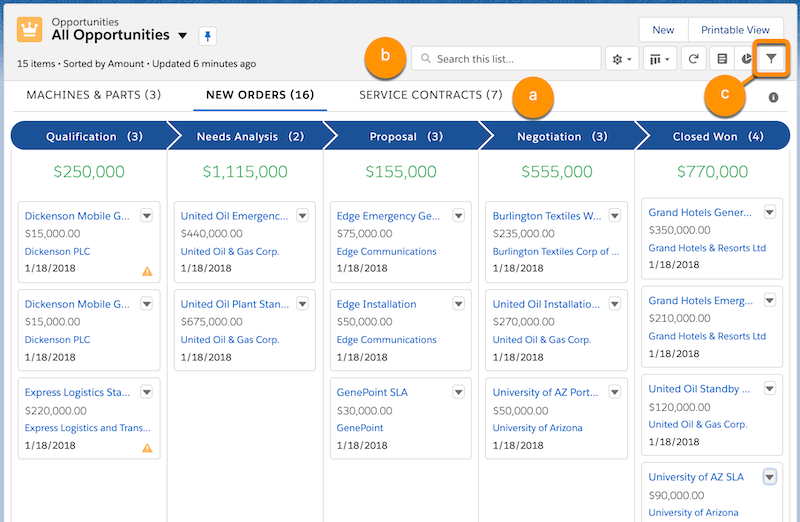
In a list view, click and select Kanban.
Toggle between a kanban view and the corresponding list view any time.
Zero in on the records you want to track.
If your records are assigned to two or more record types, click to view each type.
To narrow the view by keyword, search the list.
To narrow the view by field or record owner, click and set the filters you
want.
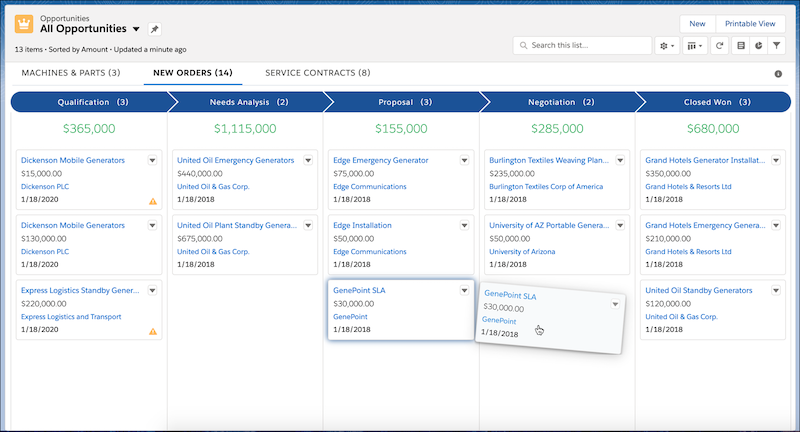
Move a record to the next column by dragging the card.
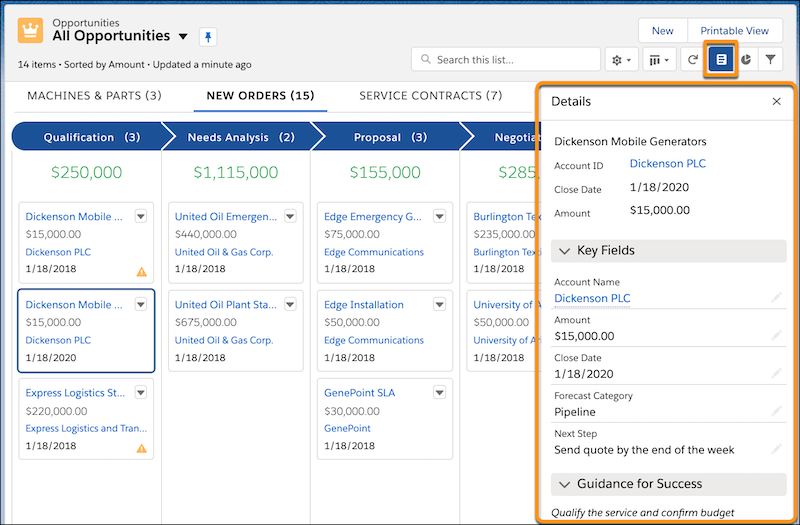
Show or hide the details panel by clicking . You can edit key fields inline, without
leaving the kanban view. If your Salesforce admin has configured key fields and guidance for
the step, the panel includes that information.
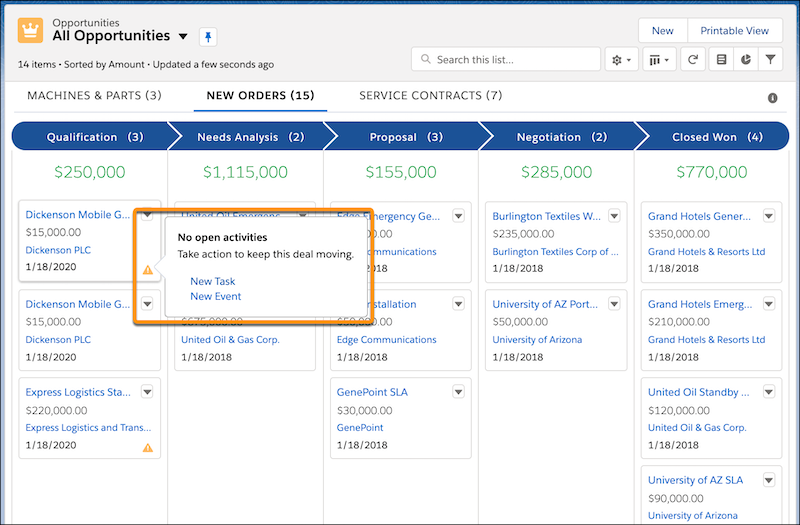
In a kanban view of opportunities, hover over an alert for a tip on moving the deal ahead,
such as creating a task.
We use three kinds of cookies on our websites: required, functional, and advertising. You can choose whether functional and advertising cookies apply. Click on the different cookie categories to find out more about each category and to change the default settings.
Privacy Statement
Required Cookies
Always Active
Required cookies are necessary for basic website functionality. Some examples include: session cookies needed to transmit the website, authentication cookies, and security cookies.
Functional Cookies
Functional cookies enhance functions, performance, and services on the website. Some examples include: cookies used to analyze site traffic, cookies used for market research, and cookies used to display advertising that is not directed to a particular individual.
Advertising Cookies
Advertising cookies track activity across websites in order to understand a viewer’s interests, and direct them specific marketing. Some examples include: cookies used for remarketing, or interest-based advertising.