
You are here:
Configure Authentication Server Certificate Pin
Provide domain name and certificate fingerprint to configure authentication server certificate pin.
Required Editions
| User Permissions Needed | |
|---|---|
| To create and modify Enhanced Mobile App Security settings: | Manage Enhanced Mobile App Security AND Modify Metadata |
- In the Mobile Security Setup UI, enable Authentication Server Certificate
Pinning.
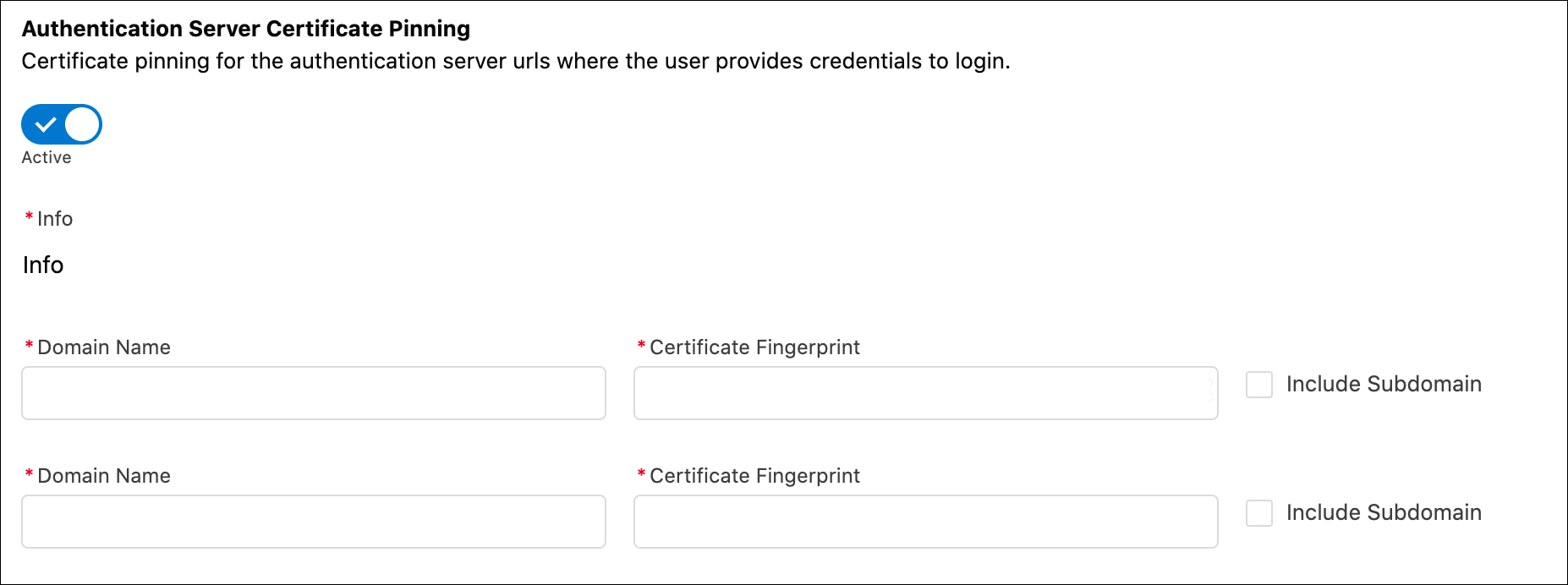
- Enter the domain name for the server that you want to pin the certificate for in the
Domain Name field. For example,
https://login.salesforce.com. - For the Certificate Fingerprint, you have two options to obtain the
value.
You can obtain the Certificate Fingerprint value from your org’s internal team that owns the certificate.
You can use a third-party application such as www.ssllabs.com to obtain the Certificate Fingerprint value.
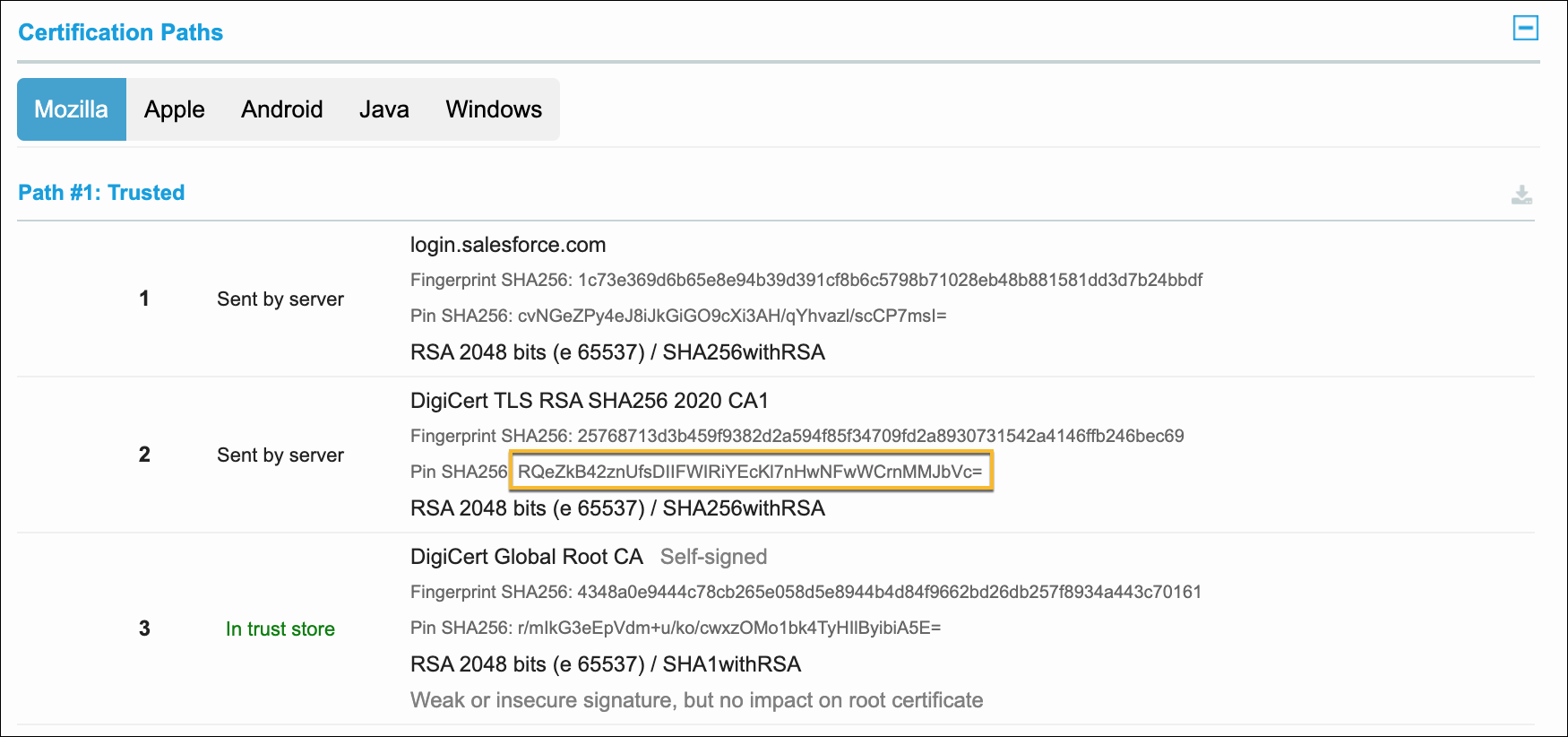
- Copy and paste the value into the Certificate Fingerprint
field.
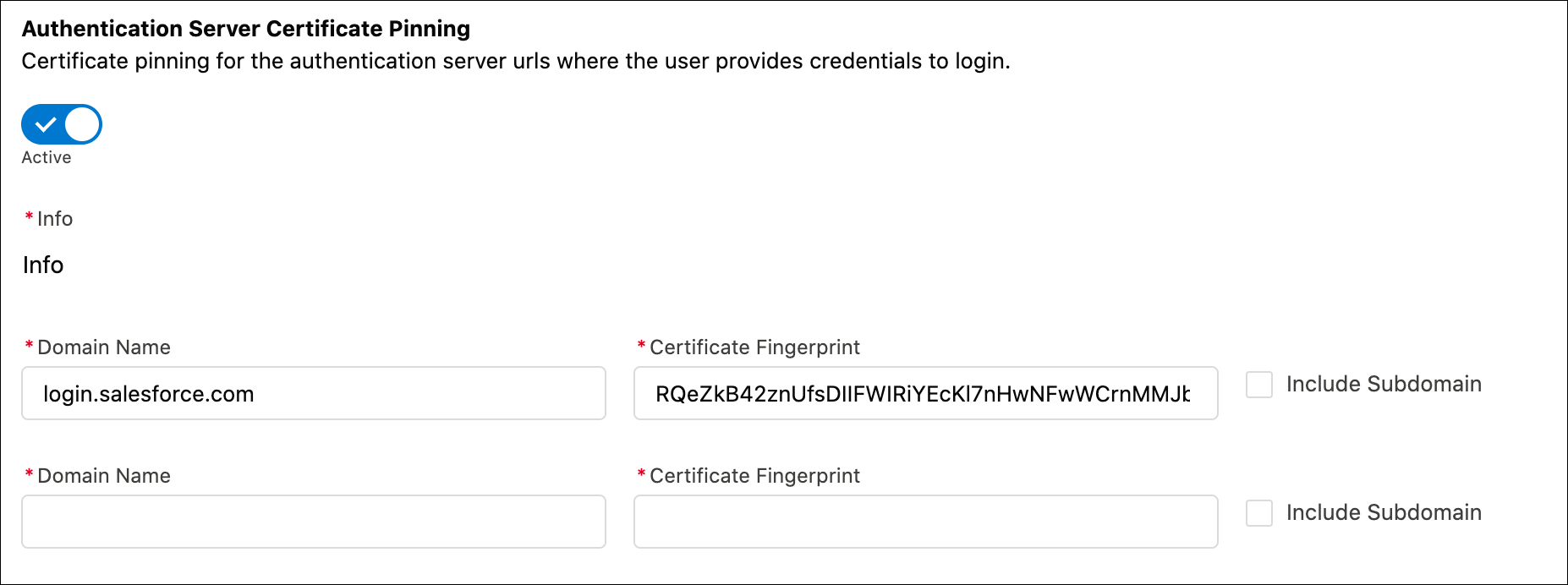
- Click Save.
Here are a few things to keep in mind about authentication server certificate pins.
- The test of the server certificate happens when the user logs in. This policy doesn’t replace the Man-in-the-Middle security policy.
- The certificate is set after the user logs in for the first time, and is enforced for subsequent logins on that server. If the policy is updated or removed, then the updated policy is picked up by the app the next time the user logs in.
- The authentication server pins aren’t enforced if the user is using advanced authentication in Safari.
- If the pinned server certificate is rotated, but the app isn’t updated, then the user can’t log in because of the mismatched pins. A workaround is to ask the user to reinstall the app to obtain the new certificate pin value.
- It’s recommended that you use the pin of the intermediate certificate, since that provides a good balance between how frequently it expires and security value.
Did this article solve your issue?
Let us know so we can improve!
