
You are here:
Access the Data JSON (Managed Package)
For the managed package runtime, use existing data JSON in an element property by indicating the use of a merge field.
 This information is for Omnistudio for Managed Packages. For Omnistudio on standard runtime, see Omnistudio Help.
-
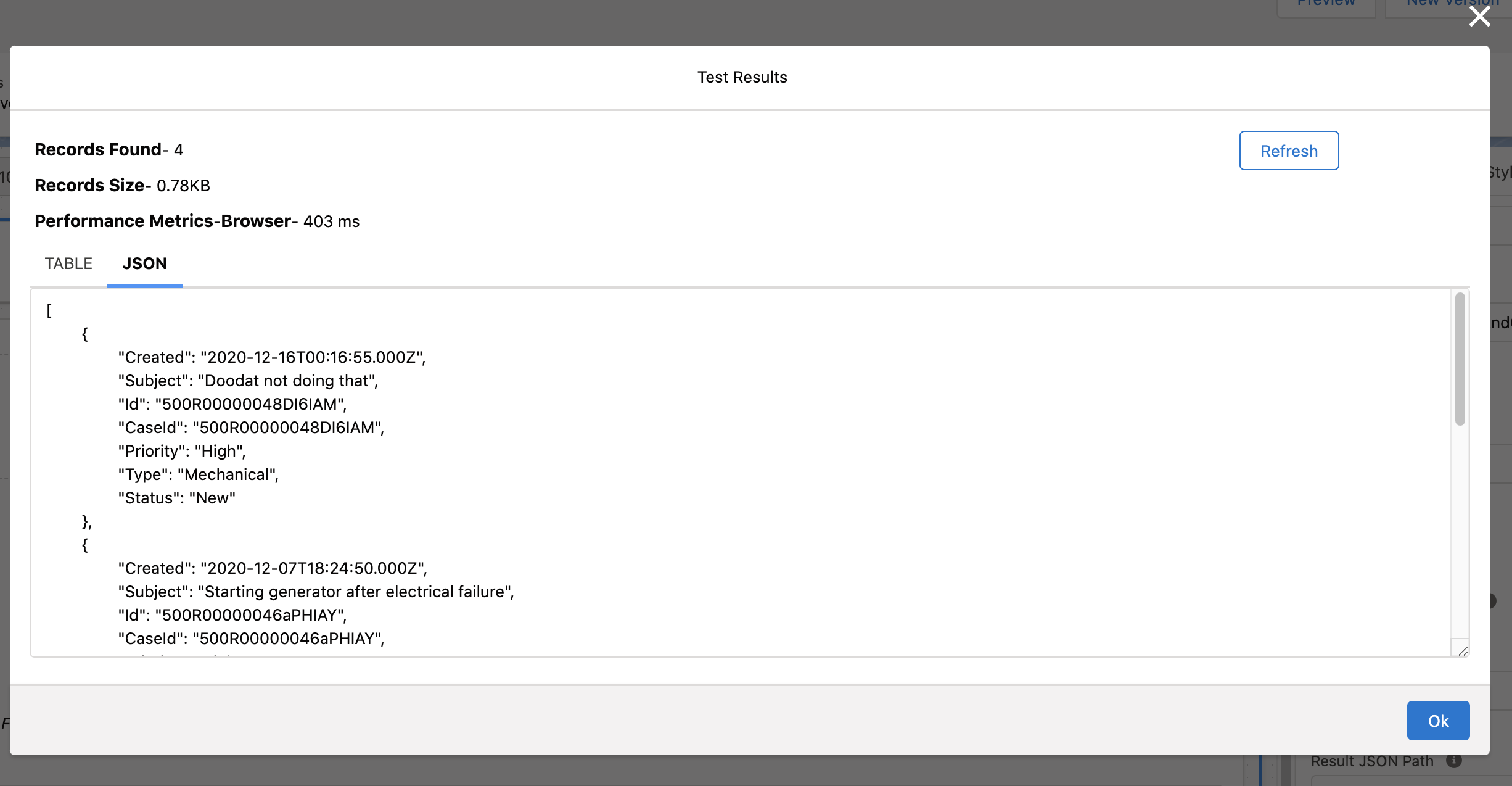
From Setup panel in the Flexcard Designer, configure your Flexcard's datasource,
and click Save & Fetch to locate the name of the JSON node
in the Test Results window.
-
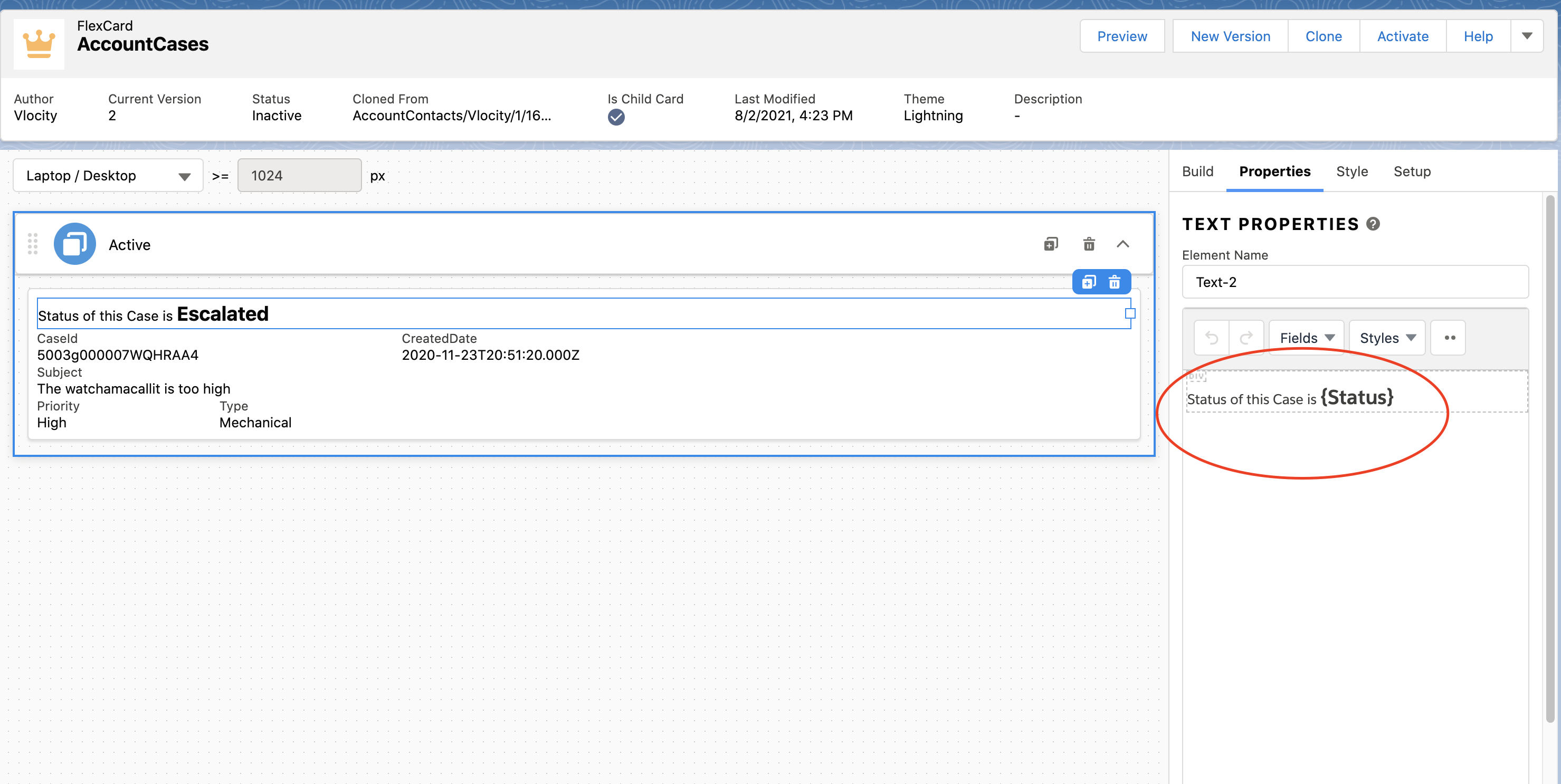
In a supported property field, enter the name of the JSON node and wrap the name
in curly brackets "{}" to indicate it is a merge field. For example, a merge field
accessing a JSON node named Status must use the syntax
{Status}.
 Note
NoteFor many property fields, clicking into the field displays a list of available merge fields. For example, click into the Value field of an Attribute in the Properties panel of a child Flexcard or Custom LWC element to view a list of merge fields to select from.
- Click Preview to see the Flexcard to ensure the merge field works correctly.
Did this article solve your issue?
Let us know so we can improve!
