
You are here:
Get or Send Data from or to a Flexcard
Transfer data from or to a server by calling a data source. When Omnistudio receives the data, it adds it to the JSON data in the card's record object or to a data node that you specify. For example, populate a child Flexcard with data from its parent, or conditionally show messages from an API response.
- After you select the data action type, set up data source information.
- To skip updating the JSON data, select Ignore Response.
-
In Response Node, specify where to save the returned data:
-
If the request returns one object, enter record. Omnistudio inserts the data at the root of the card object.
-
If the request returns multiple records or to add the data to a new data node, enter an alphanumeric name with no spaces or special characters such as
caseListorcaseList1.
To access the data, use the
{dataResponseNodeName.dataNode}syntax.For example, if the response node name is
contactList, then to return an error message from anerrordata node, enter{contactList.error}. -
-
To confirm your request response, access the action debugger in preview, and then
inspect these sections:
- response: The requested data from the data action.
- records: The records from the Flexcard's data source and all data actions that appended records to the JSON data.
- node: The name of the response node that holds the data action records.
- ignoreResponse: Indicator that you choose not to update the
JSON data. If you select Ignore Response, the JSON data shows this parameter and
sets it to
true.
- To confirm that Omnistudio added the records to the JSON data, in preview, expand the cards node, and then search for the response node name.
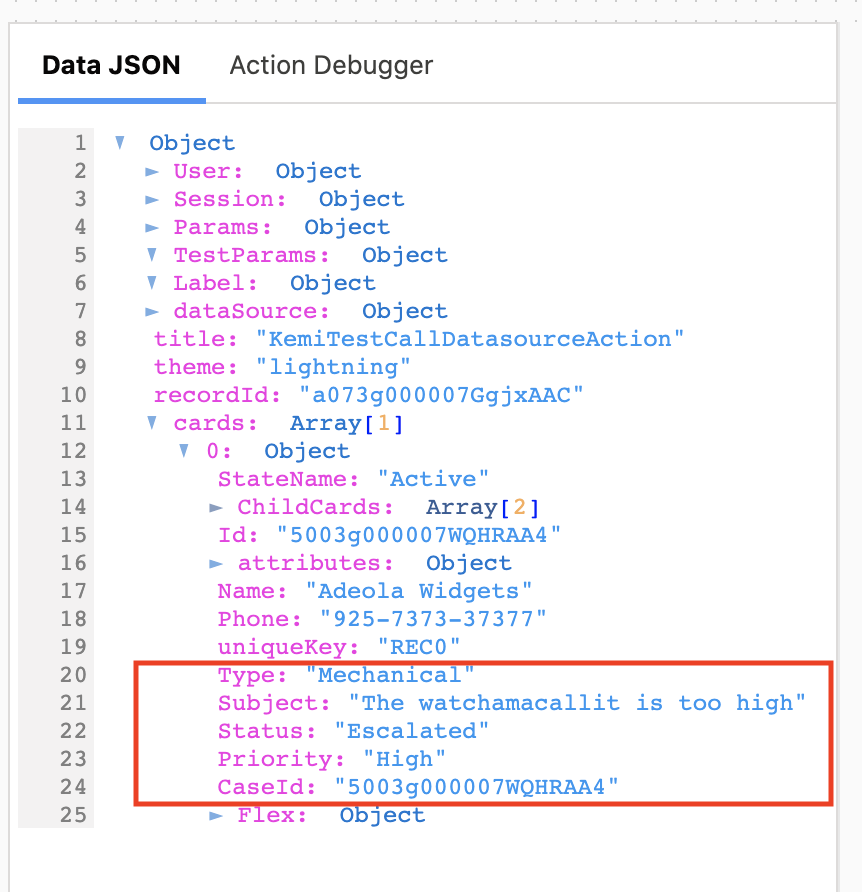
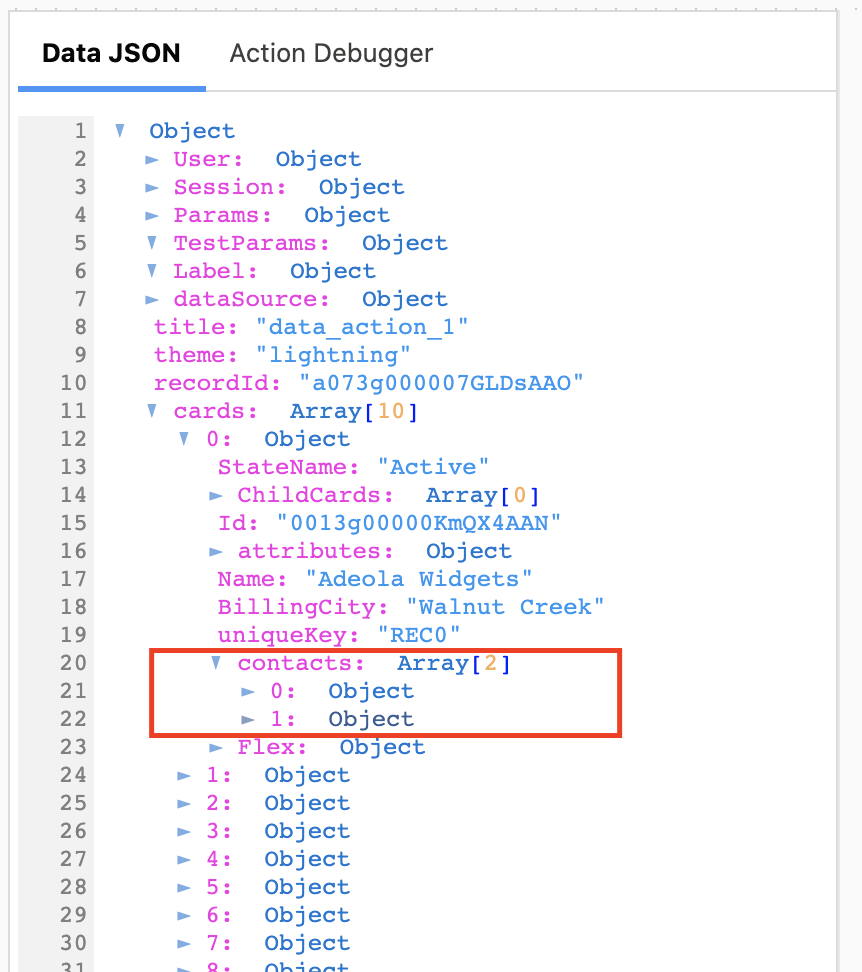
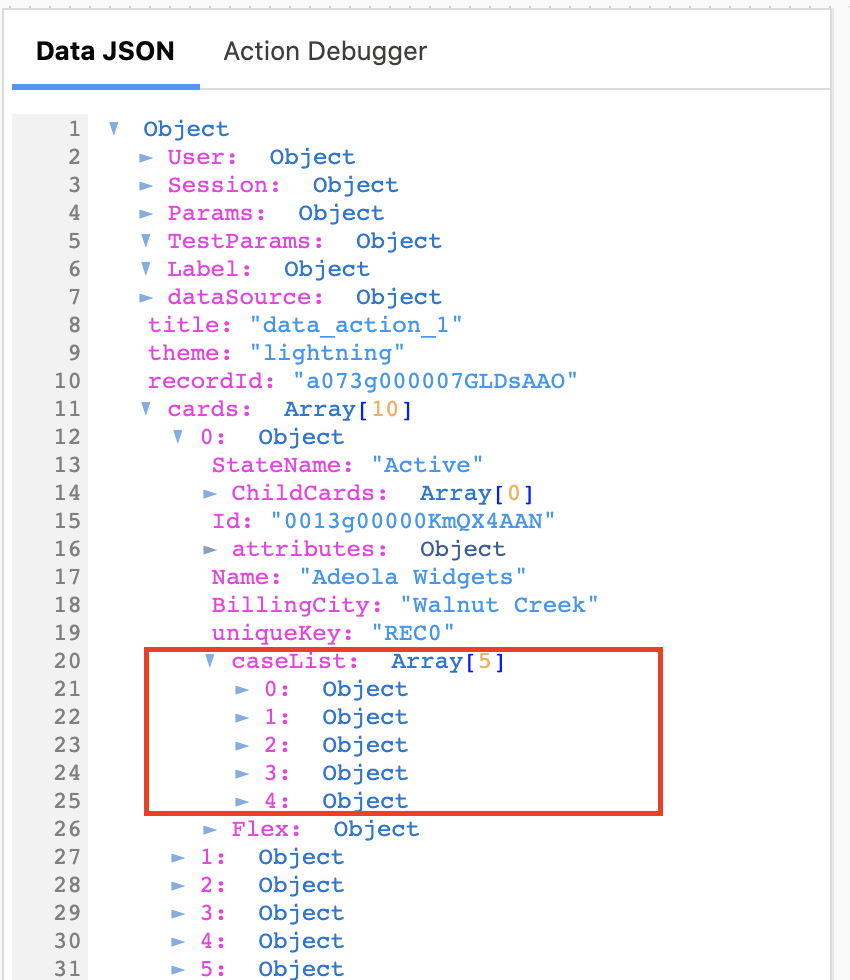


- Send Account Cases Data to Child Flexcard
On a parent Flexcard, create a data action that retrieves the case information with a response data node called
caseList.- On the child Flexcard, in Data Node, enter
{record.caseList}.
- Display Messages from API Response
Include the error message returned from a response in a text element, such as
{caseList.error}.Add a condition on the element so that the Flexcard shows the text element only when an error message exists.
