
You are here:
Cloning a Template (Managed Package)
For the managed package runtime, edit a template without overriding existing code and settings by cloning an Omniscript element or Cards Framework component template with the Template Designer.
 This information is for Omnistudio for Managed Packages. For Omnistudio on standard runtime, see Omnistudio Help.

Beginning with the Summer '19 release, Vlocity supports Salesforce's Lightning Web Components programming model with Vlocity Lightning Web Components. Vlocity Lightning Web Components include components, functionalities, and templates exclusive to LWC Cards. To clone an LWC Card template, see Creating Custom LWC Card Templates (Managed Package).
To create a new template or import a template, see Creating a Template with the Template Designer (Managed Package),
To clone an existing template:
-
Go to the Vlocity Templates tab, click to expand a template you want to clone.

-
Choose one of the following to clone a template version:
-
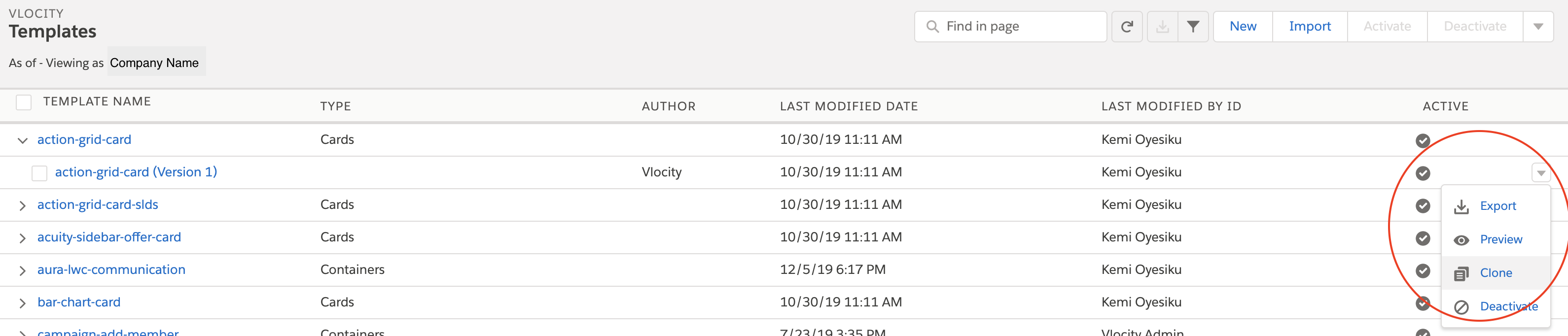
Click down arrow: In the last column next to the Active column, click the down arrow of the version of the template you want to clone, and then click Clone.
-
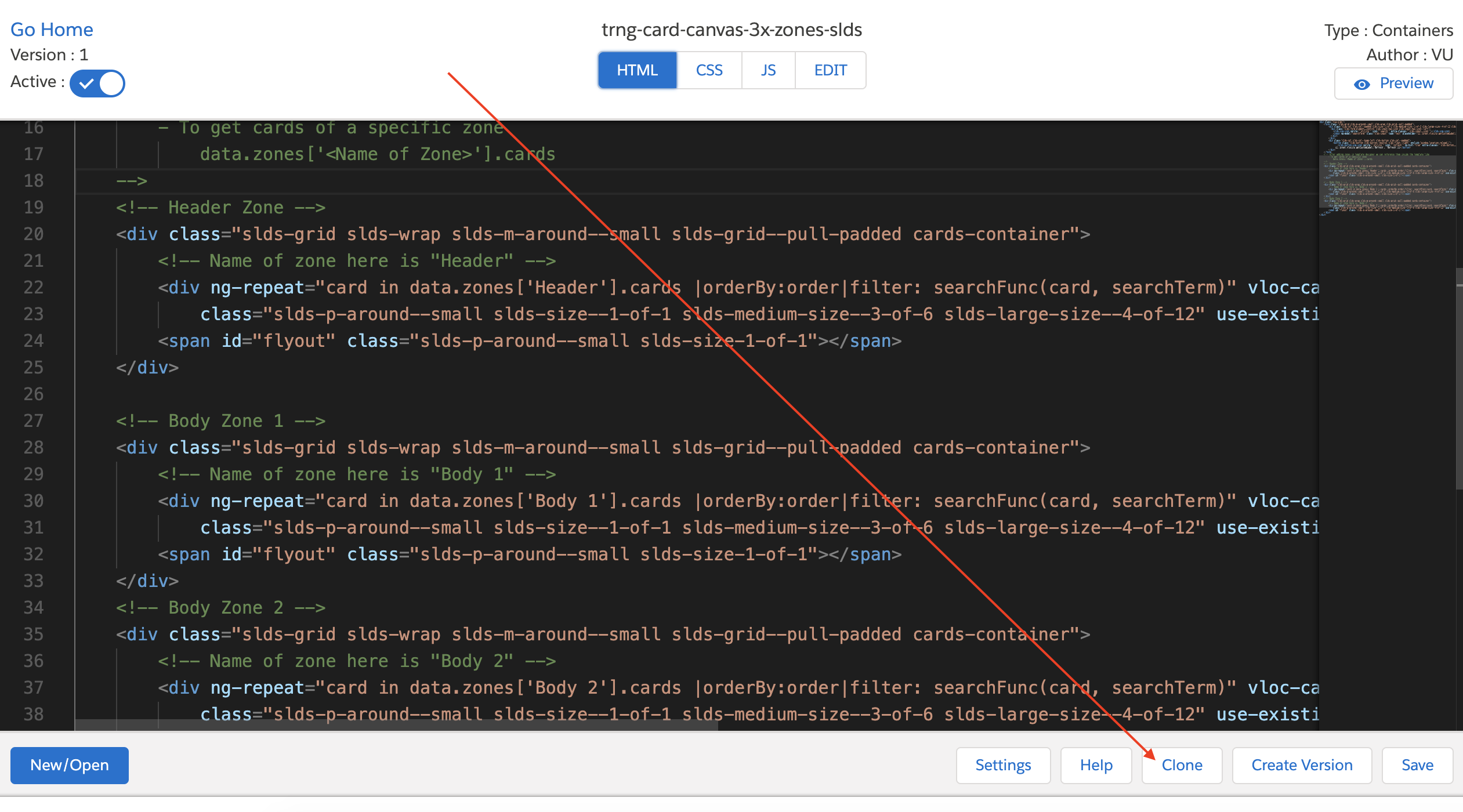
Open template version: Click to open the template version you want to clone, then click Clone.
-
-
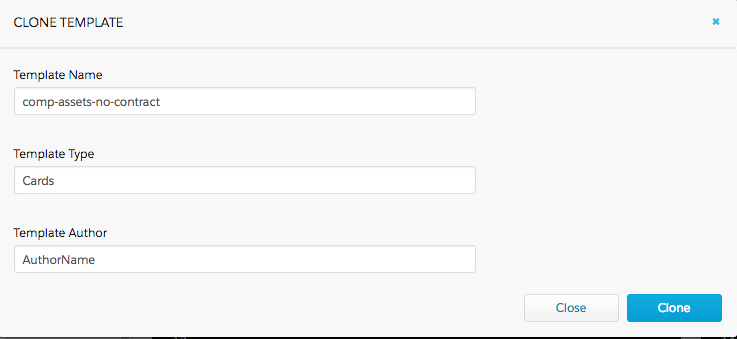
Enter a Template Name, Template
Type, and Template Author, then click
Clone.
 Note
NoteA template is unique as a result of the combination of its Name, Author, and Version attributes. See Cards Framework Versioning.
- After editing your cloned template, click Save.
