
You are here:
Collating by Alphabetic Ranges (Example) (Managed Package)
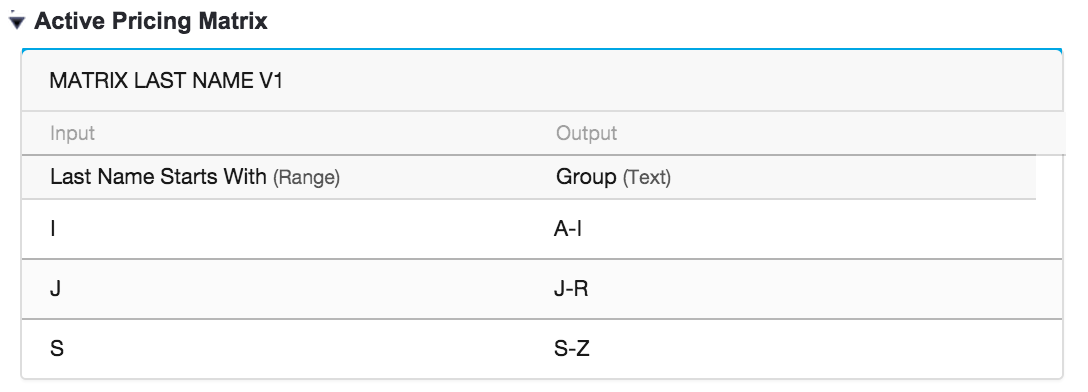
For the managed package runtime, suppose you want to assign Contacts into one of three buckets by last name such that:
 This information is for Omnistudio for Managed Packages. For Omnistudio on standard runtime, see Omnistudio Help.
-
I = Contacts whose last names begin with A-I
-
J = Contacts whose last names begin with J-R
-
S = Contacts whose last names begin with S-Z
Set up the matrix as follows:
Ratkaisiko tämä artikkeli ongelmasi?
Anna palautetta, jotta voimme kehittyä!
