
You are here:
Compare Omniscript and Integration Procedure Versions (Managed Package)
For the managed package runtime, the Version Compare dashboard lets you compare two versions of an Omniscript or Integration Procedure in the same Source or Target org.
 This information is for Omnistudio for Managed Packages. For Omnistudio on standard runtime, see Omnistudio Help.
-
Click the List Panel icon in the upper left corner,
 .
.
- Click Version Compare.
-
Select a Data Source from the drop-down list. Orgs
configured in any project are listed.
Data is downloaded immediately. For large orgs, this can take some time.
- Select a Component Type, either Omniscript or IntegrationProcedure, from the drop-down list.
- Select a Component from the drop-down list.
-
Select a Base Version and a Target
Version.
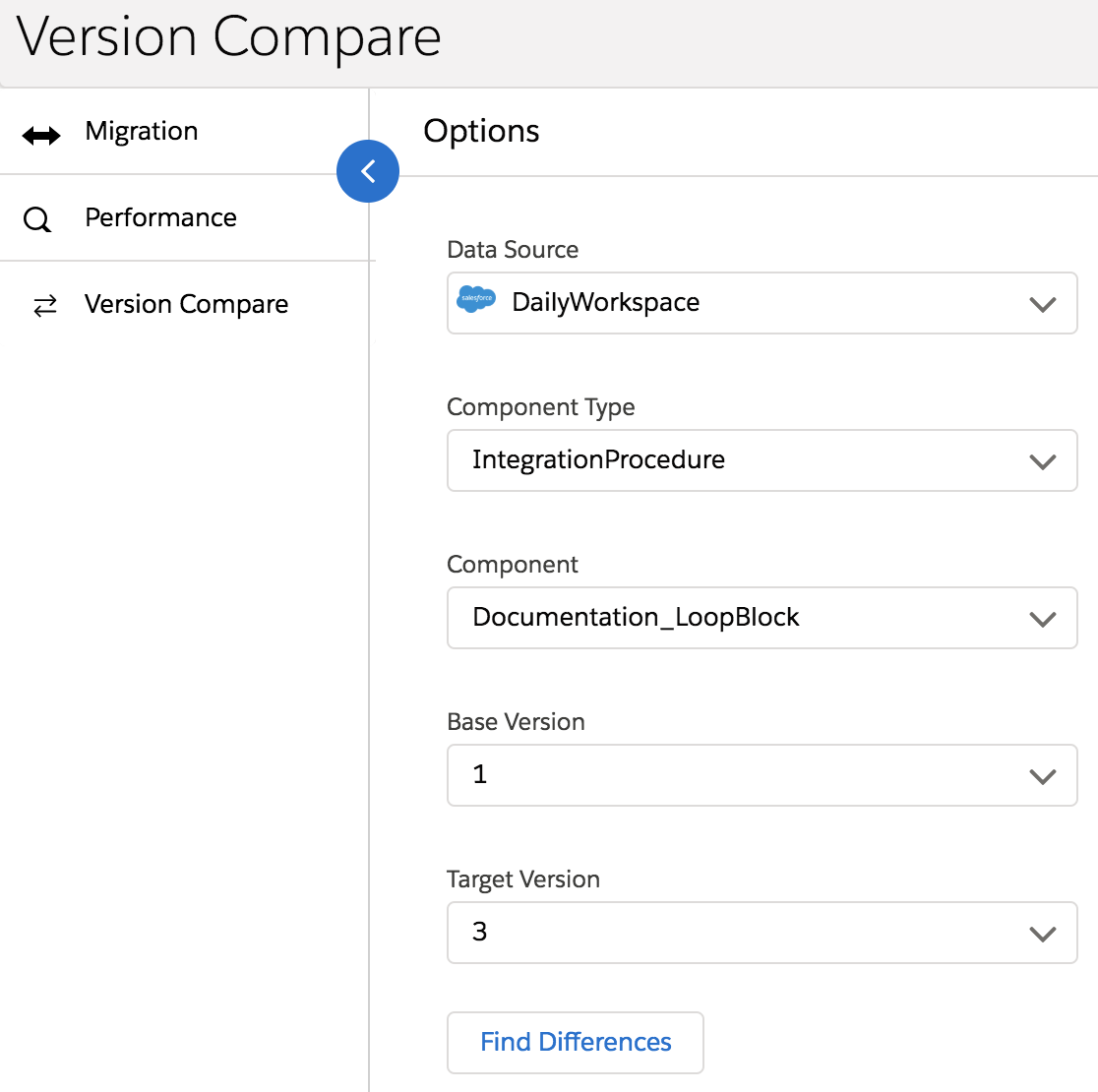
- Click Find Differences.
- Click View Source to see additional details about the differences. To delete a component from the target version, click Discard All.
Did this article solve your issue?
Let us know so we can improve!
