
You are here:
Create and Update Data from Omniscripts
After you’ve gotten new or changed data from other sources or users, you’ll likely need to update records in Salesforce or other data sources. As with getting data, Omniscripts can create or update records with various methods: Omnistudio Data Mappers, REST APIs, or Apex. You can also write data to a fillable PDF.
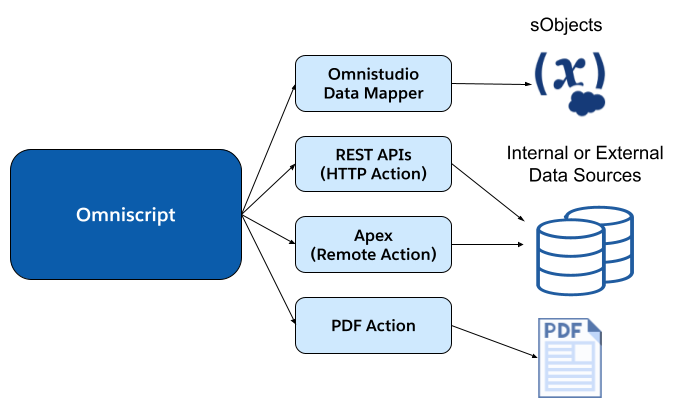
For each of these methods, you’ll use Omniscript elements.
- To write data to Salesforce objects, use a Data Mapper Post Action.
- To write to an internal or external source, you can directly connect with the HTTP (for REST APIs) and Remote (for Apex classes and methods) actions.
- To update an uploaded PDF form, use a PDF action element with a Data Mapper Transform to map the data to the PDF fields.
Did this article solve your issue?
Let us know so we can improve!
