
You are here:
Disable Platform Cache for Flexcards in Omnistudio
To get the latest available data from the database, disable caching for all Flexcards in Omnistudio. Flexcards, custom labels, and profile data load from the VlocityMetadata partition of the Platform Cache when the card is active and viewed from a record page or a community page by the end user.
To confirm your org has enough space allocated to the VlocityMetadata partition or to allocate more space, see Allocating Space in the Platform Cache Partitions.
Required Versions |
|---|
Beginning Winter '22. |
-
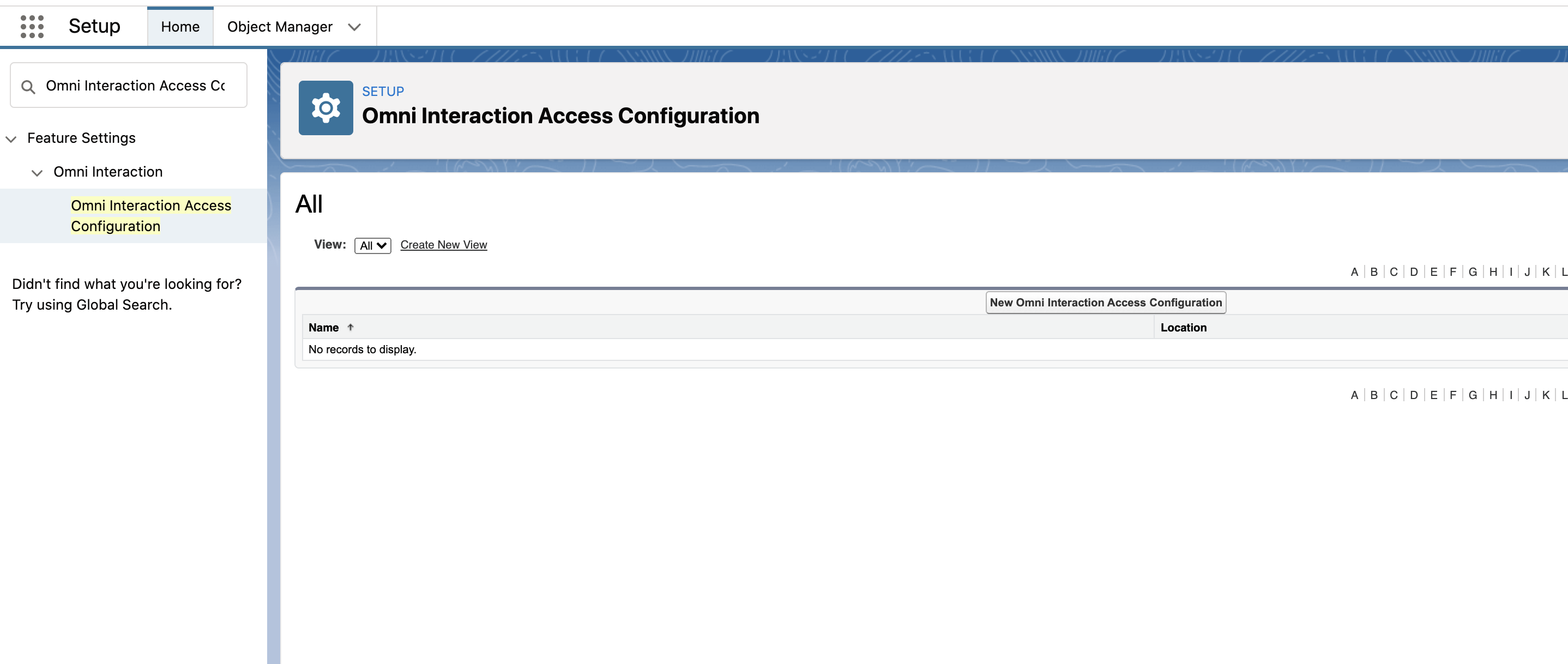
Go to Setup, and search for and select Omni Interaction Access Configuration.
-
To disable cache across all users and profiles:
-
If an Org_Wide record exists, click Edit for Org_Wide, check Disable Card Cache.
-
If an Org_Wide record doesn’t exist, click New Omni Interaction Access Configuration to create a record, and check Disable Card Cache.
-
Click Save.
-
-
To disable caching for a specific user or profile that already exists, perform the following tasks:
-
Click Edit for that user or profile, such as Profile_00eR0073900ZryF or User_005R0963000bbZP.
-
Check Disable Card Cache.
-
Click Save.
-
-
To disable caching for a new user or profile, perform the following tasks:
-
Click New Omni Interaction Access Configuration to create a record.
-
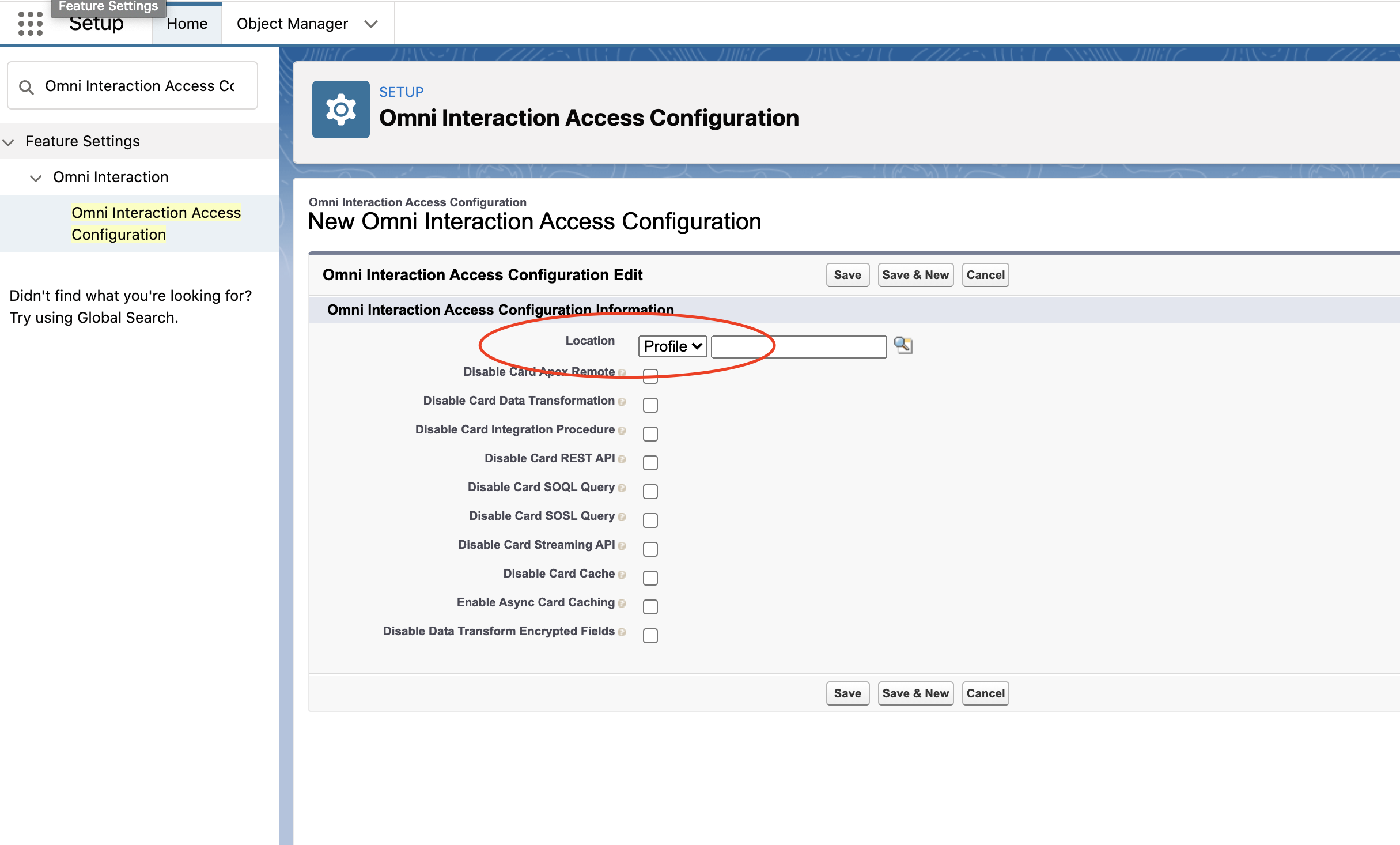
Select Profile or User from the Location list.
-
Select Profile to manage data sources for a specific profile, such as System Administrator.
-
Select User to manage data sources for a specific user, such as Jane Doe.
-
-
Check Disable Card Cache.
-
Click Save.
-
