
You are here:
Disable Preload on Conditional Elements (Managed Package)
For the managed package runtime, improve performance on Flexcards with conditional elements by removing hidden elements from the Document Object Model (DOM), or the rendered HTML. By default, all elements on a Flexcard are preloaded, which means they’re added to the DOM and then, if the condition is false, are hidden with CSS. The element's HTML is still rendered.
 This information is for Omnistudio for Managed Packages. For Omnistudio on standard runtime, see Omnistudio Help.
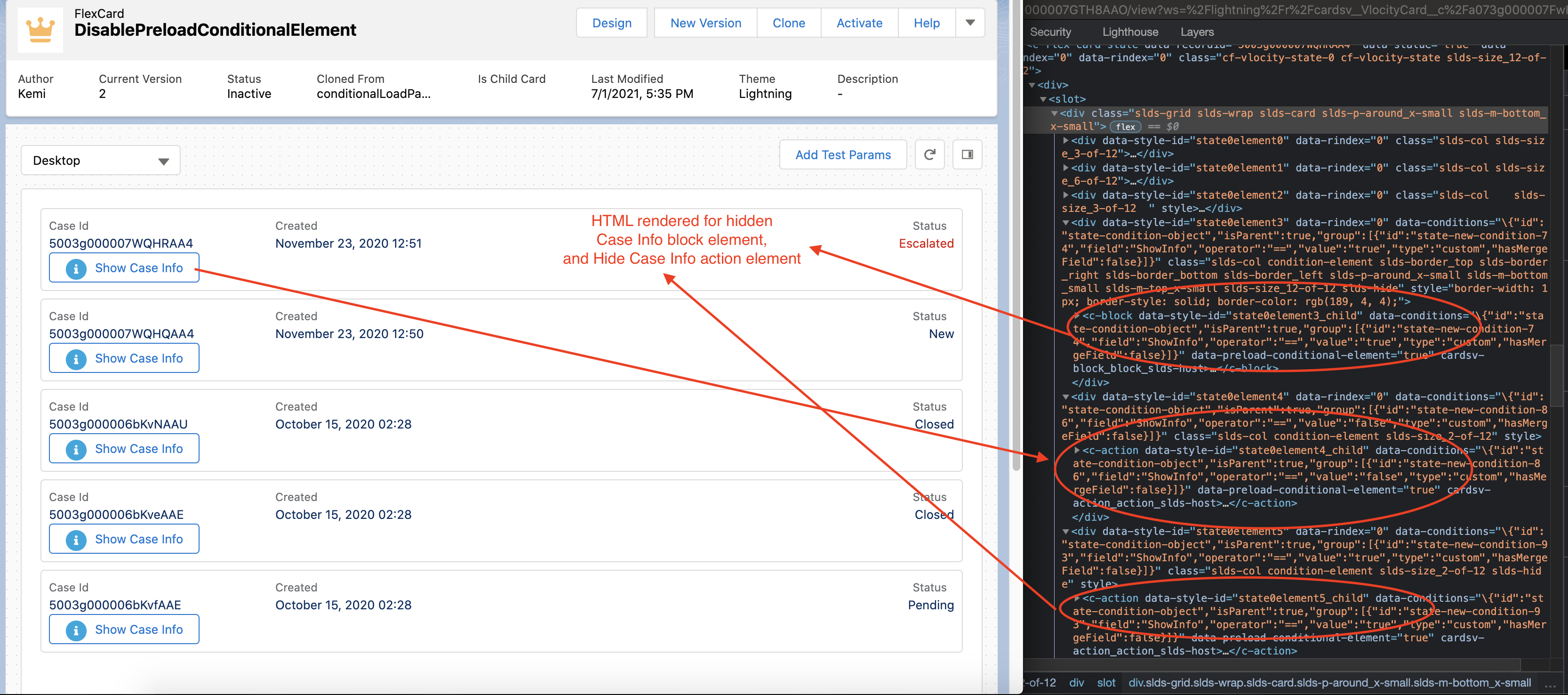
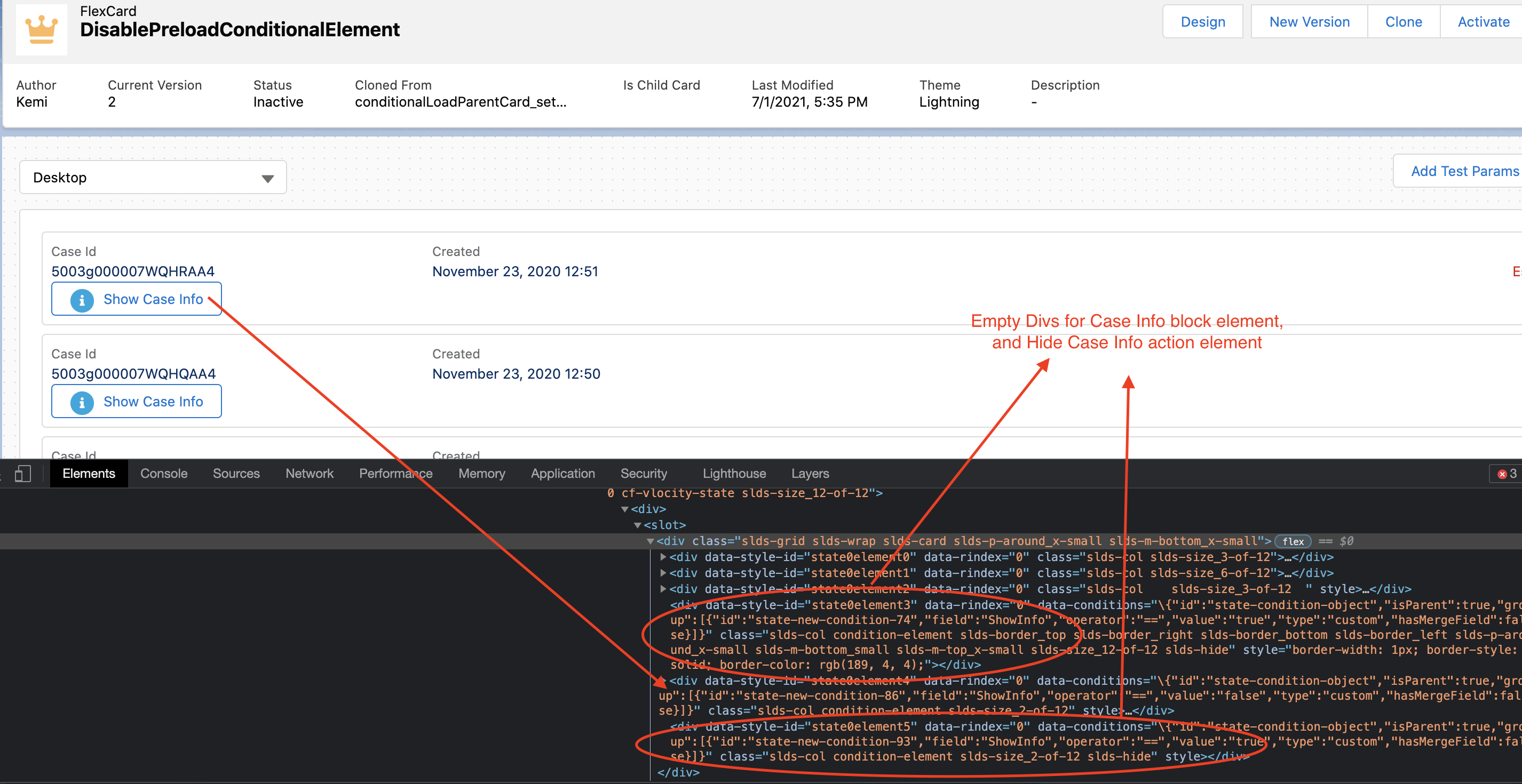
Having many conditional elements preload on a Flexcard can impact performance. For example, preloading numerous elements can prevent the user from being able to perform an action until all the HTML is rendered. You can disable preloading an element by disabling the Preload Conditional Component property in the Properties panel when a condition is applied to an element. Disabling the feature hides the element from the DOM when its condition isn’t met. HTML isn’t rendered.

Example: Toggle Case Information
Let's say you have a list of cases that you want to enable customer service reps to show or hide records as needed.
Problem
A typical rep's case load is about 100 cases. Hiding the cases with a conditional statement would mean that all 100+ cases render in the HTML even if they're not visible on the Flexcard. This can impact performance because all that HTML must load before the customer service rep can perform an action.
Solution
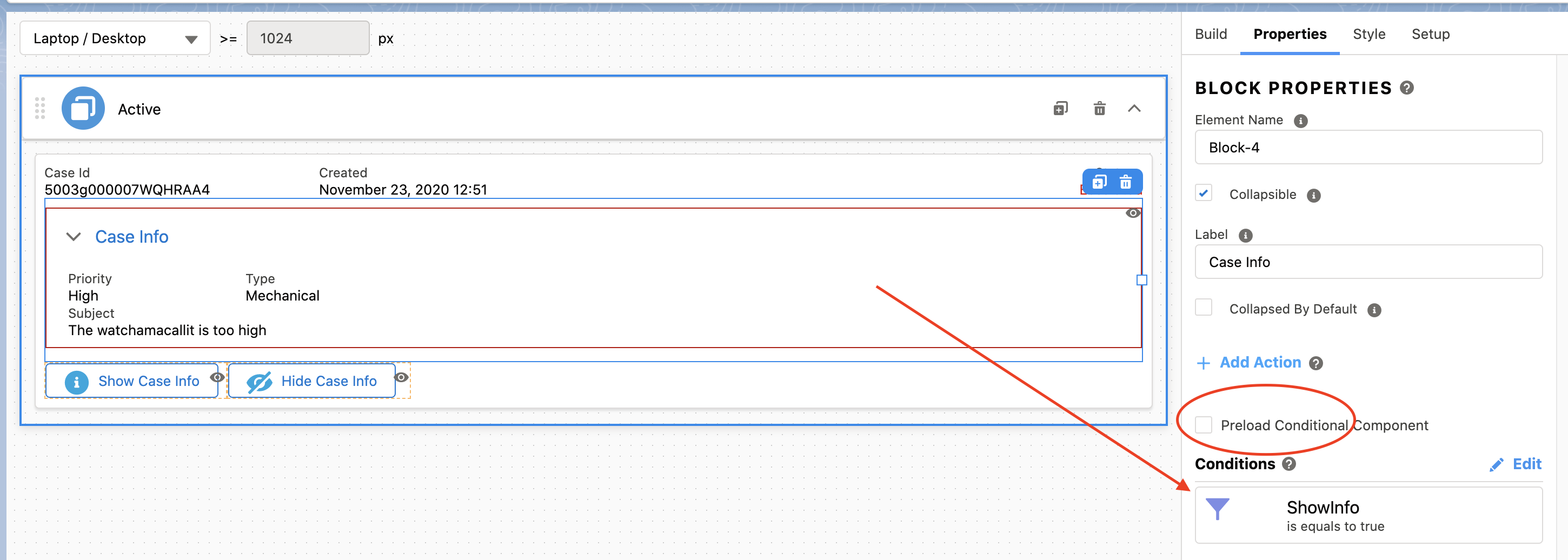
Display the case ID, status, and creation date. Wrap all other case information in a Block element and hide it with a condition that displays the block only when ShowInfo is true. ShowInfo is a boolean value that comes from your data source and is set to false by default. Disable the Preload Conditional Component property.
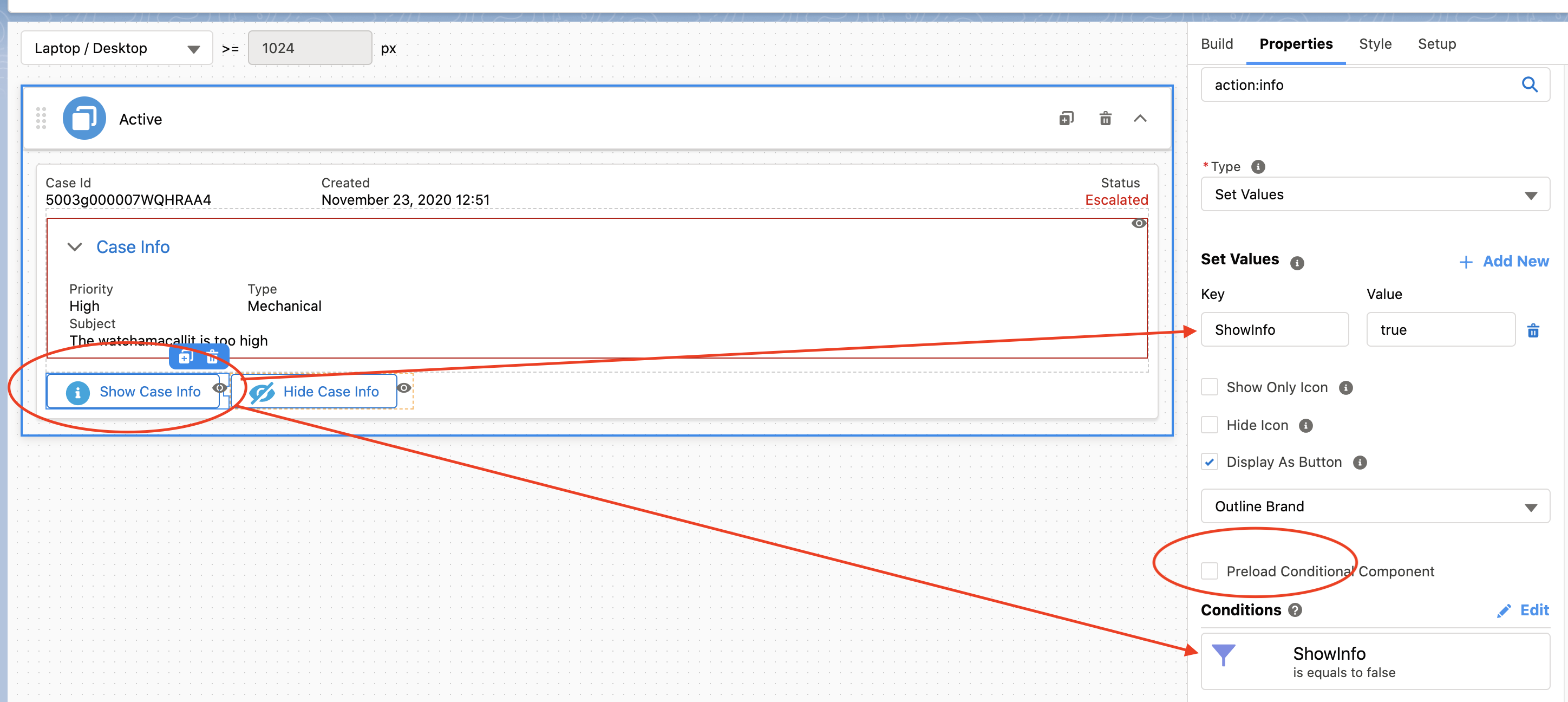
Add two action buttons that enable a service rep to toggle the display of the case information. The Show Case Info action button sets the value of ShowInfo to true, and has a condition that displays the button only when ShowInfo is false. The Hide Case Info button sets the value of ShowInfo to false, and has a condition that displays this button only when ShowInfo is true. Disable the Preload Conditional Component property for each action element.
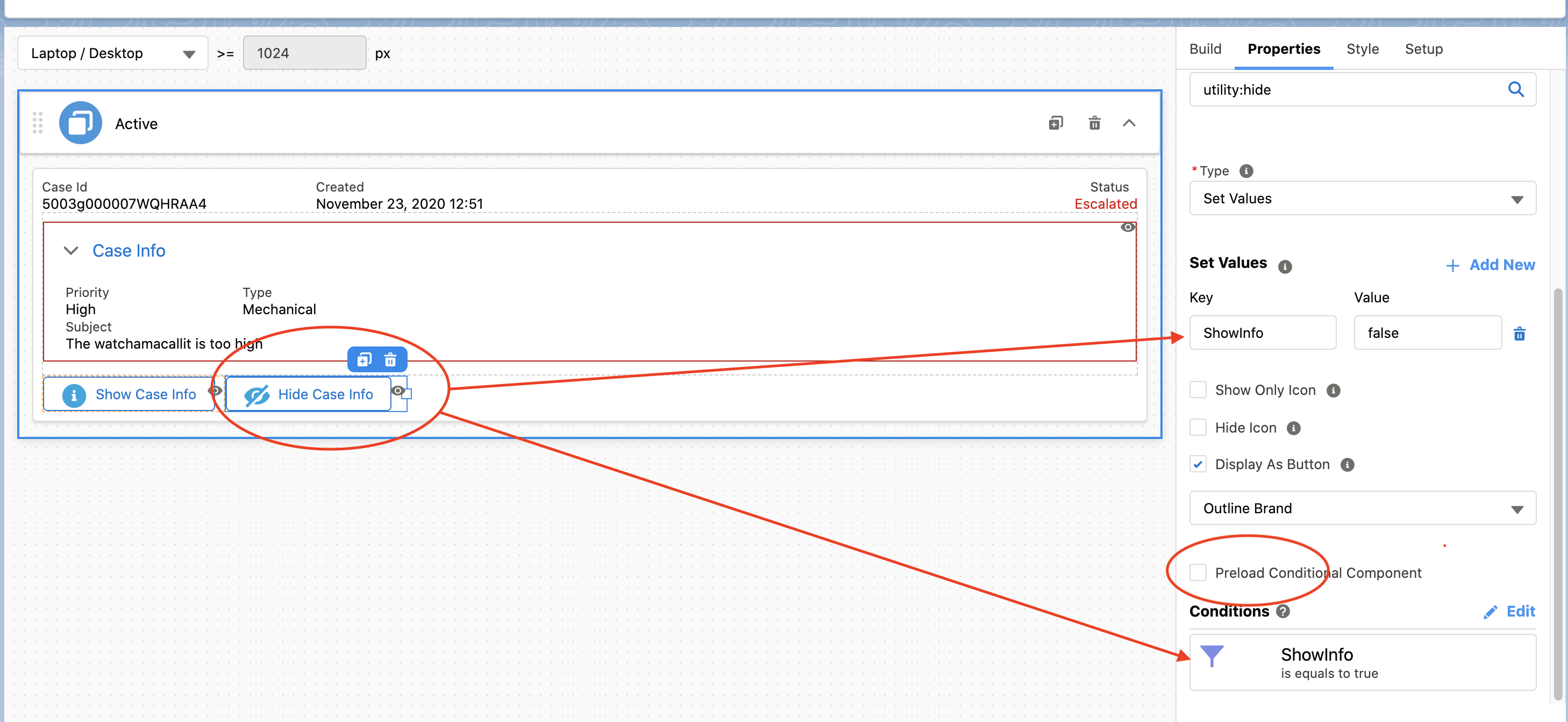
In Preview, for each case you can see the Show Case Info button, and don't see the Case Info block. When you inspect the code in your browser, the HTML for the Case Info block and the Hide Case Info button aren't rendered.
