
You are here:
Flexcard States (Managed Package)
For the managed package runtime, Flexcards have states. Each state displays a list of fields, a data source, and one or more actions. You can also associate a state with one or more flyouts, which show supplemental data displayed as a modal or popover.
 This information is for Omnistudio for Managed Packages. For Omnistudio on standard runtime, see Omnistudio Help.
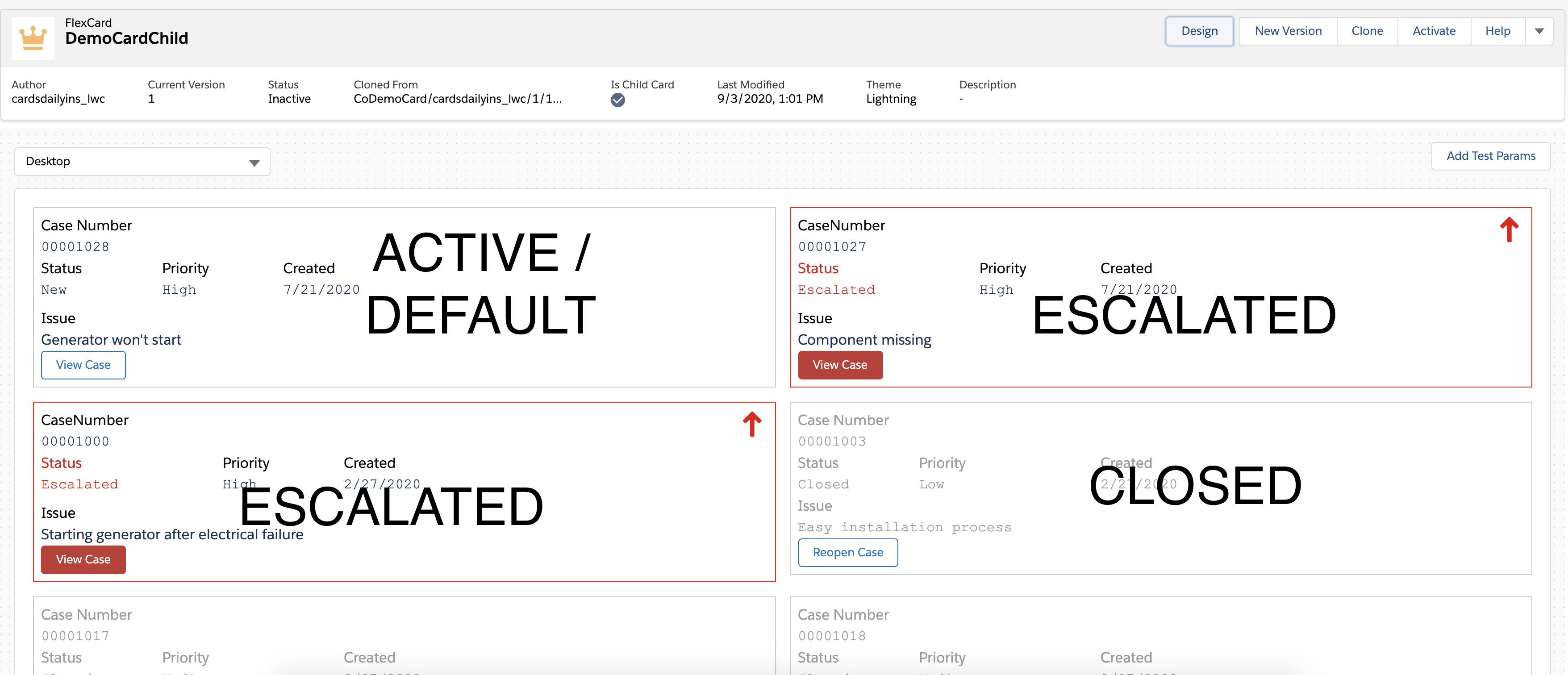
Flexcard states enable the presentation of different CRM interactions per state. For example, closed cases have reopening actions, while escalated cases are styled differently and have an action to view the case. Flexcards with different states present different data.
In addition to adding different elements depending on the state, you can also set conditions to determine if, when, and how data displays on a Flexcard. The Flexcard selects the first state with true conditions to display.
You can enable a Blank Card State to display information when no data is returned from the configured data source.
You can customize each card by its state to display various clickable actions, information, and optional visual cues. For example:
-
If a Case is escalated, the Case Flexcard (via its state) could display with a red border, red text, and an action, such as View Case.
-
A Flexcard for a closed case could be grayed out with an action to Reopen Case.
- Add a State to a Flexcard (Managed Package)
For the managed package runtime, add a state to a Flexcard to present different interactions and layouts based on specified conditions. Each Flexcard has a default state that cannot be deleted. Add a State element to the canvas of a Flexcard, or clone a state already on the canvas. - Clone a Flexcard (Managed Package)
For the managed package runtime, create an identical copy of a Flexcard with the Clone feature in the Flexcard Designer. Cloning an existing Flexcard creates a new Flexcard with a new Name, or Author, or both. The Name and Author must be unique. - Add Conditions to a Flexcard State (Managed Package)
For the managed package runtime, Flexcard states enable the presentation of different CRM interactions for each state. Set conditions to determine if, when, and how data displays on a Flexcard. - Flexcards State Properties (Managed Package)
For the managed package runtime, this page contains lists of available Flexcards State element properties. Add additional states o a Flexcard to present different interactions and layouts based on specified conditions.
