
You are here:
Integrate Salesforce Knowledge with Omniscript (Managed Package)
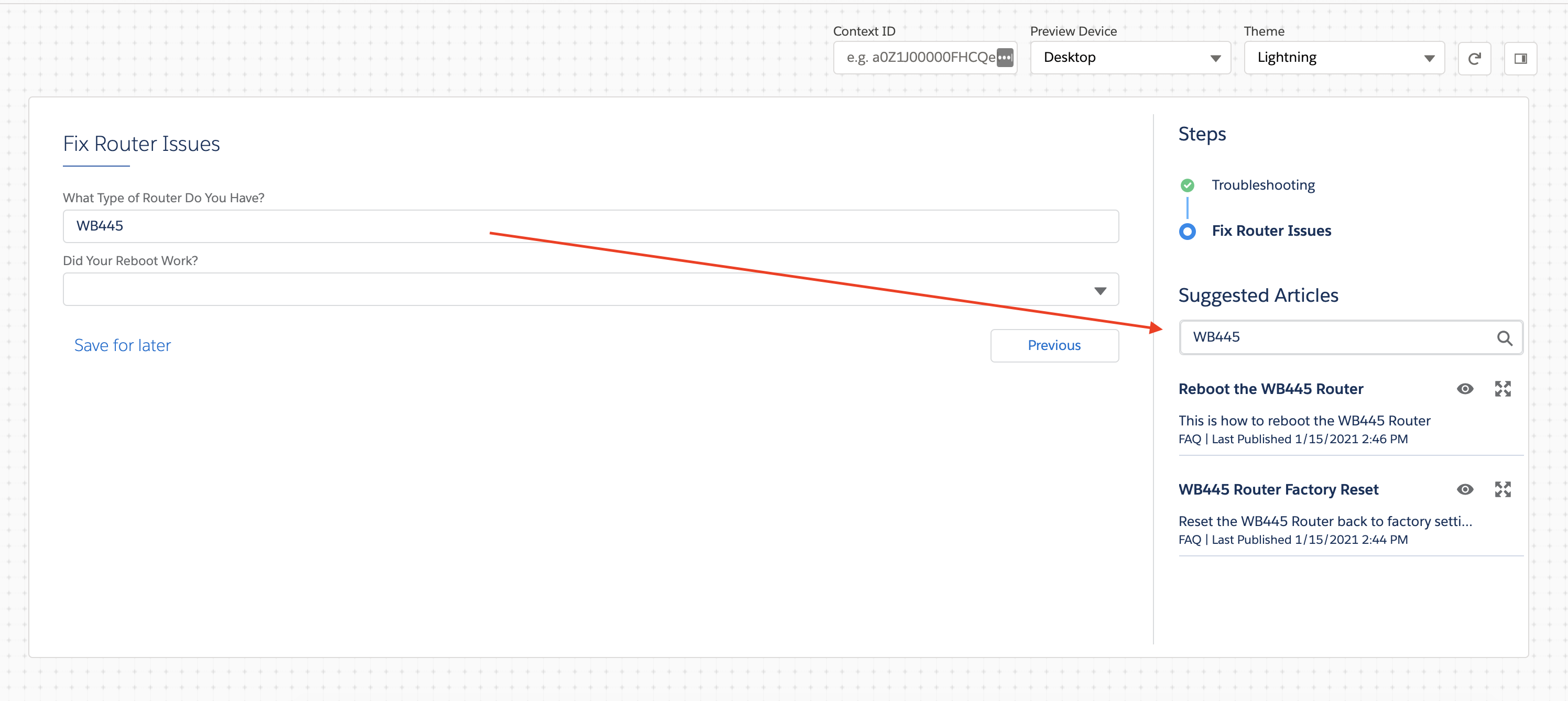
For the managed package runtime, enable users to search and view Salesforce Knowledge Articles when using an Omniscript. Configure Omniscript Knowledge Options to search for articles based on static values and dynamic inputs from Omniscript fields, or a query from a simple search bar.
 This information is for Omnistudio for Managed Packages. For Omnistudio on standard runtime, see Omnistudio Help.
For each set of search criteria for knowledge articles, the maximum number of results displayed is 2000 records. Salesforce set this limit for SOSL queries.

Your organization must have Salesforce Knowledge enabled to use this feature.
From the Omniscript Designer Preview, you can open the article in a new browser tab.
Simple Search Bar
- Set Up Omniscript to Work with Salesforce Knowledge (Managed Package)
For the managed package runtime, to let users search and view Salesforce Knowledge articles in an Omniscript, integrate Salesforce Knowledge into the Omniscript. Omniscript also supports querying Lightning Knowledge. - Configure Knowledge for Individual Steps in the Omniscript (Managed Package)
For the managed package runtime, after the initial configuration to set up your Omniscript to work with Salesforce Knowledge, integrate Knowledge in your Omniscript Steps. Configure options on each step to enable Knowledge and filter results. - Open Knowledge Base Articles Outside an Omniscript (Managed Package)
For the managed package runtime, beginning with Vlocity Insurance and Health Winter '20 and Vlocity CME Winter '20, launch Knowledge base articles outside of an Omniscript using the Vlocity Omniscript Knowledge Base component in a Community or Lightning page. - Knowledge Options Properties Reference (Managed Package)
For the managed package runtime, Knowledge Options properties are configurable from the Setup and Properties panels in the Omniscript Designer. Enable Knowledge in your Omniscript to allow users to view and search for articles from your Salesforce Knowledge articles.
