
You are here:
Run OmniOut in Development Mode (Managed Package)
For the managed package runtime, view and test your Omniscript and Flexcard before adding it to your application by running it in development mode. Use a jsForce connection to request data from your org.
Before you begin:
 This information is for Omnistudio for Managed Packages. For Omnistudio on standard runtime, see Omnistudio Help.
- Download your Lightning web component and add it to OmniOut. For Omniscripts, see Add an Omniscript Lightning Web Component to OmniOut (Managed Package). For Flexcards, see Add a Flexcard LWC to OmniOut (Managed Package).
- To enable a Salesforce API connection from your app, create a Salesforce Connected App. See Create a Connected App for OmniOut (Managed Package).
See jsForce on GitHub.
-
In the .src folder's index.html
file, locate
function
               JSForceConnectionExample()
. -
In the
const connectionobject, enter the Salesforce Connected App's access token and instance URL. See Access Token.const connection = new jsforce.Connection({ // Set your jsForce configuration here accessToken: '', instanceUrl: '' });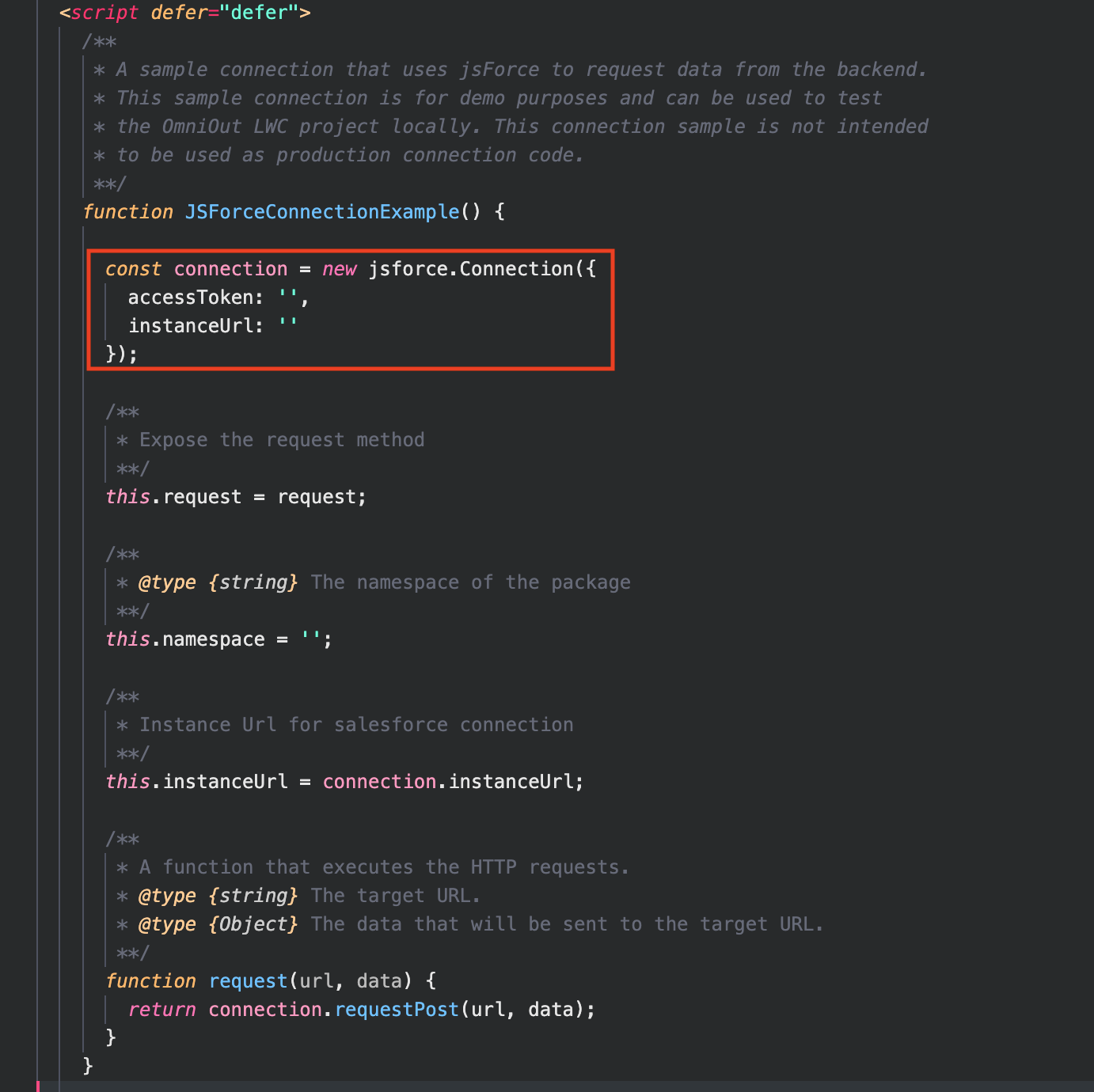
- Set this.namespace equal to the namespace of your package namespace.
- Save your file.
-
In the terminal, enter and run the command
npm run
                  watch
.
What’s next: Move OmniOut into Your App (Managed Package).
Did this article solve your issue?
Let us know so we can improve!
