
You are here:
View the Tracking Data in Google Analytics (Managed Package)
For the managed package runtime, in the Workflow to Configure OmniAnalytics with Google Analytics documentation, after you view the example Omniscript and Card, you can view the data in Google Analytics. This is the final step in the workflow.
 This information is for Omnistudio for Managed Packages. For Omnistudio on standard runtime, see Omnistudio Help.
-
Sign into the Google Analytics account you set up and go to the Home
page.
If you are already signed in and on the Admin page, click the Home icon in the list on the left.
- In the list on the left, under Reports, click Conversions.
- Expand the Ecommerce node and click Overview.
-
Explore the charts, lists, and dashboards on the page.
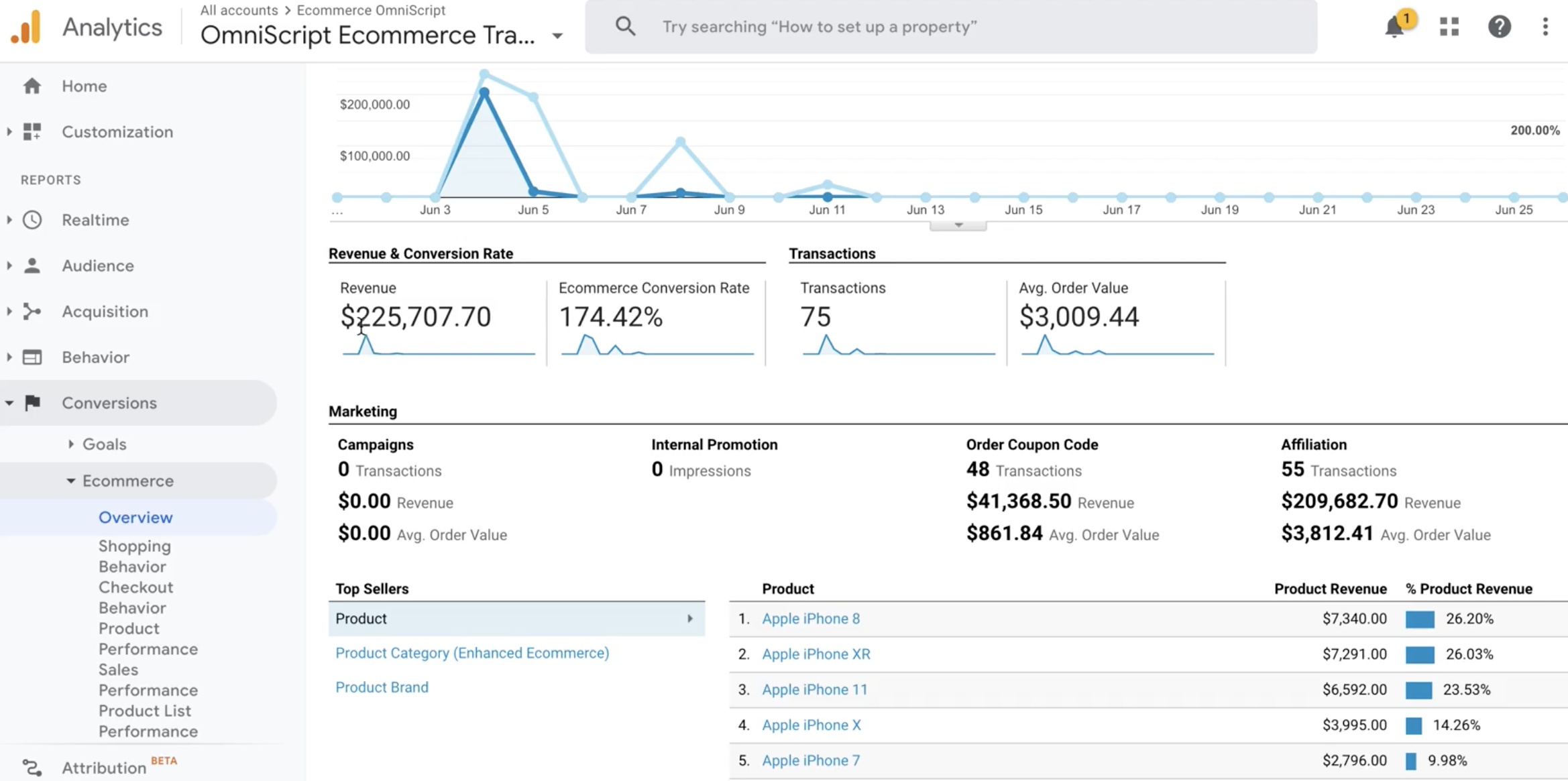
- Explore the other data visualizations under the Ecommerce node.
What’s next: For additional things you can do with the data, see the Next steps in Get started with Analytics.
Did this article solve your issue?
Let us know so we can improve!
